Weblioポップアップ英和辞典 icon

Weblioポップアップ英和辞典 Chrome Extension Analysis

AI & Writing Assistants

Chrome extension ID: oingodpdjohhkelnginmkagmkbplgema

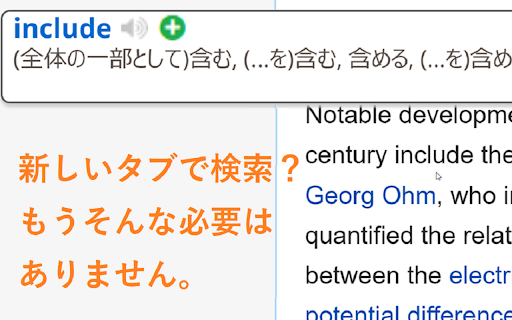
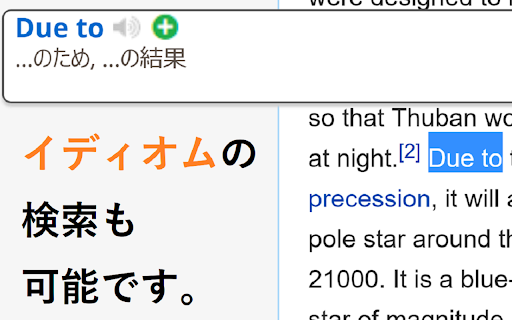
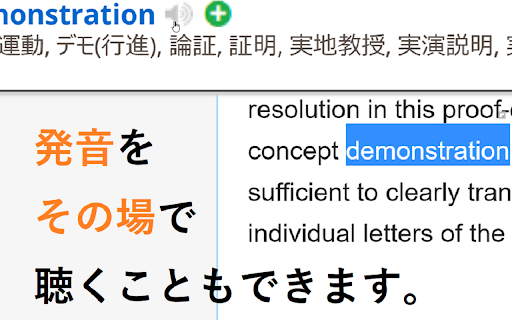
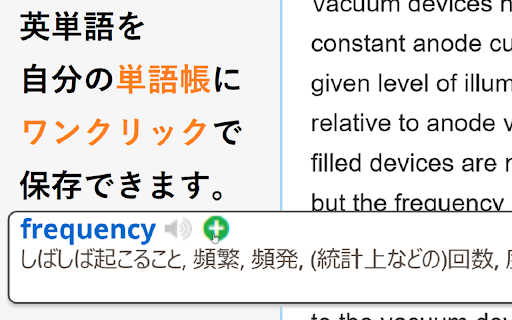
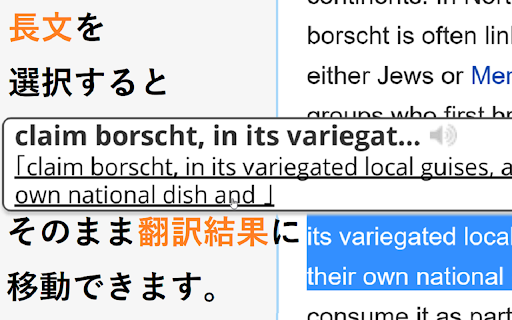
Weblioポップアップ英和辞典 is a free productivity tool designed for Japanese speakers reading English web content. It displays immediate pop-up translation balloons when users hover over or select English terms, phrases, or conjugated verbs. Users can also access audio pronunciation and seamless redirection to Weblio's comprehensive online dictionary.

Version:7.0.0
Size:31.97KiB
Last updated:

Overview

Installs

100K+

Rating

4.1

241 reviews

Languages

1 locales

Includes 日本語

Market analysis

Review-backed positioning, friction, and market signals for this Chrome extension.

Backed by review samples

Macro category

AI & Writing Assistants

Pricing friction

Low review signal

Complaint intensity

High review signal

Listing & review signals
Observed signals from store listing text and review samples.

Listing positioning

The store listing positions Weblioポップアップ英和辞典 as an official, highly integrated hover-and-lookup English-to-Japanese dictionary extension. It highlights the convenience of showing fast pop-up translations on mouse hover or double-click without needing to open a separate tab. It positions itself as a specialized English-learning utility that avoids trigger errors by ignoring Japanese characters.

Inferred product pattern

A free utility extension designed to provide rapid value while driving user traffic back to the parent brand's web translation portal.

Review-backed pain points

Users are highly frustrated by a past update that stripped the manual search input box out of the popup UI, requiring them to redirect to the external Weblio site. Furthermore, there are critical user experience issues where popups freeze on screen, interrupting text input inside web-based editors, and ignoring configuration changes like the 'Ctrl + hover' restriction.

Observed feature gaps

Based on user feedback, there is a clear demand for direct inline search input in the popup bubble, site-by-site domain exclusions, phonetic symbol inclusion in the popups, and improved display for derivative forms instead of only base root words.

Tags
Popup DictionaryTranslation AssistantLanguage Learning
Target users

- Japanese students studying English

- Japanese professionals reading English documentation

- Web browsers looking for quick, non-disruptive word definitions

Primary use cases

- Translating English words immediately on hover

- Reading English-language articles with instant definition assistance

- Looking up conjugated English verb stems automatically

Positive themes

- Highly efficient workflow using the Ctrl-key and mouseover configuration

- Smooth core translation features that beat other comparable dictionary extensions when functional

Negative themes

- Removal of the direct in-popup manual search box

- Popups getting permanently stuck on-screen and resisting deletion or page refreshes

- Absence of website-specific blacklisting (causing conflicts on sites like Notion and WordPress)

- Bugs preventing custom shortcut settings from saving

Observed friction

- Performance complaints detected

- The tool is completely free. One older review mentions a planned limit on personal dictionary registrations, but no actual payment friction or premium tier issues were raised in the user reviews.

Evidence boundary: Analyzed public-facing store listing metadata, developer update logs, and 10 representative user reviews on the Chrome Web Store. Analysis is based on historical and translated Japanese reviews. Recent performance patches cannot be verified without real-time telemetry.
Complaint summaries
Review-backed complaint signals grouped by operational area.

Support

No explicit support team complaints are documented, but users express frustration that critical usability bugs and feature regressions (like the lost popup search box) have not been actively resolved.

Reliability

Users report major stability bugs where popup bubbles persist on top of the browser view indefinitely. Some note that the popups block editing in WordPress and Notion, and even continue to appear after disabling the extension or clearing cache.

Privacy

One user noted seeing an unexpected ad-like popup once, but overall there are no verified privacy or security complaints in the sample reviews.

Access & pricing

- Free usage observed

- No account requirement observed

- Free plan or free usage claimed

Store listing facts

Listing assets

- Screenshots: 5

- Videos: 0

- Languages: 1

Trust signals

- Privacy policy

- Developer contact

- Official website

Store metadata

- Version: 7.0.0

- Size: 31.97KiB

- Last updated:

Store description excerpt
Short excerpt from the public Chrome Web Store listing; full copy is available on the official store page.
Weblio公式のポップアップ辞書です。 Webページの英単語にオンマウスしたりダブルクリックしたりすることで、Weblio英和辞典の意味や、Weblio英語翻訳の結果へのリンクを表示させることができるWeblio公式のPOPアップ辞書・マウスオーバー翻訳です。 ◆◆【Weblio 英和辞典エクステンションでできること】 ・マウスをかざすとポップアップするウィンドウでWeblioでの英単語やイディオムの解説を見ることができるマウスオーバー辞書です。 ・「英単語を選択状態にして検索する」を指定することで、英単語をダブルクリックするだけでWeblioの対訳が表示されます。 ・ポップアップさせるためのアクションは、Ctrlキーとマウスホバーを組み合わせることもできます。 ・名詞の複数形や動詞の活用形などにも対応しているため、単数形や原形に直してWeblioを検索しなおす必要がありません。 ・「英単語を選択状態にして検索する」を指定した場合、熟語やイディオムなどを連語検索することができます。 ◆◆【基本的な使い方】 1. 意味を調べたい英単語にマウスポインタをのせるか、調べたい単語やイディオムをハイライトにします。 (マウスカーソルを単語にホバーさせて検索を行うか、熟語やイディオムをなぞって検索を行うか、オプションから設定可能) 2. ポップアップする吹き出しに、ツールチップのように和訳や日本語訳の解説文が表示されます。 ◆◆【特徴】 ・「Weblio 英和辞典エクステンション」は英語を調べることに特化したマウスオン辞書の「拡張機能(アドオン・プラグイン)」です。 ⇒ 日本語を含む言葉には反応しないため、日本語の単語をブラウザ上からコピーする場合でも、スムーズに行うことができます。 ・mouseoverにより、スピーディに英語の対訳や熟語の意味を調べることができます。 ⇒ シンプルな翻訳ツールとしても利用可能です。 ◆◆【「Weblio 英和辞典エクステンション」のアップデート情報】 2017年3月30日(Ver 6.0.3) - 軽微なバグを修正しました 2016年9月5日…

Listing SEO keywords

Search intent keywords
Keyword signals for evaluating how users may discover, compare, or search for this extension category.

Core discovery

weblio chrome extensionmouseover english japanese dictionaryweblio popup dictionaryjapanese popup dictionary chrome

Comparison

weblio vs imtranslator

Problem

weblio extension not workingweblio popup won't closeweblio hover disabled

Alternative

imtranslatorgoogle translate extension

Similar extensions

Jump to related discovery paths:

FAQ

What is Weblioポップアップ英和辞典 mainly used for?
Weblioポップアップ英和辞典 is a free productivity tool designed for Japanese speakers reading English web content. It displays immediate pop-up translation balloons when users hover over or select English terms, phrases, or conjugated verbs. Users can also access audio pronunciation and seamless redirection to Weblio's comprehensive online dictionary.
What market signals stand out?
Established adoption with moderate review base. Last known update: 02/03/2024.
What should builders compare before entering this space?
Compare install concentration, rating quality, update recency, screenshots, developer portfolio, listing claims, and review-backed friction signals.
Is this page review-backed?
Backed by review samples. This page combines store metadata with selected review signals, while raw store metrics remain visible for comparison.

Screenshots

Weblioポップアップ英和辞典 screenshot

Links

Recommended Chrome extensions

Related listings from the same category, trending peers, and the same publisher portfolio.

Browse education
Weblio エクステンション icon

Weblio エクステンション

GRASグループ株式会社

ウェブリオ公式のエクステンション。キーワードを選択状態にすることで、キーワードの解説文をポップアップウィンドウ内で見ることができます。

Installs

10K+

Rating

4.5

Paperpile Extension icon

Paperpile Extension

Paperpile

Collect, organize, annotate and cite your research papers in Chrome.

Installs

200K+

Rating

4.6

Rapid Journal Quality Check icon

Rapid Journal Quality Check

jrk.devgit

Displays rankings and h-index for academic journals next to Google Scholar search results.

Installs

200K+

Rating

4.2

OpenDyslexic for Chrome icon

OpenDyslexic for Chrome

OpenDyslexic

Format pages using the OpenDyslexic font and low contrast help

Installs

200K+

Rating

4.1

Google Meet Breakout by Robert Hudek icon

Google Meet Breakout by Robert Hudek

Unknown developer

Only the teacher needs to install. Completely Free and your Data is Private. Google Classroom integration, Slider Control.

Installs

200K+

Rating

4.4

Reverso – Translation, dictionary icon

Reverso – Translation, dictionary

Reverso Technologies Inc.

Translate and learn languages while browsing and watching movies, it’s free.

Installs

200K+

Rating

4.6

Toucan by Babbel - Language Learning icon

Toucan by Babbel - Language Learning

jointoucan.com

Learn a new language just by browsing the internet.

Installs

200K+

Rating

4.6

Add to Google Classroom icon

Add to Google Classroom

Canopy

This extension adds the current site to Google Classroom

Installs

200K+

Rating

4.2

Knowt: Quizlet Import, AI Notes & Flashcards icon

Knowt: Quizlet Import, AI Notes & Flashcards

Knowt

Automatically import flashcards and notes from any video, PDF, article, or flashcard site. Knowt is the fastest way to study.

Installs

100K+

Rating

4.9

ExCITATION – Journal Ranking & Impact Factor for Google Scholar™ icon

ExCITATION – Journal Ranking & Impact Factor for Google Scholar™

Excitation Journal

Show SJR, ABS & ABDC journal rankings in Google Scholar. Sort by citations, detect predatory journals & preview abstracts — free.

Installs

100K+

Rating

4.5