
Mote for Google Chrome™ Chrome Extension Analysis
AI & Writing AssistantsChrome extension ID: ajphlblkfpppdpkgokiejbjfohfohhmk
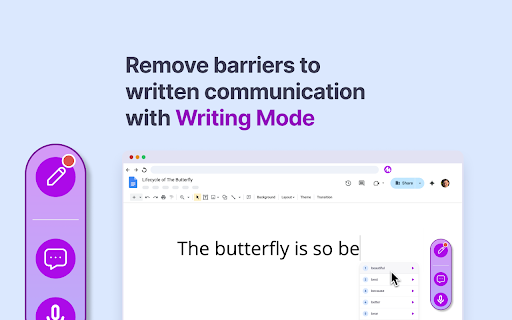
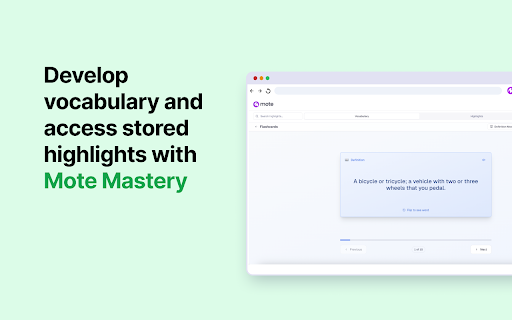
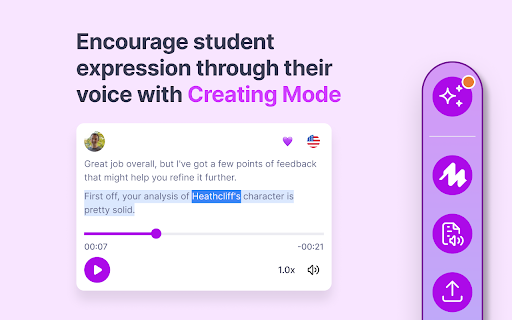
An extension providing AI-driven text-to-speech, voice-to-text, and voice recording tools. It features a sidebar with Reading, Writing, and Creating modes, including tools like a picture dictionary, translation, and voice transcription.
Overview
Installs
800K+
Rating
★ 4.6
171 reviews
Languages
19 locales
Includes English, English (United Kingdom), English (United States), Indonesia...
Market analysis
Review-backed positioning, friction, and market signals for this Chrome extension.
Macro category
AI & Writing Assistants
Pricing friction
Moderate review signal
Complaint intensity
Moderate review signal
Listing positioning
Mote positions itself as an AI-powered learning companion designed for educators and students. It emphasizes accessibility, universal design for learning (UDL), and seamless integration with Google Workspace to improve reading, writing, and communication.
Inferred product pattern
AI-driven accessibility and feedback overlay for educational ecosystems.
Review-backed pain points
Users report frustration with strict limits on the free tier, specifically a 20-voice-memo monthly cap and a 30-second recording limit. Technical pain points include recordings that cannot be stopped or fail to save.
Observed feature gaps
Reviewers suggest the addition of visual cues like waveforms during recording and a need for overall improved speed/performance.
- K-12 Educators
- Students
- English Language Learners (ELL)
- Users with dyslexia or ADHD
- Google Workspace for Education administrators
- Providing voice-based feedback on assignments
- Text-to-speech for reading accessibility
- AI-powered dictation for students
- Creating personalized vocabulary banks
- Translating web content via AI voices
- Improved distance learning experience
- Effective support for students with reading difficulties
- Utility of voice memos for demonstrating student understanding
- Restrictive free tier limits
- Technical instability with recordings
- Lack of upfront pricing transparency
- Performance lag
- Free-tier complaints detected
- Performance complaints detected
- Users feel the payment model is not straightforwardly communicated upon installation and find the free usage limits too restrictive for professional educational use.
Support
Reports of errors when inserting recordings into Google Slides, with users stating that the tool occasionally fails to function despite support prompts.
Reliability
Reliability issues include recordings that cannot be stopped, files not saving correctly, and incorrect file-type errors in Google Slides.
Privacy
No significant privacy complaints, although one user reported experiencing unrelated pop-up ads after installation.
- Free entry with paid features
- Account required for core usage
- Limited free usage observed
Store listing facts
- Screenshots: 4
- Videos: 1
- Languages: 19
- Privacy policy
- Developer contact
- Official website
- Support link
- Version: 3.2.9
- Size: 41.36MiB
- Last updated:
Listing SEO keywords
Core discovery
Comparison
Problem
Alternative
Similar extensions
Jump to related discovery paths:
FAQ
Screenshots

Links
Website: mote.com
Privacy policy: https://www.mote.com/privacy
Support links: https://support.mote.com
Videos: Watch