
Speechify Chrome Extension Analysis
AI & Writing AssistantsStore listing title: Speechify — Text to Speech
Chrome extension ID: ljflmlehinmoeknoonhibbjpldiijjmm
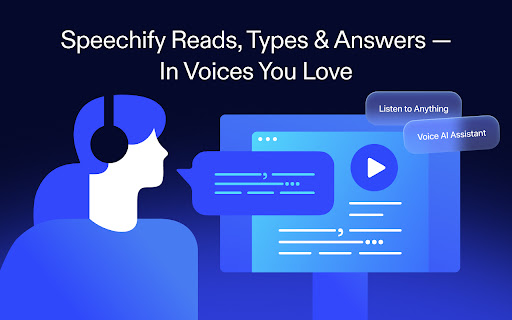
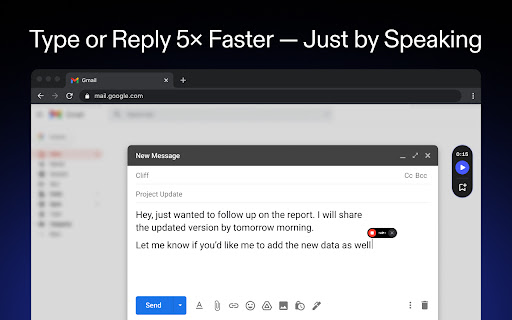
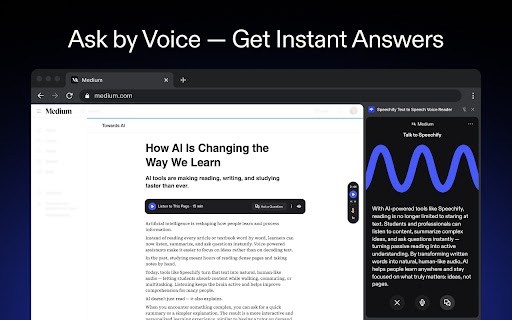
Speechify is an assistive technology and productivity extension designed to read digital text aloud using realistic AI voices. It allows users to convert PDFs, Google Docs, books, and general web pages into speech, complete with active text highlighting. Users can also dictate text using voice typing and interact with an integrated AI reading assistant.
Overview
Installs
900K+
Rating
★ 4.6
22,371 reviews
Languages
1 locales
Includes English
Market analysis
Review-backed positioning, friction, and market signals for this Chrome extension.
Macro category
AI & Writing Assistants
Pricing friction
Moderate review signal
Complaint intensity
High review signal
Listing positioning
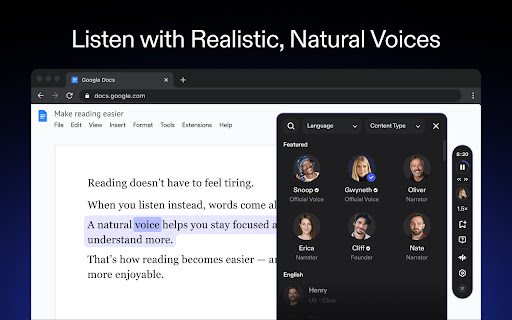
Speechify positions itself as a premier AI-powered text-to-speech and dictation tool trusted by over 50 million users across multiple platforms. The listing highlights its massive library of over 1,000 lifelike voices, including celebrity partnerships like Snoop Dogg and Gwyneth Paltrow, supporting 60+ languages. It frames the product as a major productivity and accessibility tool that enables reading up to 4.5x faster.
Inferred product pattern
A highly marketed accessibility tool utilizing celebrity voice features as a premium upsell, relying on strict free trial limits to convert users into annual subscribers.
Review-backed pain points
Reviewers frequently cite heavy browser performance degradation, where the extension makes Chrome laggy and slow even on high-end hardware. Additionally, users are highly frustrated by an incredibly short free trial duration, frequent audio glitches like echoing or resetting voices, and intrusive popups that continuously ask to update even when dismissed.
Observed feature gaps
Reviews indicate that the extension lacks high-quality free voices, defaulting to low-quality robotic voices once the limited premium trial expires. Users also noted that the auto-scroll feature fails to function consistently, and the tool defaults to a poor backup AI voice when the system loses internet connection.
- Students
- People with Dyslexia
- People with ADHD or Vision Challenges
- Professionals
- Productivity Hackers
- Listening to textbooks, study guides, and online readings at high speeds
- Converting PDFs and heavy work documents into audio files
- Dictating essays, emails, and notes directly into web forms
- Interacting with an AI assistant to summarize or quiz text content on-screen
- Synthesizing screenshot image text to speech
- Highly realistic, human-like voice synthesis that improves comprehension
- Invaluable accessibility aid for college students with reading challenges
- Good multi-platform synchronization when working as intended
- Extremely brief free trial limits that push users to pay almost immediately
- Severe browser slowdowns, lag, and high system resource usage
- Persistent and intrusive update popups that interfere with general web browsing
- Unhelpful customer support that redirects users to third-party chat apps like WhatsApp
- Frequent bugs such as echoing audio, sudden voice changes, and broken auto-scroll
- Free-tier complaints detected
- Performance complaints detected
- Users report that the free trial is far too short to evaluate the product, sometimes cutting out after less than a page or 60 seconds of use. Many express frustration that high-quality, natural-sounding voices require a paid annual subscription, leaving free tier users with unsatisfying robotic voices.
Support
Customer service is heavily criticized for being unresponsive and unhelpful. Users complain about being directed to WhatsApp for technical support and being asked to share private documents and video recordings of their screen rather than receiving straightforward troubleshooting steps.
Reliability
The extension suffers from critical reliability issues, including frequent crashes, failure to auto-scroll text as it reads, and audio bugs where voices play over each other with an echo. Many users report it severely impacts general browser responsiveness.
Privacy
While not a widespread complaint in the sample, one user noted privacy concerns after support agents requested they send over private documents to diagnose a bug with the extension.
- Subscription model observed
- Account required for core usage
- Trial or limited free usage before paid plan
Store listing facts
- Screenshots: 5
- Videos: 0
- Languages: 1
- Privacy policy
- Developer contact
- Official website
- Version: 13.18.0
- Size: 23.24MiB
- Last updated:
Listing SEO keywords
Core discovery
Comparison
Problem
Alternative
Similar extensions
Jump to related discovery paths:
FAQ
Screenshots
Links
Website: speechify.com
Privacy policy: https://www.speechify.com/privacy