Brisk Teaching - AI that Works Where Teachers Work icon

Brisk Teaching Chrome Extension Analysis

AI & Writing Assistants

Store listing title: Brisk Teaching - AI that Works Where Teachers Work

Chrome extension ID: pcblbflgdkdfdjpjifeppkljdnaekohj

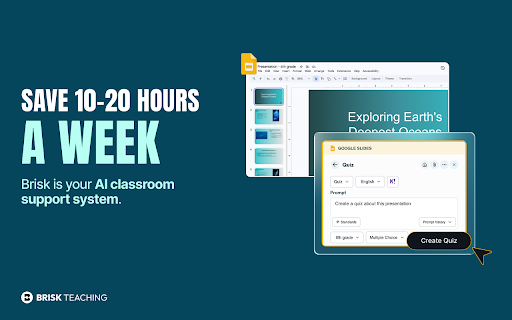
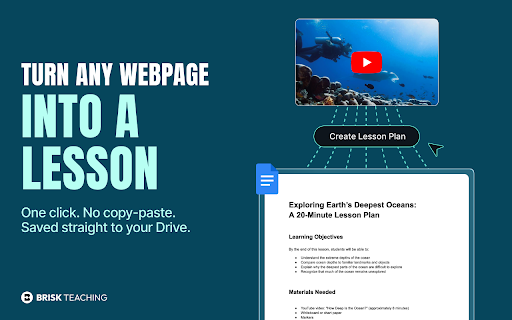
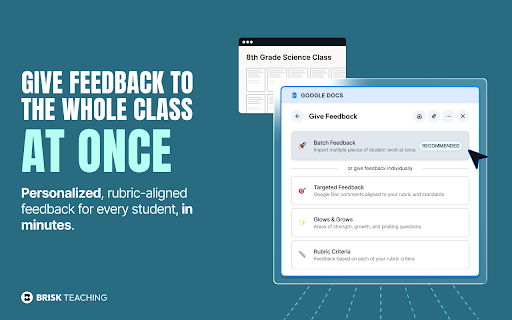
This extension provides a suite of generative AI tools for teachers to create curricular materials, differentiate content, and provide automated feedback on student work. It functions as an overlay that interacts with browser-based teaching tools to streamline administrative and pedagogical tasks.

Developer:Brisk Teaching
Version:1.0.394
Size:11.86MiB
Last updated:

Overview

Installs

1.0M+

Rating

4.7

737 reviews

Languages

55 locales

Includes Deutsch, English, English (Australia), English (United Kingdom)...

Market analysis

Review-backed positioning, friction, and market signals for this Chrome extension.

Backed by review samples

Macro category

AI & Writing Assistants

Pricing friction

High review signal

Complaint intensity

High review signal

Listing & review signals
Observed signals from store listing text and review samples.

Listing positioning

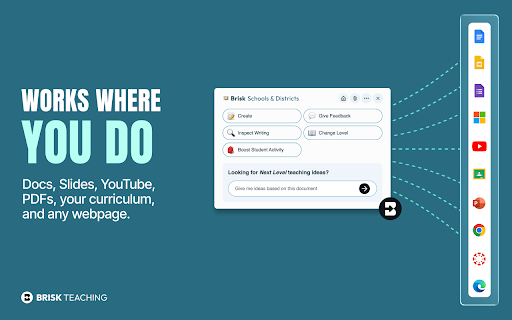
Brisk Teaching positions itself as an AI-powered ecosystem designed to integrate directly into an educator's workflow within platforms like Google Docs, Classroom, and Canvas. It emphasizes time-saving features, such as automated lesson planning, rubric-aligned feedback, and student writing inspection, specifically tailored for the teaching profession.

Inferred product pattern

B2B/EdTech productivity overlay transitioning from a free-for-all model to a tiered subscription structure.

Review-backed pain points

Users struggle with subscription management, difficulty cancelling paid plans, navigation challenges for first-time users, and frustration when features previously available for free are moved behind a paywall.

Observed feature gaps

Reviewers note that the extension can be non-intuitive for beginners and occasionally fails to process entire documents during feedback sessions, leading to partial results.

Tags
AI Writing AssistantTeacher ProductivityLesson PlanningEducational ToolsAI Feedback
Target users

- K-12 Teachers

- Special Education Teachers

- Educational Administrators

- Teacher Trainers

Primary use cases

- Generating lesson plans and quizzes

- Providing automated student feedback

- Adjusting reading levels for differentiated instruction

- Monitoring student revision history

- AI writing detection

Positive themes

- Significant time savings on administrative tasks

- Effective differentiation for diverse student learning levels

- Seamless integration with existing tools like Google Docs

- Valuable pedagogical support for lesson planning and grading

Negative themes

- Difficulties cancelling subscriptions

- Confusion over interface navigation

- Reduced utility of free version due to feature paywalling

- Sync issues between paid plans and active extension usage

Observed friction

- Payment required for meaningful usage

- Free-tier complaints detected

- Refund complaints detected

- Performance complaints detected

- Users report significant friction regarding subscription cancellations and instances where paid status does not reflect in the extension's functional access.

Evidence boundary: Evidence is drawn from 734 total reviews, including consistent praise for pedagogical utility and significant criticism regarding billing and subscription transparency. The evidence relies on a subset of public user reviews, which may reflect a selection bias toward users who either have strong positive experiences or strong grievances regarding billing.
Complaint summaries
Review-backed complaint signals grouped by operational area.

Support

Several users report difficulty in canceling memberships, leading to recurring charges after they have stopped using the tool.

Reliability

Complaints exist regarding the extension failing to activate properly, partial feedback generation on student documents, and general UI/UX navigation hurdles.

Privacy

No specific privacy complaints found; some users explicitly praise the tool for its approach to student privacy.

Access & pricing

- Free entry with paid features

- Login needed for core features

- Limited free usage observed

Store listing facts

Listing assets

- Screenshots: 5

- Videos: 1

- Languages: 55

Trust signals

- Privacy policy

- Developer contact

- Official website

- Support link

Store metadata

- Version: 1.0.394

- Size: 11.86MiB

- Last updated:

Store description excerpt
Short excerpt from the public Chrome Web Store listing; full copy is available on the official store page.
Teaching is irreplaceable. For the rest of your workload, there's Brisk. As educators, your time and effort are invaluable. That's why we developed Brisk Teaching, the ultimate Chrome extension for teachers. Designed to seamlessly integrate with your existing digital tools, Brisk utilizes cutting-edge AI to simplify the most labor-intensive and draining parts of teaching. Brisk has saved educators around the world over one million hours of time. WHY CHOOSE BRISK: * SEAMLESS INTEGRATION: Effortlessly overlays on existing tools like Google Docs, Google Classroom, & Canvas - without the hassle of another app or platform. * AI-DRIVEN EFFICIENCY: Tackle tasks with the ease and brilliance of having endless time and brainpower. * PERSONALIZED TO EDUCATOR NEEDS: Brisk’s suite of AI-powered tools are tailored to address the unique challenges and needs of the teaching profession * FREE FOR TEACHE…

Listing SEO keywords

Search intent keywords
Keyword signals for evaluating how users may discover, compare, or search for this extension category.

Core discovery

AI for teachersautomated lesson planningAI grading assistantteacher time saver extension

Comparison

alternatives to Brisk TeachingAI tools for educators

Problem

how to cancel Brisk TeachingBrisk Teaching not working

Alternative

educational AI assistantsAI tools for Google Classroom

Similar extensions

Jump to related discovery paths:

FAQ

What is Brisk Teaching mainly used for?
This extension provides a suite of generative AI tools for teachers to create curricular materials, differentiate content, and provide automated feedback on student work. It functions as an overlay that interacts with browser-based teaching tools to streamline administrative and pedagogical tasks.
What market signals stand out?
Large installed base with moderate review base. Last known update: 06/26/2026.
What should builders compare before entering this space?
Compare install concentration, rating quality, update recency, screenshots, developer portfolio, listing claims, and review-backed friction signals.
Is this page review-backed?
Backed by review samples. This page combines store metadata with selected review signals, while raw store metrics remain visible for comparison.

Screenshots

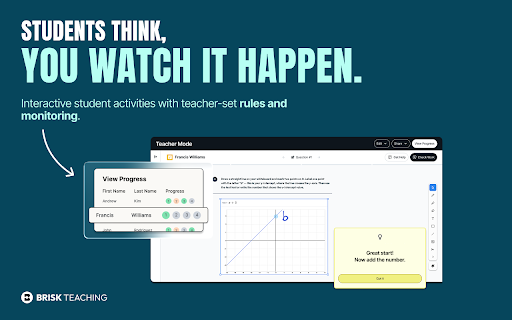
Brisk Teaching - AI that Works Where Teachers Work screenshot

Links

Recommended Chrome extensions

Related listings from the same category, trending peers, and the same publisher portfolio.

Browse education
edpuzzle icon

edpuzzle

Edpuzzle

Import your favorite educational YouTube video into Edpuzzle with a click!

Installs

300K+

Rating

4.2

Certificate Enrollment for ChromeOS icon

Certificate Enrollment for ChromeOS

google.com

Request a certificate for your device.

Installs

300K+

Rating

4.4

rikaikun icon

rikaikun

Erek Speed

rikaikun shows the reading and English definition of Japanese words when you hover over Japanese text in the browser.

Installs

200K+

Rating

4.7

xFanatical Safe Doc icon

xFanatical Safe Doc

xFanatical

xFanatical Safe Doc smooths the way for schools managing Google Workspace for Education features (Docs, Sheets, Slides, Classroom,…

Installs

200K+

Rating

1.4

Mouse Tooltip Translator - PDF & Netflix YouTube dual subs icon

Mouse Tooltip Translator - PDF & Netflix YouTube dual subs

ttop324

Mouse Tooltip Translator translate mouseover text using google translate. Support OCR, TTS, manga translator & pdf translator.

Installs

200K+

Rating

4.6

Paperpile Extension icon

Paperpile Extension

Paperpile

Collect, organize, annotate and cite your research papers in Chrome.

Installs

200K+

Rating

4.6

Rapid Journal Quality Check icon

Rapid Journal Quality Check

jrk.devgit

Displays rankings and h-index for academic journals next to Google Scholar search results.

Installs

200K+

Rating

4.2

OpenDyslexic for Chrome icon

OpenDyslexic for Chrome

OpenDyslexic

Format pages using the OpenDyslexic font and low contrast help

Installs

200K+

Rating

4.1

Google Meet Breakout by Robert Hudek icon

Google Meet Breakout by Robert Hudek

Unknown developer

Only the teacher needs to install. Completely Free and your Data is Private. Google Classroom integration, Slider Control.

Installs

200K+

Rating

4.4

Reverso – Translation, dictionary icon

Reverso – Translation, dictionary

Reverso Technologies Inc.

Translate and learn languages while browsing and watching movies, it’s free.

Installs

200K+

Rating

4.6