Autoplay Settings for YouTube™ icon

Autoplay Settings for YouTube™ Chrome Extension Analysis

Tab & Bookmark Productivity

Chrome extension ID: aogbgdnkcjgamgglpikcenliinchedel

This browser extension allows users to disable the autoplay feature on YouTube™ for individual videos and playlists. It is designed to remember the user's autoplay preferences, offering persistent control over video playback behavior.

Developer:Armin Sebastian
Version:3.1.0
Size:333KiB
Last updated:

Overview

Installs

6K+

Rating

3.1

36 reviews

Languages

1 locales

Includes English

Market analysis

Review-backed positioning, friction, and market signals for this Chrome extension.

Backed by review samples

Macro category

Tab & Bookmark Productivity

Pricing friction

Low review signal

Complaint intensity

High review signal

Listing & review signals
Observed signals from store listing text and review samples.

Listing positioning

The extension positions itself as a direct solution to disable YouTube's automatic video playback and retain these settings across browsing sessions. It highlights support for managing autoplay within playlists and states that autoplay is off by default upon installation.

Inferred product pattern

A niche utility extension designed to customize and enhance the user experience on YouTube by providing persistent control over the autoplay feature.

Review-backed pain points

The primary pain point is the complete failure of the extension's core functionality, with users reporting that it simply does not work or stops working reliably, leading to frustration as they are unable to control YouTube autoplay as advertised.

Observed feature gaps

While the listing implies full functionality, reviews indicate a critical gap where the core feature (disabling and saving autoplay settings) is not working or is highly unreliable. One user also noted it didn't resolve an issue with playlists stopping after 200 videos, suggesting it may not address all specific playlist-related autoplay bugs.

Tags
YouTube ControlAutoplay BlockerVideo Productivity
Target users

- YouTube users annoyed by automatic video playback

- Users who want persistent control over YouTube settings

Primary use cases

- Disabling automatic playback of the next YouTube video

- Saving autoplay preferences between browsing sessions

- Preventing autoplay in YouTube playlists

Positive themes

- Review-backed data is not available.

Negative themes

- Extension does not work at all

- Extension stopped working after a short period or browser restart

- Developer appears to have abandoned the extension

Observed friction

- Performance complaints detected

- The extension is free to use, with optional support via Patreon mentioned in the listing. Review-backed data is not available regarding pricing friction.

Evidence boundary: Analysis is based on the Chrome Web Store listing (short and long descriptions) and 10 low-rating English reviews (all 1-star) from the provided sample. The review samples are exclusively negative, limiting insights into any potential positive aspects of the extension or a balanced user experience.
Complaint summaries
Review-backed complaint signals grouped by operational area.

Support

The listing directs users to GitHub for bug reports and feature requests, stating reviews are not monitored for these. However, review-backed data is not available specifically for support complaints.

Reliability

Users consistently report critical reliability issues, stating the extension 'does not work' at all, or stops functioning after a single video, browser restart, or reload, leading to its removal by frustrated users.

Privacy

The listing explicitly states the developer does not collect any personal data from this extension. Review-backed data is not available for privacy complaints.

Access & pricing

- Free usage observed

- No account requirement observed

- Free plan or free usage claimed

Store listing facts

Listing assets

- Screenshots: 1

- Videos: 0

- Languages: 1

Trust signals

- Privacy policy

- Developer contact

- Official website

- Support link

Store metadata

- Version: 3.1.0

- Size: 333KiB

- Last updated:

Store description excerpt
Short excerpt from the public Chrome Web Store listing; full copy is available on the official store page.
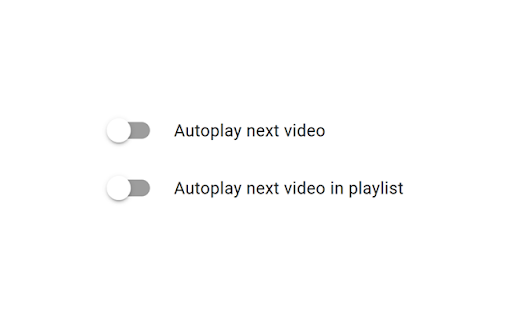
Autoplay Settings for YouTube™ is a browser extension that disables the automatic playback of the next video on YouTube™, and remembers your autoplay settings between sessions. Disabling autoplay for playlists is also supported. Autoplay Settings for YouTube™ is an open source project made possible thanks to a community of awesome supporters. If you'd like to support the continued development of the extension, please check out https://armin.dev/go/patreon. Autoplay is turned off by default when the extension is installed, and it can be turned on again from YouTube™, or from the extension's options. Reload already opened videos for changes to take effect. The extension is also available for Edge and Firefox: https://github.com/dessant/youtube-autoplay#readme The developer does not collect any personal data from this extension, visit the extension's privacy policy for more information. Re…

Listing SEO keywords

Search intent keywords
Keyword signals for evaluating how users may discover, compare, or search for this extension category.

Core discovery

YouTube autoplay offdisable YouTube autoplayYouTube video settingsautoplay control extension

Comparison

Autoplay Settings for YouTube vs defaultYouTube autoplay alternativesbest YouTube autoplay blocker

Problem

YouTube autoplay problemYouTube next video automaticallyhow to stop YouTube autoplayYouTube playlist autoplay not working

Alternative

YouTube autoplay blocker extensionYouTube control toolsvideo playback extension

Similar extensions

Jump to related discovery paths:

FAQ

What is Autoplay Settings for YouTube™ mainly used for?
This browser extension allows users to disable the autoplay feature on YouTube™ for individual videos and playlists. It is designed to remember the user's autoplay preferences, offering persistent control over video playback behavior.
What market signals stand out?
Early or small audience with limited review base. Last known update: 06/27/2026.
What should builders compare before entering this space?
Compare install concentration, rating quality, update recency, screenshots, developer portfolio, listing claims, and review-backed friction signals.
Is this page review-backed?
Backed by review samples. This page combines store metadata with selected review signals, while raw store metrics remain visible for comparison.

Screenshots

Autoplay Settings for YouTube™ screenshot

Links

Recommended Chrome extensions

Related listings from the same category, trending peers, and the same publisher portfolio.

Browse tools
Buster: Captcha Solver for Humans icon

Buster: Captcha Solver for Humans

Armin Sebastian

Save time by asking Buster to solve CAPTCHAs for you.

Installs

700K+

Rating

3.9

Search by Image icon

Search by Image

Armin Sebastian

A powerful reverse image search tool, with support for various search engines, such as Google, Bing, Yandex, Baidu and TinEye.

Installs

400K+

Rating

4.1

Microsoft Bing Homepage & Search for Chrome icon

Microsoft Bing Homepage & Search for Chrome

Microsoft Corporation

Set Microsoft Bing as your default homepage and default search engine

Installs

4.0M+

Rating

3.8

Monica: All-In-One AI Assist & Smartest  AI Agent icon

Monica: All-In-One AI Assist & Smartest AI Agent

Monica Team

One stop AI Assistant with GPT, Claude, Gemini: Chat, Write, Translate, Search, Summarize, image generator, video generation

Installs

3.0M+

Rating

4.9

Immersive Translate: AI Web, PDF & Video Translator icon

Immersive Translate: AI Web, PDF & Video Translator

Immersive Translate

Free Translate Website, Translate PDF & Epub eBook, Translate Video Subtitles in Bilingual

Installs

3.0M+

Rating

4.0

BetterTTV icon

BetterTTV

NightDev, LLC

BetterTTV enhances Twitch and YouTube with new features, emotes, and more.

Installs

3.0M+

Rating

4.6

Ad Blocker: Stands AdBlocker icon

Ad Blocker: Stands AdBlocker

Stands

Stands AdBlocker – it's a free ad blocker for YouTube, Twitch, Pop-Ups, Video Ads, and websites. Block ads everywhere with Stands!

Installs

3.0M+

Rating

4.8

Google Input Tools icon

Google Input Tools

cloud-input-team

Input Tools lets you type in the language of your choice.

Installs

3.0M+

Rating

4.0

Microsoft Bing Search with Rewards icon

Microsoft Bing Search with Rewards

Microsoft Corporation

Use the Microsoft Rewards extension to find new ways to earn every day, easily track your points and set your default search to Bing

Installs

3.0M+

Rating

4.4

Google Scholar Button icon

Google Scholar Button

scholar-chrome-extensions

Lookup scholarly articles as you browse the web.

Installs

3.0M+

Rating

4.6