
Adobe Experience Platform Debugger Chrome Extension Analysis
Developer & Designer ToolsChrome extension ID: bfnnokhpnncpkdmbokanobigaccjkpob
This extension functions as a technical diagnostic tool for developers working with Adobe's digital marketing stack. It provides visibility into network calls, data layer changes, and tag configuration, allowing users to troubleshoot Adobe-specific product implementations directly within the browser.
Overview
Installs
80K+
Rating
★ 3.0
34 reviews
Languages
1 locales
Includes English
Market analysis
Review-backed positioning, friction, and market signals for this Chrome extension.
Macro category
Developer & Designer Tools
Pricing friction
Low review signal
Complaint intensity
High review signal
Listing positioning
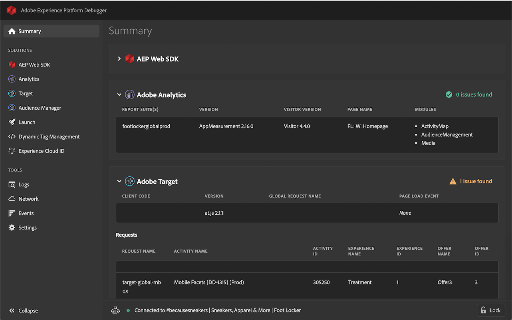
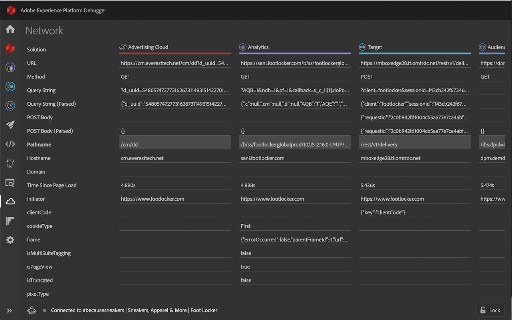
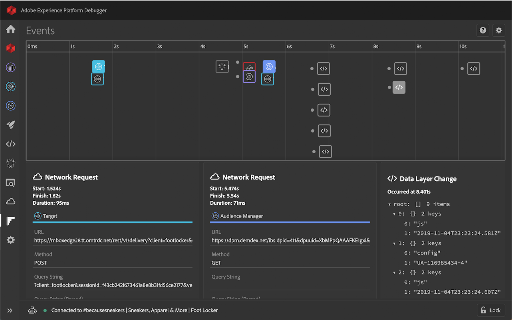
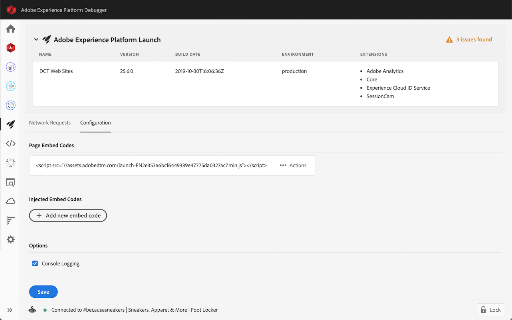
Adobe positions this extension as a comprehensive debugging suite for Adobe Experience Platform and Cloud products, emphasizing an intuitive UI and enhanced data visualization capabilities. It highlights features like timeline tracking, data layer diffing, and flexible tag injection to assist developers in maintaining implementation health.
Inferred product pattern
Technical debugging extension maintained by a large vendor, currently suffering from feature bloat and stability regression.
Review-backed pain points
Users frequently report that the tool is unstable, causes performance lags, fails to recognize active scripts, and has a cluttered, difficult-to-navigate interface that hinders efficient workflows.
Observed feature gaps
Lack of data sorting and filtering capabilities, loss of multi-tab comparison functionality present in older versions, and broken authentication features.
- Adobe Experience Cloud developers
- Digital Analysts
- Marketing Technologists
- Debugging Adobe Experience Platform implementations
- Inspecting data layer changes
- Testing tag management and script injection
- Enhanced visual design compared to legacy versions
- Useful timeline features for data tracking
- Significant performance degradation in Chrome
- Poor UI/UX regarding data density and excessive scrolling
- Inconsistent data reporting compared to other network tools
- Broken sign-in and script injection functionality
- Account blocking complaints detected
- Performance complaints detected
- None; the product is free, but users express high frustration regarding the quality/utility given its professional context.
Support
Users report persistent console errors and failures in core functionality (sign-in, script injection) that go unaddressed, leading to perceptions of poor maintenance.
Reliability
High; users frequently cite browser sluggishness, script connection drops, and inconsistent data reporting as major blockers to work.
Privacy
No specific privacy complaints observed.
- Free usage observed
- Login needed for core features
- Free plan or free usage claimed
Store listing facts
- Screenshots: 5
- Videos: 0
- Languages: 1
- Privacy policy
- Developer contact
- Version: 1.7.1
- Size: 1.46MiB
- Last updated:
Listing SEO keywords
Core discovery
Comparison
Problem
Alternative
Similar extensions
Jump to related discovery paths:
FAQ
Screenshots
Links
Privacy policy: https://www.adobe.com/privacy/policy.html