Adobe Acrobat: PDF edit, convert, sign tools icon

Adobe Acrobat Chrome Extension Analysis

Automation & Workflow Efficiency

Store listing title: Adobe Acrobat: PDF edit, convert, sign tools

Chrome extension ID: efaidnbmnnnibpcajpcglclefindmkaj

This extension provides an integrated toolkit for managing PDF files in Chrome. Users can view, annotate, and sign documents for free, while paid tiers unlock advanced features like file conversion, merging, and splitting.

Developer:Adobe Inc.
Version:26.6.3.0
Size:5.18MiB
Last updated:

Overview

Installs

323.0M+

Rating

4.4

61,773 reviews

Languages

28 locales

Includes Deutsch, English, English (United Kingdom), Nederlands...

Market analysis

Review-backed positioning, friction, and market signals for this Chrome extension.

Backed by review samples

Macro category

Automation & Workflow Efficiency

Pricing friction

Moderate review signal

Complaint intensity

High review signal

Listing & review signals
Observed signals from store listing text and review samples.

Listing positioning

Adobe positions this extension as the definitive, industry-standard solution for PDF management directly within the Chrome browser. It highlights free core functionality like viewing and commenting alongside premium productivity tools such as conversion, compression, and document organization.

Inferred product pattern

Utility-focused browser extension acting as a gateway to a broader SaaS ecosystem.

Review-backed pain points

Users frequently report browser-level performance degradation, significant lag, and frustration with constant prompts to upgrade or use AI features on sensitive documents.

Observed feature gaps

Lack of offline stability and limited free access to core editing features, which users can find elsewhere for free.

Tags
PDF EditorDocument ManagementAdobe AcrobatPDF ReaderE-sign
Target users

- Corporate professionals

- Legal workers

- Remote office workers

Primary use cases

- Viewing PDFs

- Adding comments/notes

- Filling and signing forms

- Converting document formats

Positive themes

- Integration with existing Adobe workflow

- Convenience of browser-based tools

Negative themes

- System instability and freezing

- Aggressive upselling and pop-ups

- Forced cloud storage usage

- Poor performance compared to legacy versions

Observed friction

- Free-tier complaints detected

- Performance complaints detected

- Users express strong dissatisfaction with the conversion of basic tools into premium, subscription-locked features and aggressive marketing tactics.

Evidence boundary: Data based on a large sample of user reviews highlighting performance issues and friction related to upsell tactics. Review sample is skewed toward negative experiences during a specific recent timeframe.
Complaint summaries
Review-backed complaint signals grouped by operational area.

Support

No direct support complaints, but users report frustration with repetitive installation cycles to fix broken functionality.

Reliability

Significant reports of the extension hanging, freezing the browser, and failing to open or download PDF files.

Privacy

General user discomfort regarding the shift toward cloud-only storage and automated document analysis.

Access & pricing

- Free entry with paid features

- Login needed for core features

- Limited free usage observed

Store listing facts

Listing assets

- Screenshots: 5

- Videos: 1

- Languages: 28

Trust signals

- Privacy policy

- Developer contact

- Official website

Store metadata

- Version: 26.6.3.0

- Size: 5.18MiB

- Last updated:

Store description excerpt
Short excerpt from the public Chrome Web Store listing; full copy is available on the official store page.
Adobe Acrobat is the industry-leading PDF solution, used by millions of people. Use Acrobat PDF tools right in Google Chrome to get the best PDF viewing experience and get more done while browsing. You can add comments to PDFs, including sticky notes, text, and highlights—all for free. If you need more advanced Acrobat features, you can try tools to export to and from PDF, create a PDF, merge PDF documents, organize a PDF, reduce PDF size, and more. Working with PDFs online has never been so easy. HOW TO USE THE ACROBAT CHROME EXTENSION 1. Install the Acrobat extension for Chrome. 2. Pin the extension for quick access. 3. Open any PDF in your browser. 4. Select an Acrobat tool. VIEW, DOWNLOAD, PRINT, and STORE PDFs • Get the best PDF viewing experience with the Acrobat PDF reader. • Download or print with a quick click. • Sign in to store your files online for fast access to PDF files f…

Listing SEO keywords

Search intent keywords
Keyword signals for evaluating how users may discover, compare, or search for this extension category.

Core discovery

Adobe Acrobat Chrome extensionEdit PDF in ChromeSign PDF online

Comparison

Adobe Acrobat vs free PDF readersbest chrome extension for pdf

Problem

Adobe Acrobat slowAdobe Acrobat freezingAcrobat extension not working

Alternative

free pdf editor for chromebest alternative to adobe acrobat

Similar extensions

Jump to related discovery paths:

FAQ

What is Adobe Acrobat mainly used for?
This extension provides an integrated toolkit for managing PDF files in Chrome. Users can view, annotate, and sign documents for free, while paid tiers unlock advanced features like file conversion, merging, and splitting.
What market signals stand out?
Large installed base with very deep review base. Last known update: 06/25/2026.
What should builders compare before entering this space?
Compare install concentration, rating quality, update recency, screenshots, developer portfolio, listing claims, and review-backed friction signals.
Is this page review-backed?
Backed by review samples. This page combines store metadata with selected review signals, while raw store metrics remain visible for comparison.

Screenshots

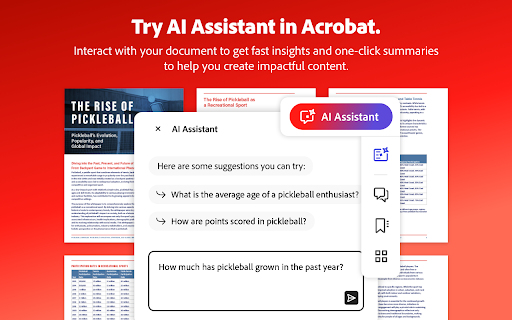
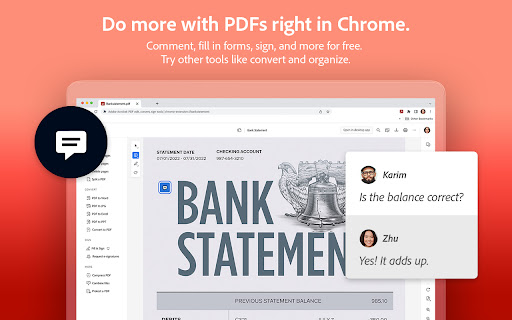
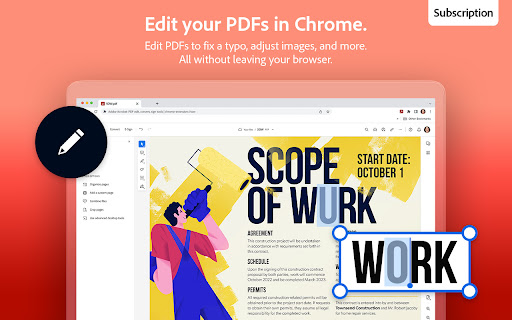
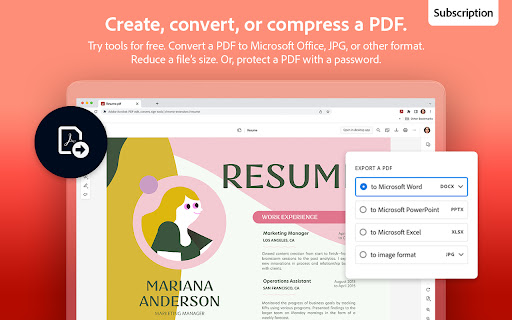
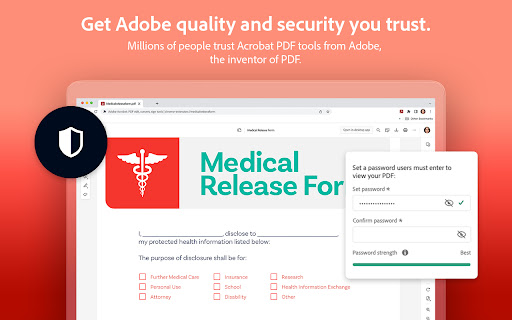
Adobe Acrobat: PDF edit, convert, sign tools screenshot

Links

Recommended Chrome extensions

Related listings from the same category, trending peers, and the same publisher portfolio.

Browse workflow
Adobe Photoshop icon

Adobe Photoshop

Adobe Inc.

Easily remove backgrounds, adjust colors and more. Plus, get 6 months free access to Photoshop web.

Installs

800K+

Rating

3.8

Sound Booster - increase volume up icon

Sound Booster - increase volume up

Sound-ultimate.com

Volume Booster helps boost sound video or music on any tab! Increase volume and bass booster, equalizer. Volume control.

Installs

2.0M+

Rating

4.5

Evernote Web Clipper icon

Evernote Web Clipper

Evernote

Use the Evernote extension to save things you see on the web into your Evernote account.

Installs

2.0M+

Rating

4.7

Clever icon

Clever

Clever

Allows students and staff to access apps in Clever Portal.

Installs

2.0M+

Rating

2.5

Microsoft Defender Browser Protection icon

Microsoft Defender Browser Protection

Microsoft Corporation

Protect yourself against online threats, like phishing and malicious websites, with real-time protection from Microsoft.

Installs

2.0M+

Rating

4.1

Визуальные закладки icon

Визуальные закладки

Yandex

Визуальные закладки – это страница, на которой собраны ваши любимые сайты

Installs

2.0M+

Rating

3.4

Web Signer icon

Web Signer

Softplan Websigner Developers

Extensão para assinatura digital no browser

Installs

2.0M+

Rating

2.9

Screen Recorder icon

Screen Recorder

Erich Behrens

Record a video from the camera or capture it from the screen (desktop, specific application window or browser tab)

Installs

2.0M+

Rating

3.8

Адаптер Рутокен Плагин icon

Адаптер Рутокен Плагин

АО "Актив-Софт"

Позволяет использовать Рутокен Плагин

Installs

2.0M+

Rating

2.5

Content Server Browser Web Extension icon

Content Server Browser Web Extension

OpenText Corporation

Content Server Browser Web Extension for Chrome

Installs

2.0M+

Rating

2.7