Stylus Chrome Extension Analysis
Developer & Designer ToolsChrome extension ID: clngdbkpkpeebahjckkjfobafhncgmne
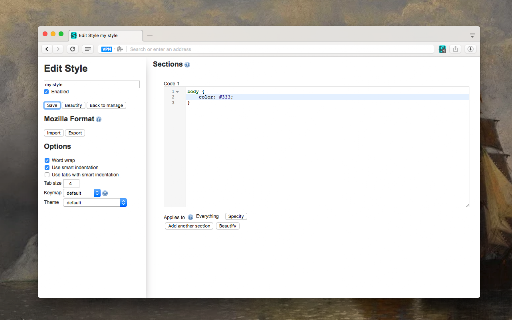
Stylus is a Chrome extension that empowers users to apply custom CSS stylesheets to websites. It facilitates the installation of themes and skins from popular online repositories and provides an editor for users to create and manage their own CSS, enabling comprehensive personalization of web page appearance and functionality.
Overview
Installs
1.0M+
Rating
★ 4.5
1,220 reviews
Languages
34 locales
Includes Deutsch, English, English (United Kingdom), Nederlands...
Market analysis
Review-backed positioning, friction, and market signals for this Chrome extension.
Macro category
Developer & Designer Tools
Pricing friction
Low review signal
Complaint intensity
High review signal
Listing positioning
The listing positions Stylus as a user styles manager that enables users to redesign the web. It emphasizes the ease of installing custom themes from online repositories and the ability to create, edit, and manage personalized CSS stylesheets. The product is highlighted as actively developed and community-driven, offering versatility and robust features like backup and automatic updates, with a strong privacy stance.
Inferred product pattern
A community-driven, open-source user styles manager that allows for extensive web page customization via CSS, positioned as a privacy-respecting alternative to other styling extensions.
Review-backed pain points
Users frequently report severe reliability issues, including crashes, an unstable storage system that causes data loss and corruption, and various functional bugs impacting usability. Additionally, some users find the UI unintuitive and difficult to use.
Observed feature gaps
Based on reviews, a notable feature gap is the lack of visual tools to aid in identifying and selecting specific web page elements for customization, which could simplify the CSS editing process for less technical users.
- Web Developers
- Web Designers
- Power Users
- CSS Enthusiasts
- Customizing website appearance and functionality
- Installing user-created themes and skins
- Writing and applying custom CSS to fix site styling issues
- Hiding distracting elements and reducing clutter on webpages
- Effective for customizing and fixing website styling issues
- Praised as a safe and privacy-respecting alternative to 'Stylish'
- Offers an extensive range of customizations available through preset managers
- Reliable across multiple browsers and operating systems (reported by one long-term user)
- Frequent crashes and general instability issues
- Unstable storage system leading to data loss and corruption
- Unintuitive user interface and difficulty of use for some users
- Bugs affecting functionality like dark theme detection or shortcut reliability
- Performance complaints detected
- There are no observed pricing friction points, as the extension appears to be entirely free with no mention of premium features or costs.
Support
While no direct support complaints were found, the mention of an 'unintuitive' UI could indirectly point to a need for better user guidance or documentation. No account or refund complaints were observed.
Reliability
Significant reliability complaints exist, including reports of constant crashes, an unstable storage system that causes data loss and corruption, and various functional bugs that impede consistent usage.
Privacy
No privacy or security complaints were found. The extension explicitly states it collects no user data, and several reviews highlight its strong privacy stance as a key positive aspect, particularly when compared to alternatives.
- Free usage observed
- No account requirement observed
- Free plan or free usage claimed
Store listing facts
- Screenshots: 1
- Videos: 1
- Languages: 34
- Privacy policy
- Developer contact
- Official website
- Support link
- Version: 2.3.28
- Size: 1.08MiB
- Last updated:
Listing SEO keywords
Core discovery
Comparison
Problem
Alternative
Similar extensions
Jump to related discovery paths:
FAQ
Screenshots
Links
Website: github.com
Privacy policy: https://github.com/openstyles/stylus/blob/master/privacy-policy.md
Support links: https://github.com/openstyles/stylus/wiki/FAQ
Videos: Watch