HttpWatch: HTTP Debugger icon

HttpWatch Chrome Extension Analysis

Developer & Designer Tools

Store listing title: HttpWatch: HTTP Debugger

Chrome extension ID: dajhhgiioackgdldomhppobgjbinhimh

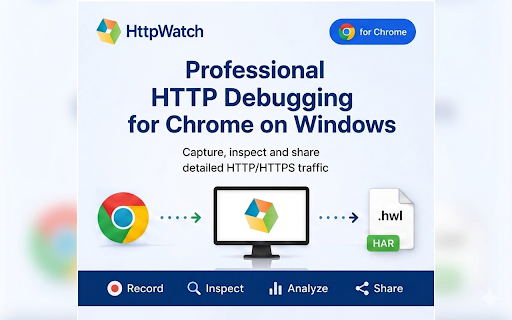
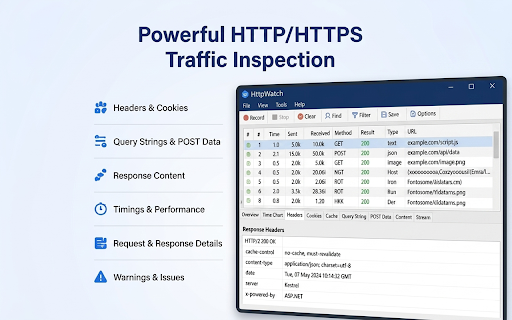
An HTTP/HTTPS debugging extension designed to work in conjunction with the HttpWatch desktop app for Windows. It enables users to capture, inspect, and save network traffic and console logs from the Chrome browser.

Version:16.0.14
Size:78.99KiB
Last updated:

Overview

Installs

100K+

Rating

2.4

14 reviews

Languages

1 locales

Includes English

Market analysis

Review-backed positioning, friction, and market signals for this Chrome extension.

Backed by review samples

Macro category

Developer & Designer Tools

Pricing friction

Low review signal

Complaint intensity

Moderate review signal

Listing & review signals
Observed signals from store listing text and review samples.

Listing positioning

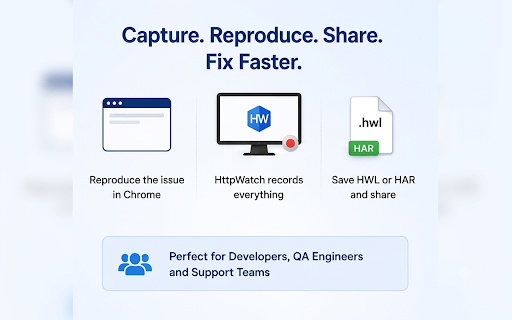
HttpWatch is positioned as a professional-grade debugging tool for Chrome that requires a companion Windows desktop application. It emphasizes deep network diagnostics, session recording, and the ability to export detailed traffic logs for collaborative troubleshooting.

Inferred product pattern

Hybrid extension-desktop application for deep network traffic analysis and debugging.

Review-backed pain points

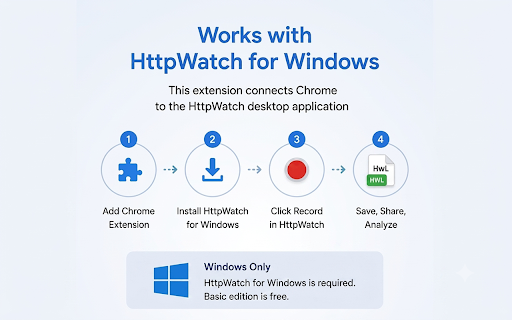
Users frequently report frustration that the extension is not a standalone tool and requires the installation of a Windows desktop application to function.

Observed feature gaps

The extension is not a standalone browser-based tool; it requires a Windows desktop application to operate.

Tags
HTTP DebuggerNetwork TrafficQA ToolsWeb Development
Target users

- Web Developers

- QA Engineers

- Support Engineers

- Technical Analysts

Primary use cases

- Debugging failed API calls

- Investigating slow-loading pages

- Analyzing authentication issues

- Sharing network traces with development teams

Positive themes

- Intuitive record/stop/view workflow

- Effective integration when desktop app is installed

- Detailed context for page timings and data

Negative themes

- Extreme frustration with the requirement of a separate desktop application

- Perception of the extension as 'fake' or misleading due to the dependency

Observed friction

- Basic functionality is free, while advanced professional features require a paid edition.

Evidence boundary: Data extracted from the Chrome Web Store listing and a sample of user reviews. The review sample is small, and negative sentiment is primarily driven by users' misunderstanding of the extension-desktop dependency.
Complaint summaries
Review-backed complaint signals grouped by operational area.

Support

No specific support complaints found in the provided reviews.

Reliability

Users report the extension fails to work unless the HttpWatch desktop application is installed.

Privacy

No privacy complaints observed; the listing claims traffic is recorded locally.

Access & pricing

- Free entry with paid features

- No clear access signal

- Limited free usage observed

Store listing facts

Listing assets

- Screenshots: 5

- Videos: 0

- Languages: 1

Trust signals

- Privacy policy

- Developer contact

- Official website

- Support link

Store metadata

- Version: 16.0.14

- Size: 78.99KiB

- Last updated:

Store description excerpt
Short excerpt from the public Chrome Web Store listing; full copy is available on the official store page.
🚀 HttpWatch — Professional HTTP/HTTPS Debugging for Chrome on Windows Capture, inspect and share detailed Chrome network traffic using the HttpWatch desktop application for Windows. HttpWatch is designed for developers, QA engineers, support teams and technical analysts who need reliable HTTP/HTTPS diagnostics beyond a simple browser export. ================================================== ⚠️ IMPORTANT — WINDOWS APP REQUIRED ================================================== This extension is NOT a standalone Chrome-only tool. To use it, you must also install HttpWatch for Windows from: https://www.httpwatch.com/ HttpWatch Basic is free to use. Advanced features require HttpWatch Professional. ================================================== 🔍 What HttpWatch helps you do ================================================== ✅ Record HTTP and HTTPS traffic generated by from Chrome ✅ R…

Listing SEO keywords

Search intent keywords
Keyword signals for evaluating how users may discover, compare, or search for this extension category.

Core discovery

HTTP DebuggerNetwork Traffic CaptureChrome Network InspectorHAR file exportHTTPS Debugging

Comparison

Chrome DevToolsFiddlerCharles Proxy

Problem

Inspect API callsDebug slow web pagesAnalyze authentication errors

Alternative

Network monitorHTTP proxyPacket sniffer

Similar extensions

Jump to related discovery paths:

FAQ

What is HttpWatch mainly used for?
An HTTP/HTTPS debugging extension designed to work in conjunction with the HttpWatch desktop app for Windows. It enables users to capture, inspect, and save network traffic and console logs from the Chrome browser.
What market signals stand out?
Established adoption with limited review base. Last known update: 06/11/2026.
What should builders compare before entering this space?
Compare install concentration, rating quality, update recency, screenshots, developer portfolio, listing claims, and review-backed friction signals.
Is this page review-backed?
Backed by review samples. This page combines store metadata with selected review signals, while raw store metrics remain visible for comparison.

Screenshots

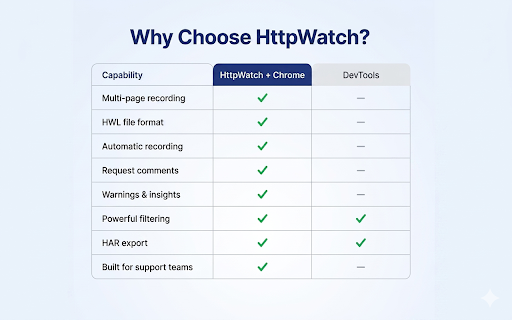
HttpWatch: HTTP Debugger screenshot

Links

Recommended Chrome extensions

Related listings from the same category, trending peers, and the same publisher portfolio.

Browse developer