ClassroomGo AI無邊際(學生) icon

ClassroomGo AI無邊際(學生) Chrome Extension Analysis

Automation & Workflow Efficiency

Chrome extension ID: ggopndlojiiidkhpagipcjgdinefpoeb

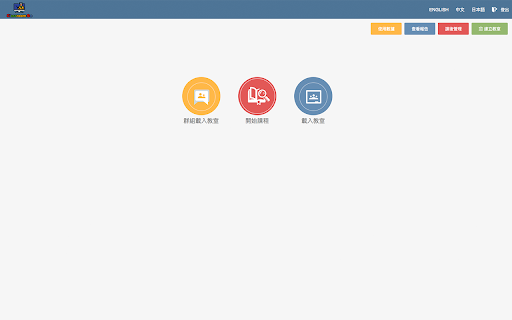
This extension functions as a student-side agent for a classroom monitoring suite. It provides teachers with capabilities to view, control, and restrict student browsing activity and device usage during school hours.

Version:9.23.23
Size:14.28MiB
Last updated:

Overview

Installs

70K+

Rating

1.4

29 reviews

Languages

4 locales

Includes English, 中文(台灣), 日本語, 한국어

Market analysis

Review-backed positioning, friction, and market signals for this Chrome extension.

Backed by review samples

Macro category

Automation & Workflow Efficiency

Pricing friction

Low review signal

Complaint intensity

High review signal

Listing & review signals
Observed signals from store listing text and review samples.

Listing positioning

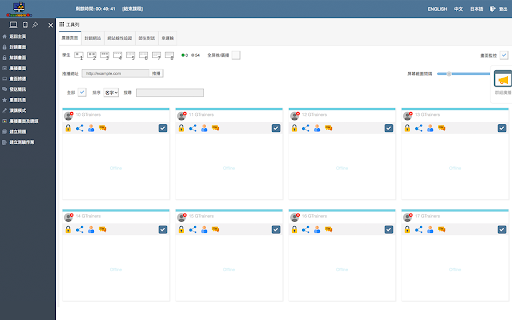
ClassroomGo is positioned as a comprehensive classroom management solution for teachers to monitor and control student Chromebooks. It emphasizes features like screen broadcasting, tab locking, remote support, and exam mode management integrated with Google Classroom.

Inferred product pattern

Enterprise/Educational institutional software enforced on student devices for oversight.

Review-backed pain points

The primary pain point expressed by users is the perceived violation of personal privacy and the intrusive nature of the constant monitoring software.

Observed feature gaps

Some users report difficulty in uninstalling or disabling the extension, expressing that it behaves like intrusive or mandatory software they cannot opt out of.

Tags
Classroom ManagementEducation TechScreen MonitoringStudent OversightTeacher Tools
Target users

- K-12 Teachers

- School IT Administrators

- Students

Primary use cases

- Screen monitoring

- Website blocking

- Classroom broadcasting

- Attendance tracking

- Exam proctoring

Positive themes

- No specific positive themes identified as all provided sample reviews are one-star ratings.

Negative themes

- Invasion of privacy

- Constant monitoring/surveillance

- Intrusive permissions

- Frustration over restrictions on personal activity

Observed friction

- Privacy complaints detected

- No specific pricing complaints were found; the friction stems entirely from user autonomy and privacy concerns.

Evidence boundary: Evidence is derived from public Chrome Web Store user reviews and the developer's provided feature list. The review sample is heavily skewed toward negative student feedback, which may not represent the perspective of the intended teacher user base.
Complaint summaries
Review-backed complaint signals grouped by operational area.

Support

No specific support or refund complaints were identified.

Reliability

Users expressed frustration over the inability to disable the extension, with some describing it as 'malware-like' due to persistent permission prompts.

Privacy

High; users consistently report that the software is invasive and violates student privacy rights through constant monitoring.

Access & pricing

- No clear monetization signal

- Account required for core usage

- No clear pricing signal

Store listing facts

Listing assets

- Screenshots: 5

- Videos: 1

- Languages: 4

Trust signals

- Privacy policy

- Developer contact

- Official website

Store metadata

- Version: 9.23.23

- Size: 14.28MiB

- Last updated:

Store description excerpt
Short excerpt from the public Chrome Web Store listing; full copy is available on the official store page.
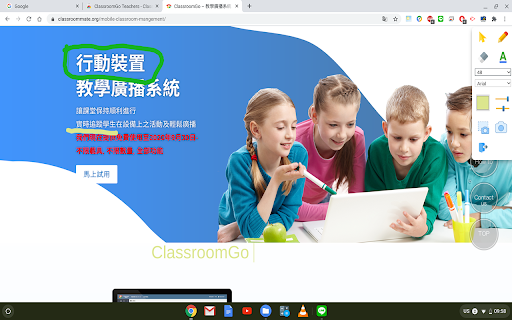
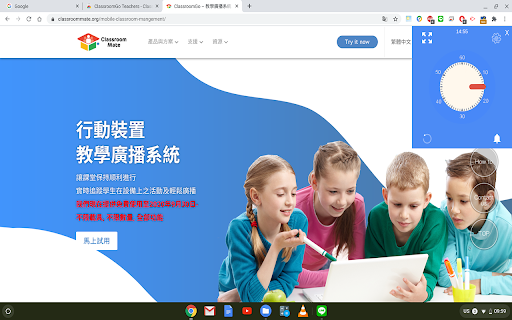
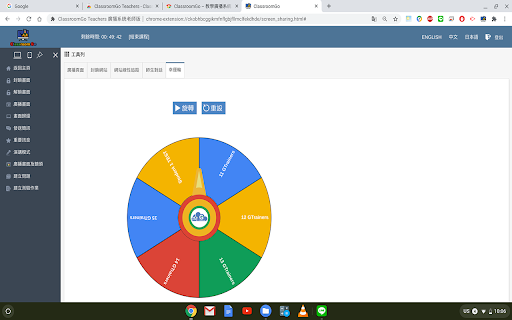
1. 教師主控端支援Chrome OS、Mac、以及Windows系統,學生受控端支援已登入之Chromebook。 2. 可載入教師Google Classroom 開課資訊及上課學生清單,並可由教師主控端一覽上線學生受控端之螢幕畫面。 3. 允許主控端將畫面投放至受控端之Chromebook,或者指派特定受控端之Chromebook畫面並投放至其餘受控端之畫面。 4. 允許主控端對選定之受控端Chromebook進行畫面封鎖、歸還畫面,以及選擇全屏或分頁推播超連結。 5. 允許主控端檢視受控端Chromebook上線時所開啟之Chrome瀏覽器分頁,並可逕行由主控端封鎖或關閉不適宜之分頁。 6. 允許主控端指定最多四個受控端同步對其他受控端之機器進行畫面廣播。 7. 允許老師加入欲封鎖之網址或白名單以進行考試模式,並於課堂中隨時查閱學生的網站瀏覽歷程。 8. 允許老師與學生一對一使用語音或文字發問問題或討論。 9. 允許老師課程結束後,匯出指定日期該節課的學生出席狀況。 10. 允許藉由幸運輪功能,可讓老師更公平的抽出應答的學生。 11. 允許老師廣播簡訊或以全屏出現之重要訊息傳至學生之Chromebook。 12. 允許老師廣播鏡頭影像至學生螢幕畫面。 13. 允許老師發佈題目及功課至Google 教室並幫學生自動打開教室。 14. 允許老師發佈含照片短影之測驗題(是非、選擇或簡答),另外支援圖片手寫模式繳交答案。學生提交答案會自動回傳並儲存至老師雲端硬碟。 15. 允許老師發佈搶答題並推播至學生載具,另外搶答題有兩種模式:限第一位回答或是全班階可回答。學生提交答案及次序會自動儲存至老師雲端硬碟 16. 教學廣播百寶箱之錄影鏡頭功能,可錄影之外也可自動儲存於老師之雲端硬碟。 17. 教學廣播百寶箱之畫筆功能,可讓老師教學時直接手寫筆記並框選重點給學生。 18. 教學廣播百寶箱之計時器功能,可運用在老師進行時間限制的教學活動。 19. 教學廣播百寶箱之短網址功能也可包含歷史紀錄及點擊率。 20. 教學廣播百寶箱之遠端支援功能,支援端可無需安裝任何外掛,即可遠端查看…

Listing SEO keywords

Search intent keywords
Keyword signals for evaluating how users may discover, compare, or search for this extension category.

Core discovery

classroom monitoring softwareChromebook management toolstudent screen trackerClassroomGo AI

Comparison

alternative to classroom monitoringeducation management extensions

Problem

remove school monitoringbypass screen restriction

Alternative

classroom management softwareschool device control

Similar extensions

Jump to related discovery paths:

FAQ

What is ClassroomGo AI無邊際(學生) mainly used for?
This extension functions as a student-side agent for a classroom monitoring suite. It provides teachers with capabilities to view, control, and restrict student browsing activity and device usage during school hours.
What market signals stand out?
Visible niche traction with limited review base. Last known update: 05/31/2026.
What should builders compare before entering this space?
Compare install concentration, rating quality, update recency, screenshots, developer portfolio, listing claims, and review-backed friction signals.
Is this page review-backed?
Backed by review samples. This page combines store metadata with selected review signals, while raw store metrics remain visible for comparison.

Screenshots

ClassroomGo AI無邊際(學生) screenshot

Links

Website: ydes.ai

Privacy policy: https://ydes.ai/privacy_policy/

Videos: Watch

Recommended Chrome extensions

Related listings from the same category, trending peers, and the same publisher portfolio.

Browse communication
ClassroomGo - AI無邊際 (老師) icon

ClassroomGo - AI無邊際 (老師)

雲動教育科技

ClassroomGo - AI無邊際 (老師)

Installs

20K+

Rating

3.7

L.O.C icon

L.O.C

Loc Mai

L.O.C is a collection of automation tools.

Installs

300K+

Rating

4.3

RingCentral for Google icon

RingCentral for Google

RingCentral

For organizations powered by Google Chrome, Workspace and ChromeOS, the browser is the primary engine of productivity. However,…

Installs

200K+

Rating

3.0

Mailvelope - Secure your email with PGP icon

Mailvelope - Secure your email with PGP

Mailvelope GmbH

Protect your email conversations and attachments on Gmail, Nextcloud, Outlook & more with PGP and end-to-end encryption.

Installs

200K+

Rating

4.4

Linguist - web page translator icon

Linguist - web page translator

Vitonsky

Web page translation, text translation, dictionary, history, custom translators, all you need to break language barriers

Installs

200K+

Rating

4.5

Notifier for Gmail™ icon

Notifier for Gmail™

InBasic

Multiple label and account notifier for Google Mail (Gmail™)

Installs

200K+

Rating

4.4

ViiTor Translate - AI Translation & Real-Time Bilingual Subtitles & Free icon

ViiTor Translate - AI Translation & Real-Time Bilingual Subtitles & Free

ViiTor

The ViiTor translation provides translation for live audio & video, realizing bilingual subtitle functions.

Installs

100K+

Rating

3.9

Superhuman Mail icon

Superhuman Mail

Superhuman

The most productive email app ever made.

Installs

100K+

Rating

4.2

Gmail App - Mail Application for Gmail™ icon

Gmail App - Mail Application for Gmail™

andre_amper220

Use Gmail app for Windows and Mac to boost productivity. Get notifications and read emails in Gmail desktop app for macOS and PC.

Installs

100K+

Rating

4.4

Google Vids Screen Recorder icon

Google Vids Screen Recorder

Google

A simple way to capture your screen and share your ideas using Google Vids.

Installs

100K+

Rating

4.5