
Share on Twitter Chrome Extension Analysis
Social Media Growth & MarketingChrome extension ID: gkjgmeeoldebbdoehhngapnlfmdbmiie
A browser extension that enables users to quickly post the current browser tab, specific links, or selected text to X. It serves as a lightweight shortcut to avoid manual copy-pasting into the social platform.
Overview
Installs
10K+
Rating
★ 4.4
115 reviews
Languages
1 locales
Includes English
Market analysis
Review-backed positioning, friction, and market signals for this Chrome extension.
Macro category
Social Media Growth & Marketing
Pricing friction
Low review signal
Complaint intensity
Moderate review signal
Listing positioning
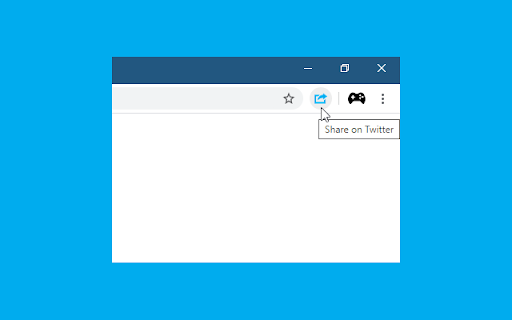
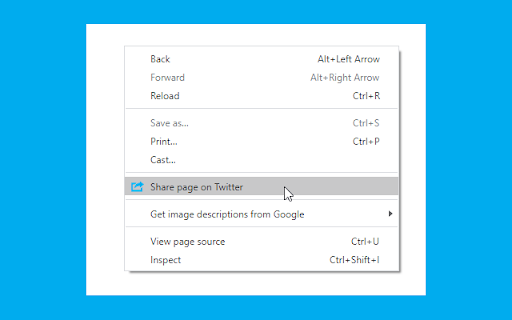
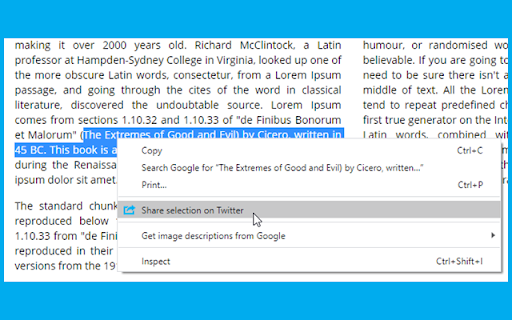
The product is positioned as a fast and convenient utility for sharing web content to X (formerly Twitter). It emphasizes versatility by offering three different trigger methods: a toolbar button, a keyboard shortcut (Alt+T), and a context menu.
Inferred product pattern
Simple utility wrapper for the X (Twitter) share intent functionality.
Review-backed pain points
Users report that the extension posts image URLs rather than uploading the actual images, and some have noted that the extension interfered with comment sections on certain websites.
Observed feature gaps
Reviews highlight a need for automatic URL shortening, support for multiple X accounts, customizable tweet formats, and the ability to include page titles automatically.
- X/Twitter power users
- Content curators
- Social media marketers
- Casual web browsers
- Sharing current articles to X
- Tweeting selected text from a webpage
- Quickly posting links via keyboard shortcuts
- Ease of use and simplicity
- Lightweight performance
- Convenient context menu integration
- Misleading image sharing functionality
- Technical bugs following updates
- Lack of customization and settings
- Performance complaints detected
- No pricing friction observed as the tool appears to be free.
Support
No specific support or account management complaints found in the provided review samples.
Reliability
Some reports of the extension breaking after updates or causing conflicts with website functionality.
Privacy
No privacy or security complaints observed.
- Free usage observed
- No account requirement observed
- Free plan or free usage claimed
Store listing facts
- Screenshots: 3
- Videos: 0
- Languages: 1
- Privacy policy
- Developer contact
- Official website
- Version: 3.0.0
- Size: 14.92KiB
- Last updated:
Listing SEO keywords
Core discovery
Comparison
Problem
Alternative
Similar extensions
Jump to related discovery paths:
FAQ
Screenshots
Links
Website: browsernative.com
Privacy policy: https://browsernative.com/extensions-privacy-policy/