BlurChat - Privacy for WhatsApp Web icon

BlurChat Chrome Extension Analysis

Privacy, Security & Ad Blockers

Store listing title: BlurChat - Privacy for WhatsApp Web

Chrome extension ID: iehdpaamigekbpiimkjieikpmlknbncj

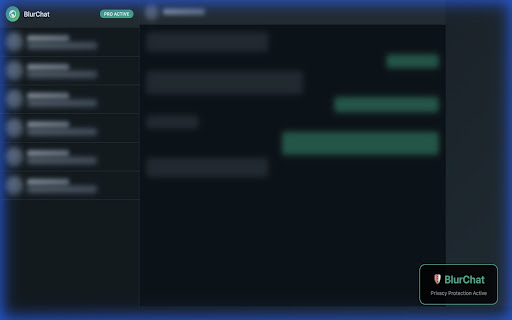
A Chrome extension that allows users to blur messages, contact names, and profile photos on WhatsApp Web. It utilizes a hover-to-reveal mechanism to maintain functionality while ensuring privacy from prying eyes.

Version:1.0.1
Size:35.26KiB
Last updated:

Overview

Installs

118

Rating

0 reviews

Languages

1 locales

Includes English (United States)

Market analysis

Review-backed positioning, friction, and market signals for this Chrome extension.

No review samples found

Macro category

Privacy, Security & Ad Blockers

Pricing friction

Low review signal

Complaint intensity

Low review signal

Listing & review signals
Observed signals from store listing text and review samples.

Listing positioning

The product is positioned as a privacy utility for WhatsApp Web, specifically targeting users who share their screens during professional meetings or work in public. It emphasizes instant protection and a 'zero configuration' setup.

Inferred product pattern

Application-specific privacy overlay using DOM manipulation and local storage settings.

Review-backed pain points

Review-backed data is not available.

Observed feature gaps

No user-reported feature gaps available due to lack of reviews.

Tags
WhatsApp PrivacyContent BlurringScreen Sharing ToolPrivacy Utility
Target users

- Remote professionals

- Students

- Public space laptop users

- Corporate employees

Primary use cases

- Preventing private chat exposure during screen sharing

- Using WhatsApp in office environments

- Browsing privately in coffee shops

Positive themes

No positive theme data.

Negative themes

No negative theme data.

Observed friction

- No review-backed pricing friction found.

Evidence boundary: Data extracted exclusively from the Chrome Web Store listing and long description. No user reviews were available to validate performance or user satisfaction claims.
Complaint summaries
Review-backed complaint signals grouped by operational area.

Support

No review-backed support complaints found.

Reliability

No review-backed reliability complaints found.

Privacy

No review-backed privacy complaints found.

Access & pricing

- Free entry with paid features

- No account requirement observed

- Limited free usage observed

Store listing facts

Listing assets

- Screenshots: 1

- Videos: 0

- Languages: 1

Trust signals

- Privacy policy

- Developer contact

Store metadata

- Version: 1.0.1

- Size: 35.26KiB

- Last updated:

Store description excerpt
Short excerpt from the public Chrome Web Store listing; full copy is available on the official store page.
⚠️ DISCLAIMER: This extension is unofficial and NOT affiliated with, endorsed by, or connected to WhatsApp Inc. or Meta Platforms, Inc. 🛡️ Stop exposing your private WhatsApp chats during meetings! BlurChat instantly blurs your WhatsApp Web messages, preventing embarrassing moments during screen sharing, presentations, or when using your laptop in public spaces. 🔒 Your Privacy Guaranteed: No data collection, no external servers, no tracking. All settings stored locally on YOUR device only. --- ### Key Features ✨ INSTANT PRIVACY PROTECTION • One-click blur for all your WhatsApp messages • Works the moment you install - zero configuration needed • Smart hover-reveal: see content only when YOU need it 💬 BLUR MESSAGES (FREE) • Chat text completely hidden from view • Message previews in chat list blurred • Reveal by simply hovering your mouse 👤 BLUR NAMES (PRO) • Contact names hidden in…

Listing SEO keywords

Search intent keywords
Keyword signals for evaluating how users may discover, compare, or search for this extension category.

Core discovery

WhatsApp Web privacyblur WhatsApp messageshide WhatsApp chats screen share

Comparison

WhatsApp privacy extensionWhatsApp Web blur tool

Problem

expose WhatsApp chats during presentationhide messages on screen share

Alternative

WhatsApp Web blurprivacy for WhatsApp Web

Similar extensions

Jump to related discovery paths:

FAQ

What is BlurChat mainly used for?
A Chrome extension that allows users to blur messages, contact names, and profile photos on WhatsApp Web. It utilizes a hover-to-reveal mechanism to maintain functionality while ensuring privacy from prying eyes.
What market signals stand out?
Early or small audience with limited review base. Last known update: 12/26/2025.
What should builders compare before entering this space?
Compare install concentration, rating quality, update recency, screenshots, developer portfolio, listing claims, and review-backed friction signals.
Is this page review-backed?
No review samples found. This page combines store metadata with selected review signals, while raw store metrics remain visible for comparison.

Screenshots

BlurChat - Privacy for WhatsApp Web screenshot

Links

Recommended Chrome extensions

Related listings from the same category, trending peers, and the same publisher portfolio.

Browse communication
QuickSave Tabs - Save & Restore Sessions icon

QuickSave Tabs - Save & Restore Sessions

TECHNICAL DOST SOLUTIONS

Save all your browser tabs with one click. Restore sessions instantly. Tab Groups support, dark mode, auto-save.

Installs

0

Rating

Gmail App - Mail Application for Gmail™ icon

Gmail App - Mail Application for Gmail™

andre_amper220

Use Gmail app for Windows and Mac to boost productivity. Get notifications and read emails in Gmail desktop app for macOS and PC.

Installs

100K+

Rating

4.4

Google Vids Screen Recorder icon

Google Vids Screen Recorder

Google

A simple way to capture your screen and share your ideas using Google Vids.

Installs

100K+

Rating

4.5

InstaText icon

InstaText

InstaText

Write like a native speaker.

Installs

100K+

Rating

4.5

MailTracker: Email tracker for Gmail icon

MailTracker: Email tracker for Gmail

MailTracker

Track if your emails are opened & how many times. Be notified when your emails are read with our advanced Email Tracking extension.

Installs

100K+

Rating

4.7

Gmail™ Email Templates by cloudHQ icon

Gmail™ Email Templates by cloudHQ

cloudHQ

Beautiful email templates for Gmail. Design your templates or import templates from Mailchimp. With team sharing!

Installs

100K+

Rating

4.2

Ddict: AI Translation & Writing Assistant icon

Ddict: AI Translation & Writing Assistant

Ddo

Translate text and enhance writing with AI for seamless language learning and communication in your browser.

Installs

100K+

Rating

4.2

ScreenPal - Screen Recorder & Video Editor icon

ScreenPal - Screen Recorder & Video Editor

ScreenPal (formerly Screencast-O-Matic)

Record your screen & webcam, take screenshots, edit videos & images - easy & free!

Installs

100K+

Rating

4.3

Outlook Classroom Email icon

Outlook Classroom Email

Clay

Redirect Google Classroom Emails to Outlook.

Installs

100K+

Rating

WEB.DE MailCheck icon

WEB.DE MailCheck

1&1 Mail & Media GmbH

Der sichere Klick in Dein Postfach.

Installs

90K+

Rating

3.4