Window Resizer Chrome Extension Analysis
Developer & Designer ToolsChrome extension ID: kkelicaakdanhinjdeammmilcgefonfh
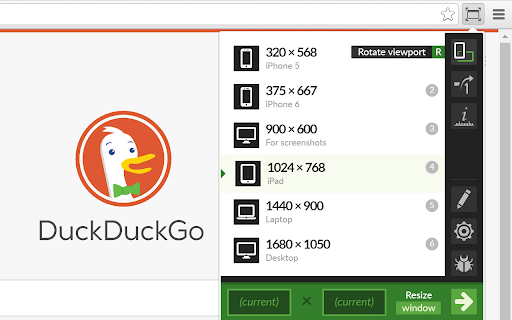
Window Resizer allows users to snap their browser window to specific dimensions or aspect ratios. It is designed to assist with responsive web design testing, screen recording, and general workspace management by providing quick access to predefined window sizes.
Overview
Installs
700K+
Rating
★ 4.3
2,284 reviews
Languages
1 locales
Includes English
Market analysis
Review-backed positioning, friction, and market signals for this Chrome extension.
Macro category
Developer & Designer Tools
Pricing friction
Moderate review signal
Complaint intensity
Moderate review signal
Listing positioning
The extension positions itself as an essential utility for web developers and designers to test layouts across various screen resolutions. It highlights high customization, including preset management, keyboard shortcuts, and the ability to export/import configurations.
Inferred product pattern
Utility-based productivity tool with a long history of monetization pivot experiments.
Review-backed pain points
Users report frustration with inaccurate resolution rendering (sizing off by several pixels) and dissatisfaction with aggressive upsells or historical monetization practices that redirected search traffic.
Observed feature gaps
Users desire more than 10 presets, better management of global hotkey assignments when reordering presets, and the ability to trigger grouped window configurations.
- Web Developers
- UI/UX Designers
- Content Creators
- YouTubers
- Responsive design testing
- Standardizing screen recording dimensions
- Managing multi-window workstation layouts
- Significant time-saving for screen recording/editing
- Highly configurable presets
- Useful keyboard shortcut support
- Critical for consistent viewport testing
- Inaccuracy in actual pixel dimensions
- Historical complaints regarding invasive monetization/link hijacking
- Aggressive upsell prompts for Pro versions
- Occasional performance failures where the extension fails to resize the window
- Free-tier complaints detected
- Performance complaints detected
- Privacy complaints detected
- Users have expressed frustration with the transition to a Pro-tier model, noting that certain features are now gated behind an upgrade and that upsell prompts can be intrusive.
Support
No active complaints regarding support tickets, though historical sentiment is heavily influenced by past controversial monetization decisions.
Reliability
Multiple reports suggest that the extension sometimes fails to resize windows to the requested dimensions, leading to inaccuracies for development and design workflows.
Privacy
Historical significant backlash regarding an 'EcoLinks' feature that performed link hijacking and search redirects without explicit opt-in.
- Free entry with paid features
- No account requirement observed
- Trial or limited free usage before paid plan
Store listing facts
- Screenshots: 3
- Videos: 0
- Languages: 1
- Developer contact
- Official website
- Version: 2.7.0
- Size: 503KiB
- Last updated:
Listing SEO keywords
Core discovery
Comparison
Problem
Alternative
Similar extensions
Jump to related discovery paths:
FAQ
Screenshots

Links
Website: coolx10.com