Ntko office document control browser plug-in. Chrome Extension Analysis
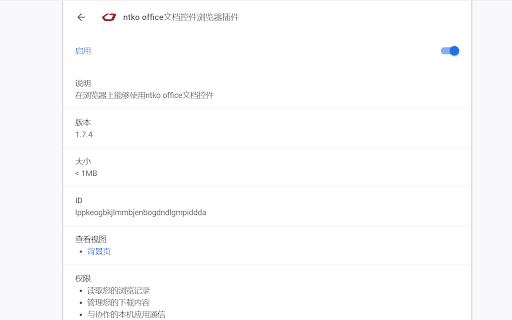
Automation & Workflow EfficiencyChrome extension ID: lppkeogbkjlmmbjenbogdndlgmpiddda
This extension is a specialized utility designed to connect Google Chrome with a locally installed NTKO desktop application. It allows enterprise users to edit and manage Microsoft Office and WPS documents directly from their web browsers, saving edits back to centralized corporate servers. It acts as a replacement for legacy ActiveX controls in modern browser environments.
Overview
Installs
900K+
Rating
★ 1.0
5 reviews
Languages
2 locales
Includes English (United States), 中文(中国)
Market analysis
Review-backed positioning, friction, and market signals for this Chrome extension.
Macro category
Automation & Workflow Efficiency
Pricing friction
Low review signal
Complaint intensity
High review signal
Listing positioning
The store listing positions this extension as a modern web-extension bridge that enables users to run the NTKO Office document control within Google Chrome. It claims to launch a local application allowing direct editing and seamless saving of MS Office, WPS, Kingsoft, and Yozo Office documents back to a web server. It presents itself as an essential tool for enterprise Office Automation (OA) systems, complete with revision tracking, PDF/TIF viewing, and template management.
Inferred product pattern
A native-messaging-dependent bridge extension that interfaces modern web browsers with local desktop office automation software.
Review-backed pain points
Users encounter fatal technical barriers, notably the 'Specified native messaging host not found' error which renders the extension unusable. There are also reports of instant crashes when loading online documents, and deep frustration with the developer's website requiring personal data submissions just to download the necessary companion desktop application.
Observed feature gaps
The extension lacks self-contained functionality and is entirely dependent on a separate, hard-to-acquire local installation. Additionally, users report that it lacks the stability of legacy Internet Explorer ActiveX controls, suffering from crash issues during online document editing.
- Enterprise employees using Chinese OA systems
- Government and corporate office workers
- Web developers integrating office controls into intranet portals
- Editing MS Office or WPS documents directly within an enterprise web portal
- Saving edited local office files back to a remote web server
- Tracking document revisions and utilizing template red-heading in corporate workflows
- No positive review themes are available due to all sample reviews having extremely low ratings
- Missing native messaging host errors on startup
- Browser crashes and instant closing when attempting to open online documents
- Friction downloading required local components due to developer site registration barriers
- Performance complaints detected
- Privacy complaints detected
- No direct subscription or purchase pricing friction is noted, but users face heavy registration barriers, having to submit personal details on the official website to download the mandatory native application.
Support
No official support channels are mentioned, but users voice anger regarding the complete lack of guidance for troubleshooting native messaging host errors.
Reliability
Severe reliability complaints exist, focusing on instant crashes when opening online files and the extension's failure to communicate with its local desktop counterpart.
Privacy
Users express privacy concerns regarding the developer's requirement to submit personal information and files on their official site to access the necessary companion software.
- No clear monetization signal
- No clear access signal
- No clear pricing signal
Store listing facts
- Screenshots: 2
- Videos: 0
- Languages: 2
- Developer contact
- Official website
- Version: 1.8.7
- Size: 20.07KiB
- Last updated:
Listing SEO keywords
Core discovery
Comparison
Problem
Alternative
Similar extensions
Jump to related discovery paths:
FAQ
Screenshots
Links
Website: ntko.com