Kommodo Screen Recorder & SOP Chrome Extension Analysis
Automation & Workflow EfficiencyChrome extension ID: kodipildlgjdkoeokgibdlighekmebcg
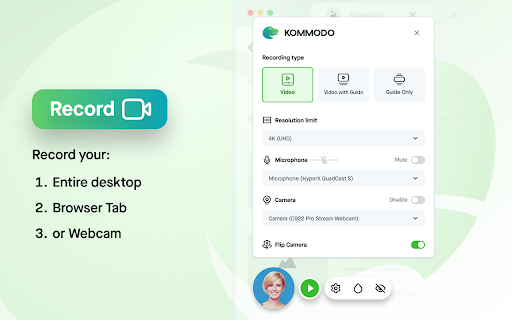
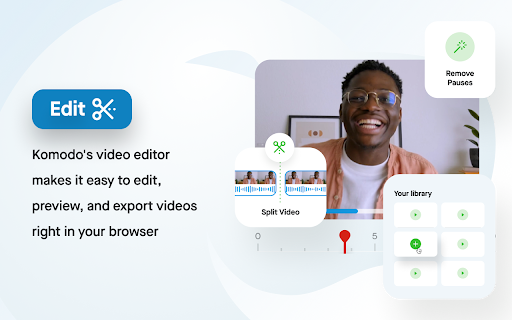
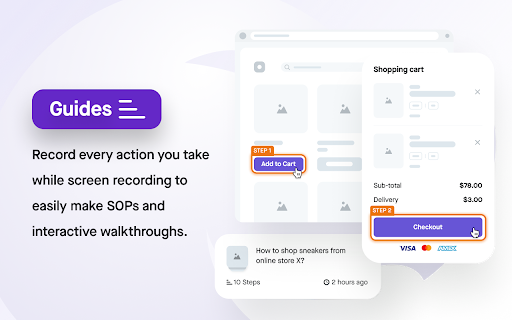
Kommodo is a browser extension that allows users to record their screens while automatically generating detailed step-by-step documentation. Users can capture videos, auto-create Scribe-style guides, and use the built-in cloud editor to refine and share their visual instructions. It is designed to minimize back-and-forth communication through rapid video and SOP creation.
Overview
Installs
50K+
Rating
★ 4.6
85 reviews
Languages
16 locales
Includes Deutsch, English, català, dansk...
Market analysis
Review-backed positioning, friction, and market signals for this Chrome extension.
Macro category
Automation & Workflow Efficiency
Pricing friction
Moderate review signal
Complaint intensity
High review signal
Listing positioning
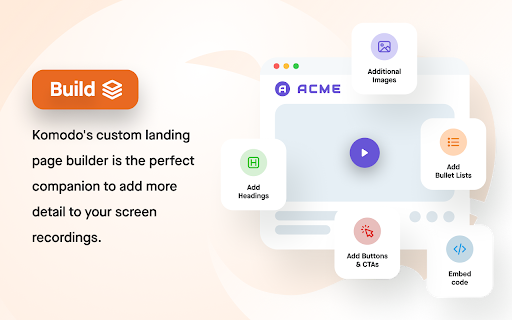
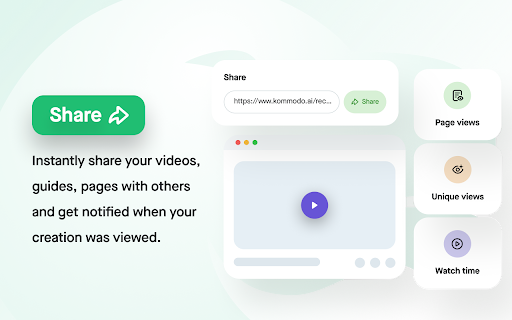
Kommodo positions itself as an all-in-one screen recorder and automatic SOP (Standard Operating Procedure) creation tool. The store listing emphasizes its unlimited recording duration and video counts on the free tier, pitching it as a highly cost-effective alternative to other tools. It also highlights value-add features like an integrated cloud editor, a page builder to embed video context, and real-time engagement analytics.
Inferred product pattern
A visual documentation and screen capture utility that records on-screen actions while compiling clicks and keystrokes into automated, editable training documents.
Review-backed pain points
The most severe pain points center around reliability and sync failures, where hours of recorded material disappear with no option for recovery. Additionally, users express anger over bait-and-switch experiences where they record a video only to be locked out of viewing or downloading it unless they upgrade, with some reporting that downloads remain broken even after paying.
Observed feature gaps
Based on user feedback, there is a distinct gap in local recovery options to safeguard videos when cloud synchronization fails. Users also express a desire for customizable workspaces to better organize and filter different types of guides and recordings.
- Product managers
- UX/UI designers
- Operations managers
- Customer support representatives
- Educators and online instructors
- Creating interactive step-by-step training manuals and SOPs
- Recording product demonstrations and design feedback for remote teams
- Recording online lectures and educational lessons
- Generating quick bug reports and visual guides for developers
- Scribe-style automated guide generation combined seamlessly with video recording
- Highly generous free plan offering premium features compared to Loom's 5-minute limit
- Extremely affordable and competitive pricing tiers
- Fast, user-friendly, and lightweight interface for daily desktop capturing
- Critical synchronization failures where long video recordings are permanently lost
- Technical bugs preventing users from downloading finalized video files
- Unexpected paywalls presented after recording is complete, blocking access to content
- Unresponsive support and missed founder meetings for paying subscribers
- Free-tier complaints detected
- Performance complaints detected
- While many users celebrate the generous free plan and low subscription prices, some reviews note a friction point where users are surprised by post-recording paywalls to download or access their videos, alongside paid users encountering persistent bugs despite upgrading.
Support
Support is criticized for being slow or entirely absent. One paying subscriber noted that support did not respond to bug reports and that the founder missed a scheduled meeting, while another user received a dismissive response from support after losing an important two-hour recording.
Reliability
Users report critical reliability issues, including complete recording sync failures that result in lost footage, and recurring errors that physically block users from downloading their captured videos.
Privacy
No explicit complaints or signals regarding data privacy, security risks, or unauthorized tracking were observed in the review samples.
- Free entry with paid features
- Account required for core usage
- Limited free usage observed
Store listing facts
- Screenshots: 5
- Videos: 1
- Languages: 16
- Privacy policy
- Developer contact
- Official website
- Version: 3.1.7
- Size: 634KiB
- Last updated:
Listing SEO keywords
Core discovery
Comparison
Problem
Alternative
Similar extensions
Jump to related discovery paths:
FAQ
Screenshots