Save as PDF icon

Save as PDF Chrome Extension Analysis

Automation & Workflow Efficiency

Chrome extension ID: kpdjmbiefanbdgnkcikhllpmjnnllbbc

A browser utility that converts active web pages into PDF documents. The conversion is processed via an external web service rather than locally in the browser.

Developer:Pdfcrowd Team
Version:2.2
Size:32.51KiB
Last updated:

Overview

Installs

300K+

Rating

3.2

2,018 reviews

Languages

1 locales

Includes English

Market analysis

Review-backed positioning, friction, and market signals for this Chrome extension.

Backed by review samples

Macro category

Automation & Workflow Efficiency

Pricing friction

Moderate review signal

Complaint intensity

High review signal

Listing & review signals
Observed signals from store listing text and review samples.

Listing positioning

The extension is positioned as a one-click solution for downloading web pages as PDF files. It highlights that the service is powered by PDFCrowd's online HTML to PDF conversion service.

Inferred product pattern

A server-side conversion utility that uses remote processing to handle web-to-PDF tasks, creating a disconnect between the browser state and the conversion engine.

Review-backed pain points

Users report the tool is unable to access pages behind logins, produces blurry or partial captures, and often delivers a PDF that simply prompts for a paid account instead of the requested content.

Observed feature gaps

Lack of support for authenticated user sessions, inability to handle dynamic/rendered web elements, and restricted customization in the free tier.

Tags
PDF ConverterWeb To PDFDocument CaptureChrome Extension
Target users

- Office workers

- Researchers

- Students

- Accountants

Primary use cases

- Saving web content for offline viewing

- Converting web-based receipts or reports to PDF

- Archiving digital documents

Positive themes

- No positive review themes observed in the provided sample

Negative themes

- Inability to capture authenticated or logged-in sessions

- Poor rendering of dynamic or scrolling web content

- Bait-and-switch experience where free output requires account creation

- Intrusive upselling and advertisements in the free version

Observed friction

- Free-tier complaints detected

- Performance complaints detected

- Privacy complaints detected

- High friction due to the free version being perceived as a 'money grab' that limits core functionality or outputs content that requires account creation.

Evidence boundary: Analysis based on the product's long description and a set of low-rating, highly detailed user reviews. The provided review sample consists exclusively of 1-star ratings, which may represent an extreme end of the sentiment spectrum.
Complaint summaries
Review-backed complaint signals grouped by operational area.

Support

No specific support or refund complaints were identified in the sample.

Reliability

Significant reliability issues reported regarding the tool's failure to render full pages, handle dynamic content, or capture content from sites requiring a login.

Privacy

Users expressed privacy concerns regarding the extension sending URLs to an external server for processing, with some labeling the behavior as ad-ware.

Access & pricing

- Free entry with paid features

- Login needed for core features

- Limited free usage observed

Store listing facts

Listing assets

- Screenshots: 1

- Videos: 0

- Languages: 1

Trust signals

- Developer contact

- Official website

- Support link

Store metadata

- Version: 2.2

- Size: 32.51KiB

- Last updated:

Store description excerpt
Short excerpt from the public Chrome Web Store listing; full copy is available on the official store page.
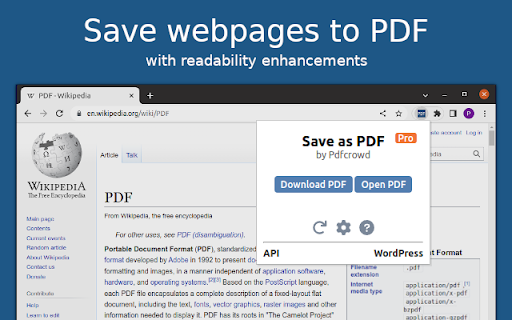
This add-on allows you to easily save web pages as PDF. It adds an icon to your browser's toolbar, which you can click to save the current page as PDF. The add-on is powered by the PDFCrowd HTML to PDF online service. *Please note* that for security reasons, it is not possible to create PDFs from pages that require a login, such as your webmail inbox, online banking, shopping cart contents, payment checkouts, and similar sites. Learn more about how the add-on works at https://pdfcrowd.com/save-as-pdf-addon/ If you need support or have suggestions, please visit https://pdfcrowd.com/contact/.

Listing SEO keywords

Search intent keywords
Keyword signals for evaluating how users may discover, compare, or search for this extension category.

Core discovery

save web page as pdfconvert url to pdfweb to pdf chrome extensionprint web page to pdf

Comparison

print to pdfbrowser built-in pdf converter

Problem

cannot save logged in pages as pdfpdf converter blurrywebpage to pdf fails

Alternative

PDFCrowdChrome PDF printer

Similar extensions

Jump to related discovery paths:

FAQ

What is Save as PDF mainly used for?
A browser utility that converts active web pages into PDF documents. The conversion is processed via an external web service rather than locally in the browser.
What market signals stand out?
Established adoption with substantial review base. Last known update: 06/13/2025.
What should builders compare before entering this space?
Compare install concentration, rating quality, update recency, screenshots, developer portfolio, listing claims, and review-backed friction signals.
Is this page review-backed?
Backed by review samples. This page combines store metadata with selected review signals, while raw store metrics remain visible for comparison.

Screenshots

Save as PDF screenshot

Links

Recommended Chrome extensions

Related listings from the same category, trending peers, and the same publisher portfolio.

Browse tools
ChatGPT to PDF by PDFCrowd icon

ChatGPT to PDF by PDFCrowd

Pdfcrowd Team

Turn your chats into neatly formatted PDF.

Installs

100K+

Rating

4.7

Smallpdf—Edit, Convert, Compress, & AI Summarize PDF icon

Smallpdf—Edit, Convert, Compress, & AI Summarize PDF

Smallpdf AG

Easy-to-use PDF tools to compress, convert, merge, chat to, split, e-sign, and edit PDF files in your browser.

Installs

2.0M+

Rating

4.6

Google Dictionary (by Google) icon

Google Dictionary (by Google)

dictionary-extension-dev

View definitions easily as you browse the web.

Installs

2.0M+

Rating

4.4

AI Chat for Search icon

AI Chat for Search

AI Chat for Search Team

Display AI Chat response alongside search engine results

Installs

2.0M+

Rating

4.6

WPS浏览器助手:文档在线阅读编辑 icon

WPS浏览器助手:文档在线阅读编辑

金山PDF

PDF、Excel、Word、PPT等文档无需下载即可在线预览,还能对文档进行编辑、打印、转换等处理。

Installs

2.0M+

Rating

3.0

Planet Search icon

Planet Search

Free VPN Planet

Enchanced default search engine.

Installs

2.0M+

Rating

3.4

Lightshot (screenshot tool) icon

Lightshot (screenshot tool)

Skillbrains

Simple and convenient screenshot tool. Select an area, edit your screenshot and upload it to the server.

Installs

2.0M+

Rating

4.4

PrintFriendly: Print Clean Pages, Save as PDF & Screenshot, AI Tools icon

PrintFriendly: Print Clean Pages, Save as PDF & Screenshot, AI Tools

PrintFriendly

Print clean web pages, save as PDF, take screenshots, or use reader mode. AI summaries & ad removal. Works on ChatGPT & Gemini.

Installs

1.0M+

Rating

4.6

Mobile simulator - responsive testing tool icon

Mobile simulator - responsive testing tool

François Duprat

Smartphone and tablet simulator on computer with several models to test mobile responsive websites.

Installs

1.0M+

Rating

4.9

Chat with all AI models (Gemini, Claude, DeepSeek…) & AI Agents | AITOPIA icon

Chat with all AI models (Gemini, Claude, DeepSeek…) & AI Agents | AITOPIA

AITOPIA AI Sidebar

AI Agent Marketplace & AI Sidebar with all AI models (Gemini, Claude, DeepSeek & more) and hundreds of AI Agents

Installs

1.0M+

Rating

4.9