
Search All Chrome Extension Analysis
Tab & Bookmark ProductivityChrome extension ID: kpdkbemdpepjjppbfgeapjienologapa
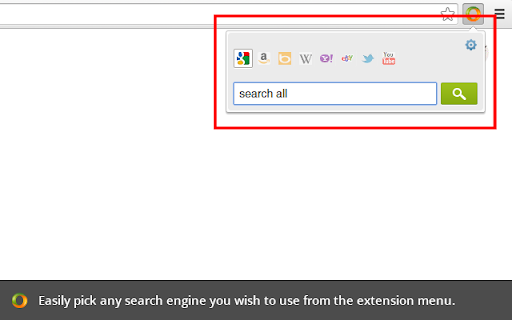
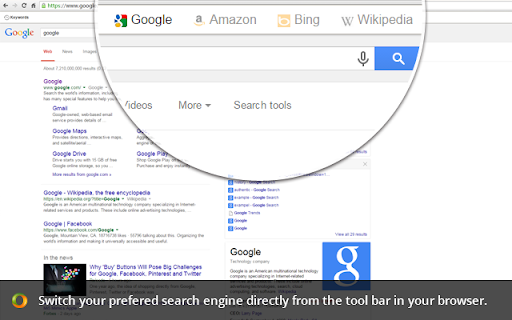
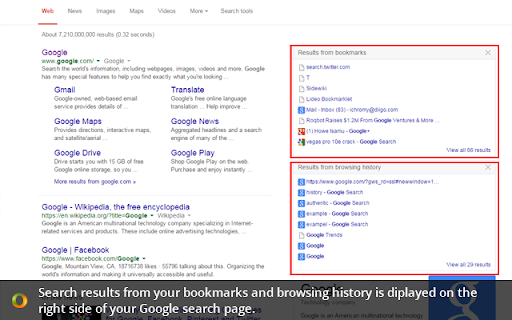
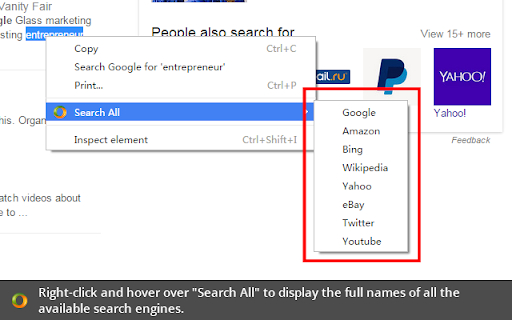
This extension enables users to quickly toggle between different search engines and customize their search preferences. It also allows for searching through user bookmarks directly from search result pages and provides a right-click menu for multi-search functionality.
Overview
Installs
30K+
Rating
★ 4.4
188 reviews
Languages
12 locales
Includes Deutsch, English, English (United Kingdom), español...
Market analysis
Review-backed positioning, friction, and market signals for this Chrome extension.
Macro category
Tab & Bookmark Productivity
Pricing friction
Low review signal
Complaint intensity
High review signal
Listing positioning
Search All positions itself as a fast and easy way to switch between widely used search engines with a single click. It is marketed as a complement to the Chrome Omnibox, adding features like bookmark search and search history recording.
Inferred product pattern
A search utility extension that provides multi-engine switching but suffers from technical debt and UI conflicts with modern browser versions and popular websites.
Review-backed pain points
Users report invasive ads appearing alongside search results, the extension breaking during browser updates, settings being wiped upon clearing cache, and the tool interfering with website UI elements like search bars.
Observed feature gaps
Lack of hotkey support for the search window, no ability to edit search engines once created (only removal), and no settings import/export functionality.
- Power users
- Researchers
- Frequent internet searchers
- Switching between multiple search engines
- Searching bookmarks via search results
- Right-click multi-engine searching
- Convenience of quick engine switching
- Useful context menu options
- Enhanced search capabilities via bookmarks
- Invasive advertising in search results
- Functional breakage following Chrome updates
- UI conflicts causing search bars to disappear
- Loss of settings when clearing cache
- Performance complaints detected
- Privacy complaints detected
- No pricing friction observed as the extension appears to be free to use.
Support
No specific support or account-related complaints were identified in the provided samples.
Reliability
Significant reliability issues reported, including the extension becoming inert after Chrome updates, losing all custom settings when clearing browser cache, and causing search bars on sites like StackOverflow to disappear.
Privacy
One user reported the insertion of invasive, unsolicited advertisements within search engine result pages.
- Ad-supported model observed
- No account requirement observed
- Free plan or free usage claimed
Store listing facts
- Screenshots: 4
- Videos: 0
- Languages: 12
- Privacy policy
- Developer contact
- Version: 2.2.30
- Size: 233KiB
- Last updated:
Listing SEO keywords
Core discovery
Comparison
Problem
Alternative
Similar extensions
Jump to related discovery paths:
FAQ
Screenshots
Links
Privacy policy: https://www.awesomescreenshot.com/privacy/