Awesome Screen Recorder & Screenshot Chrome Extension Analysis
Automation & Workflow EfficiencyChrome extension ID: nlipoenfbbikpbjkfpfillcgkoblgpmj
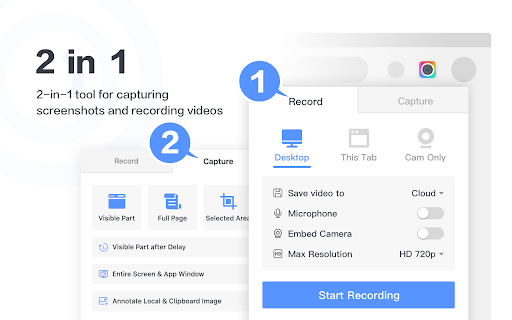
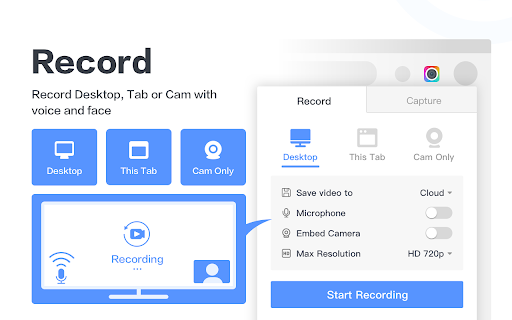
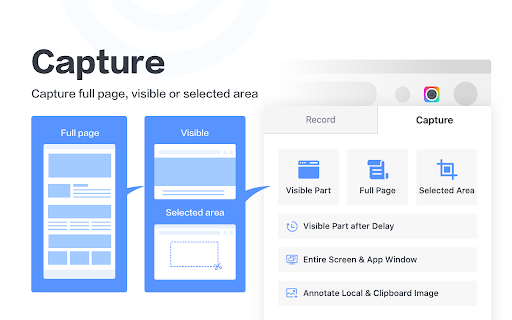
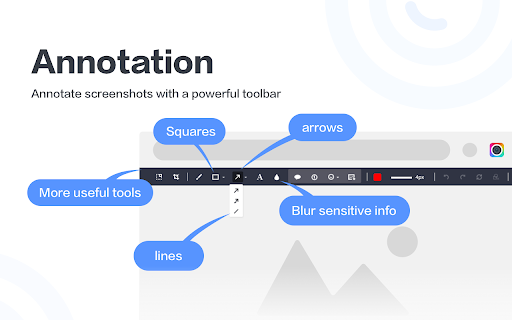
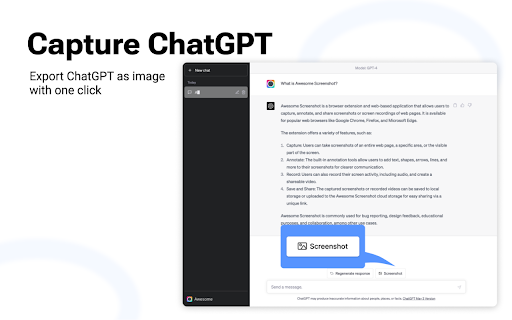
Awesome Screen Recorder & Screenshot is a Chrome extension designed for capturing screen recordings and taking screenshots. It offers features such as recording desktop, tab, or camera, with microphone input and webcam embedding. Users can choose video dimensions up to 4K and save or share recordings instantly. For screenshots, it supports full page, selected area, or visible part captures, along with annotation too…
Overview
Installs
3.0M+
Rating
★ 4.7
29,286 reviews
Languages
54 locales
Includes Deutsch, English, English (United Kingdom), English (United States)...
Market analysis
Review-backed positioning, friction, and market signals for this Chrome extension.
Macro category
Automation & Workflow Efficiency
Pricing friction
High review signal
Complaint intensity
High review signal
Listing positioning
This Chrome extension positions itself as the "best screen recorder and screen capture & screenshot tool" with over 3 million users and a 10-year stable service history. It emphasizes ease of use, powerful features for work and education, and privacy, highlighting its ability to record desktops, tabs, cameras, and record with audio, as well as capture full pages, selected areas, and entire screens, with annotation and sharing capabilities.
Inferred product pattern
Screen recording and screenshot utility with annotation and sharing features, employing a freemium model with potential paid upgrades for advanced functionality.
Review-backed pain points
Users report that the screen recording function crashes, fails to save videos, or stops working altogether. There are also complaints about a lack of intuitive interface, especially for non-English speakers, and frustration with mandatory account registration for full functionality.
Observed feature gaps
One user noted that regional screenshots cannot scroll for long screenshots, making it difficult to capture entire long pages. Another mentioned the inability to select video format or edit before automatic saving, forcing extra steps.
- Remote Workers
- Educators
- Students
- Content Creators
- Technical Support
- Creating Product Demos
- Reporting Technical Issues
- Producing How-to Tutorials
- Capturing Web Page Content
- Annotating Visual Information
- Excellent tool for quick and easy screenshots and screen recordings.
- User-friendly interface with useful features like annotations and instant sharing.
- Reliable, versatile, and regularly updated with improvements and added features.
- Replaced other tools for business use due to its comprehensive functionality.
- The screen recording function crashes or stops working entirely.
- Interface is not intuitive or is difficult to understand, especially for non-English speakers.
- Forced account registration is a significant deterrent, with limitations on free tier quality.
- Issues with specific features like the spotlight effect freezing or the confirmation screen being an unnecessary extra step.
- Payment required for meaningful usage
- Free-tier complaints detected
- Account blocking complaints detected
- Performance complaints detected
- Users express frustration with mandatory account registration for full features, suggesting limitations on free tier quality (e.g., 720p recording) and inferring higher resolutions might be a paid tier. One review mentions a potential $8/month cost for the pro tier.
Support
One user reported submitting a support ticket for a broken recording feature but had not received a response.
Reliability
Multiple reviews indicate significant reliability issues, including the screen recorder crashing, not working, or videos being lost after recording.
Privacy
The listing claims 'No ads and respect your privacy,' and no specific privacy complaints were found in the provided reviews.
- Free entry with paid features
- Account required for core usage
- Limited free usage observed
Store listing facts
- Screenshots: 5
- Videos: 1
- Languages: 54
- Privacy policy
- Developer contact
- Official website
- Support link
- Version: 4.4.41
- Size: 9.03MiB
- Last updated:
Listing SEO keywords
Core discovery
Comparison
Problem
Alternative
Similar extensions
Jump to related discovery paths:
FAQ
Screenshots
Links
Website: awesomescreenshot.com
Privacy policy: https://www.awesomescreenshot.com/privacy/
Support links: https://www.awesomescreenshot.com/contact_us
Videos: Watch