Loom – Screen Recorder & Screen Capture icon

Loom Chrome Extension Analysis

Automation & Workflow Efficiency

Store listing title: Loom – Screen Recorder & Screen Capture

Chrome extension ID: liecbddmkiiihnedobmlmillhodjkdmb

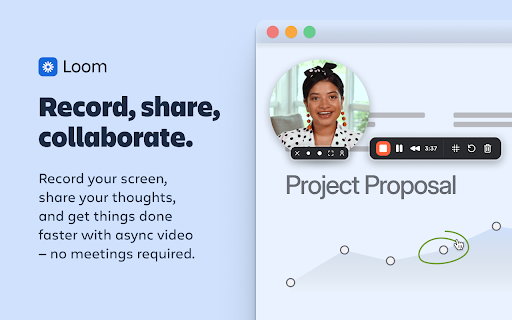
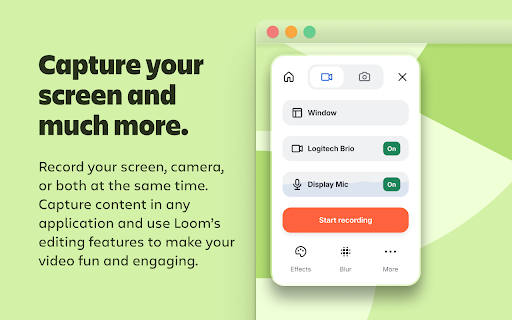
Loom is a screen recording extension that enables users to capture their screen, camera, and audio simultaneously. Once recorded, videos are instantly hosted in the cloud and can be shared via a link for easy viewing and feedback.

Developer:Loom
Version:5.5.197
Size:33.27MiB
Last updated:

Overview

Installs

7.0M+

Rating

4.6

10,221 reviews

Languages

1 locales

Includes English (United States)

Market analysis

Review-backed positioning, friction, and market signals for this Chrome extension.

Backed by review samples

Macro category

Automation & Workflow Efficiency

Pricing friction

Low review signal

Complaint intensity

High review signal

Listing & review signals
Observed signals from store listing text and review samples.

Listing positioning

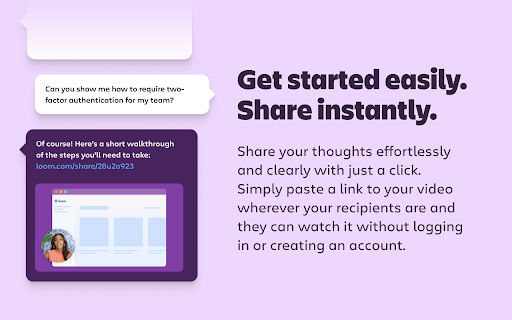
Loom positions itself as an industry-leading asynchronous video communication platform designed to replace meetings and speed up teamwork. It emphasizes one-click recording, instant cloud sharing, and interactive video engagement features.

Inferred product pattern

A widely used productivity tool experiencing significant technical debt and UX regressions following a corporate acquisition.

Review-backed pain points

Users report significant stability issues including full browser crashes, broken pause/trim controls, and a new UI sidebar that blocks essential website menus.

Observed feature gaps

Lack of a native Linux client and limited control over the placement/size of the recording toolbar.

Tags
Screen RecorderVideo MessagingAsync CommunicationScreen Capture
Target users

- Remote teams

- Product managers

- Customer support agents

- Educators

- Content creators

Primary use cases

- Product demonstrations

- Asynchronous feedback

- Meeting replacement

- Training and tutorials

Positive themes

- Historical ease of use

- Convenience of the free tier

Negative themes

- Frequent browser crashes and lockups

- Obstructive and immovable UI elements

- Broken recording controls

- Regression in stability following updates

Observed friction

- Account blocking complaints detected

- Performance complaints detected

- Users expressed frustration that a paid subscription service has become unreliable and buggy.

Evidence boundary: Evidence derived from the official Chrome Web Store listing and recent user reviews detailing technical failures and UI changes. The review sample provided is heavily weighted toward recent negative experiences and does not represent the full historical sentiment.
Complaint summaries
Review-backed complaint signals grouped by operational area.

Support

Users reported that support responses suggest switching to the desktop app rather than resolving extension-specific UI bugs.

Reliability

Severe reports of the extension causing browser crashes, total browser lockups, and failed recordings.

Privacy

No privacy or security complaints were observed in the provided reviews.

Access & pricing

- Free entry with paid features

- Login needed for core features

- Limited free usage observed

Store listing facts

Listing assets

- Screenshots: 5

- Videos: 1

- Languages: 1

Trust signals

- Privacy policy

- Developer contact

- Official website

- Support link

Store metadata

- Version: 5.5.197

- Size: 33.27MiB

- Last updated:

Store description excerpt
Short excerpt from the public Chrome Web Store listing; full copy is available on the official store page.
Loom is the industry leading screen recording tool. Join more than 14 million people across 200,000 companies who use Loom to record their screen, share their thoughts visually, and provide asynchronous feedback. With Loom you can record your screen and instantly get a link to share with anyone. It’s the fastest and easiest way to screen capture and stay connected with your team. Whether you’re screen recording a product demo, giving feedback, or simply sharing your thoughts, Loom makes it simple to stay in the loop with async video. KEY FEATURES 📽️ Record your screen, camera, microphone, and internal audio 💾 Automatically save videos to the cloud and share them instantly with a link 💬 Get notified when someone views, reacts, or comments on your video 😀 Leave time-based comments and emoji reactions 📚 Manage your Loom video library on-the-go and across devices 🔒 Choose who can see…

Listing SEO keywords

Search intent keywords
Keyword signals for evaluating how users may discover, compare, or search for this extension category.

Core discovery

screen recorder extensionasync video communicationrecord screen and cameravideo messaging tool

Comparison

Loom vs ZoomLoom vs Vidyard

Problem

screen recorder crashingbrowser extension bugsvideo recording error

Alternative

screen capture toolasynchronous video

Similar extensions

Jump to related discovery paths:

FAQ

What is Loom mainly used for?
Loom is a screen recording extension that enables users to capture their screen, camera, and audio simultaneously. Once recorded, videos are instantly hosted in the cloud and can be shared via a link for easy viewing and feedback.
What market signals stand out?
Large installed base with very deep review base. Last known update: 06/22/2026.
What should builders compare before entering this space?
Compare install concentration, rating quality, update recency, screenshots, developer portfolio, listing claims, and review-backed friction signals.
Is this page review-backed?
Backed by review samples. This page combines store metadata with selected review signals, while raw store metrics remain visible for comparison.

Screenshots

Loom – Screen Recorder & Screen Capture screenshot

Links

Website: loom.com

Privacy policy: https://www.loom.com/privacy

Support links: http://support.loom.com

Videos: Watch

Recommended Chrome extensions

Related listings from the same category, trending peers, and the same publisher portfolio.

Browse communication
Gmail App - Mail Application for Gmail™ icon

Gmail App - Mail Application for Gmail™

andre_amper220

Use Gmail app for Windows and Mac to boost productivity. Get notifications and read emails in Gmail desktop app for macOS and PC.

Installs

100K+

Rating

4.4

Google Vids Screen Recorder icon

Google Vids Screen Recorder

Google

A simple way to capture your screen and share your ideas using Google Vids.

Installs

100K+

Rating

4.5

InstaText icon

InstaText

InstaText

Write like a native speaker.

Installs

100K+

Rating

4.5

MailTracker: Email tracker for Gmail icon

MailTracker: Email tracker for Gmail

MailTracker

Track if your emails are opened & how many times. Be notified when your emails are read with our advanced Email Tracking extension.

Installs

100K+

Rating

4.7

Gmail™ Email Templates by cloudHQ icon

Gmail™ Email Templates by cloudHQ

cloudHQ

Beautiful email templates for Gmail. Design your templates or import templates from Mailchimp. With team sharing!

Installs

100K+

Rating

4.2

Ddict: AI Translation & Writing Assistant icon

Ddict: AI Translation & Writing Assistant

Ddo

Translate text and enhance writing with AI for seamless language learning and communication in your browser.

Installs

100K+

Rating

4.2

ScreenPal - Screen Recorder & Video Editor icon

ScreenPal - Screen Recorder & Video Editor

ScreenPal (formerly Screencast-O-Matic)

Record your screen & webcam, take screenshots, edit videos & images - easy & free!

Installs

100K+

Rating

4.3

Outlook Classroom Email icon

Outlook Classroom Email

Clay

Redirect Google Classroom Emails to Outlook.

Installs

100K+

Rating

WEB.DE MailCheck icon

WEB.DE MailCheck

1&1 Mail & Media GmbH

Der sichere Klick in Dein Postfach.

Installs

90K+

Rating

3.4

HyperWrite: AI Autocomplete App icon

HyperWrite: AI Autocomplete App

Otherside AI

Smart autocomplete for Gmail, Google Docs, ChatGPT, and more. An AI writing assistant that predicts words and sentences.

Installs

80K+

Rating

4.2