
Explain and Send Screenshots Chrome Extension Analysis
Automation & Workflow EfficiencyChrome extension ID: mdddabjhelpilpnpgondfmehhcplpiin
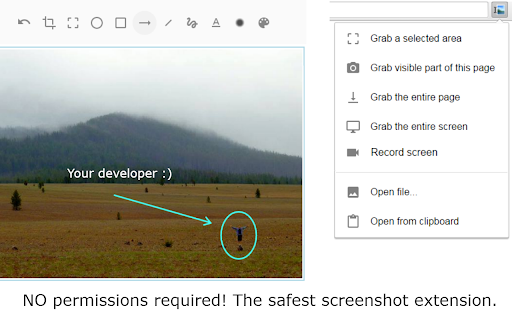
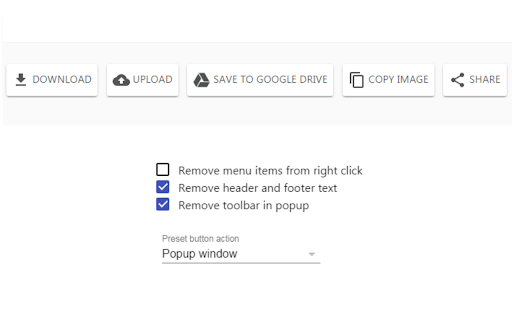
A Chrome extension that allows users to take full or partial snapshots and record videos with microphone audio. It features a built-in editor for annotations, blurring sensitive data, and AI-powered background removal.
Overview
Installs
100K+
Rating
★ 4.2
1,156 reviews
Languages
20 locales
Includes Deutsch, English, English (United Kingdom), Tiếng Việt...
Market analysis
Review-backed positioning, friction, and market signals for this Chrome extension.
Macro category
Automation & Workflow Efficiency
Pricing friction
Moderate review signal
Complaint intensity
Moderate review signal
Listing positioning
The product positions itself as a secure, privacy-first alternative to popular screen capture tools, highlighting its lack of invasive permissions. It emphasizes a comprehensive workflow of capturing, recording, annotating, and sharing screen content.
Inferred product pattern
Privacy-centric utility tool transitioning to a freemium model using watermarks and feature-gating to drive revenue.
Review-backed pain points
Users are highly frustrated by the recent addition of watermarks to the free version and feel the monetization model is deceptive. Technical issues include captures that only grab half the screen and blurriness when using the zoom tool.
Observed feature gaps
The screen recorder lacks the ability to capture system/tab audio (microphone only). There are also gaps in compatibility with certain secure pages due to Chrome's security policies.
- Privacy-conscious users
- Technical support specialists
- Software testers
- Content creators
- Creating annotated bug reports
- Developing step-by-step tutorials
- Sharing quick screen captures via cloud links
- Recording narrated product demos
- Modern Material UI design
- Efficient clipboard copy functionality
- Lightweight extension size
- Introduction of watermarks on free captures
- Perception of 'donations' as a hidden paywall
- Lack of internal tab audio recording
- Technical bugs with image cropping and zooming
- Free-tier complaints detected
- Performance complaints detected
- Significant friction regarding the shift to a freemium model; users dislike the use of watermarks to coerce payments and the framing of paid features as 'donations'.
Support
No direct support interaction complaints, but general dissatisfaction with the developer's monetization strategy.
Reliability
Reports of image quality degradation (low-quality JPEG), faulty zoom functionality, and occasional failures to capture specific web pages.
Privacy
No privacy complaints observed; the product's limited permission set is a highlighted positive.
- Free entry with paid features
- No account requirement observed
- Limited free usage observed
Store listing facts
- Screenshots: 2
- Videos: 1
- Languages: 20
- Privacy policy
- Developer contact
- Official website
- Version: 22.1.2
- Size: 12.94MiB
- Last updated:
Listing SEO keywords
Core discovery
Comparison
Problem
Alternative
Similar extensions
Jump to related discovery paths:
FAQ
Screenshots
Links
Website: jasonsavard.com
Privacy policy: https://jasonsavard.com/wiki/Permissions_and_privacy
Videos: Watch