SmartLens AI - Alternative of Google Lens For PC icon

SmartLens AI Chrome Extension Analysis

AI & Writing Assistants

Store listing title: SmartLens AI - Alternative of Google Lens For PC

Chrome extension ID: miijkofiplfeonkfmdlolnojlobmpman

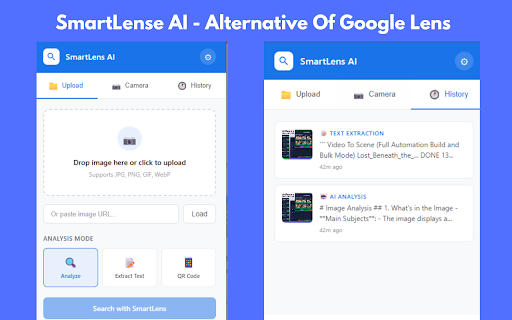
SmartLens AI is a Chrome extension intended to provide visual search and text extraction capabilities on PC. It claims to use GPT-4 Vision for image analysis and offers features like image downloading and webcam capture.

Developer:App Update
Version:3.1
Size:39.06KiB
Last updated:

Overview

Installs

100K+

Rating

1.6

90 reviews

Languages

1 locales

Includes English

Market analysis

Review-backed positioning, friction, and market signals for this Chrome extension.

Backed by review samples

Macro category

AI & Writing Assistants

Pricing friction

Low review signal

Complaint intensity

High review signal

Listing & review signals
Observed signals from store listing text and review samples.

Listing positioning

The product positions itself as a free, desktop-compatible alternative to Google Lens for Windows, Mac, and Linux. It promises seamless AI-powered image analysis, OCR, and QR scanning directly within the Chrome browser.

Inferred product pattern

A tool that claims to provide desktop AI image analysis but reportedly functions as a gateway to download Android emulation software.

Review-backed pain points

Users report that the extension does not function as described and instead acts as an advertisement that directs users to install BlueStacks (an Android emulator) to use the features.

Observed feature gaps

Core features like image analysis, camera access, and OCR appear to be non-functional according to user feedback.

Tags
AI Image AnalysisOCR Text ExtractionVisual SearchGoogle Lens Alternative
Target users

- Students

- Researchers

- Shoppers

- Content Creators

- Developers

Primary use cases

- Extracting text from images via OCR

- Identifying objects and places in photos

- Scanning QR codes and barcodes

- Performing reverse image searches

Positive themes

No positive theme data.

Negative themes

- Deceptive functionality

- Redirection to Android emulators

- Technical failure

- Misleading marketing

Observed friction

- Performance complaints detected

- No pricing friction reported as the primary complaint is the lack of product utility.

Evidence boundary: Evidence is based on multiple highly negative reviews stating the extension is a scam that redirects users to install an Android emulator rather than providing desktop features. The analysis is based on a sample of low-rating reviews which represent the significant majority of the provided feedback.
Complaint summaries
Review-backed complaint signals grouped by operational area.

Support

No support interactions reported; users claim the product is a deceptive listing.

Reliability

Extremely low reliability; users report the extension gets stuck on 'Detecting' and fails to perform any analysis.

Privacy

No specific privacy complaints, though the deceptive nature of the tool is highlighted.

Access & pricing

- No clear monetization signal

- No account requirement observed

- Free plan or free usage claimed

Store listing facts

Listing assets

- Screenshots: 5

- Videos: 0

- Languages: 1

Trust signals

- Privacy policy

- Developer contact

- Official website

- Support link

Store metadata

- Version: 3.1

- Size: 39.06KiB

- Last updated:

Store description excerpt
Short excerpt from the public Chrome Web Store listing; full copy is available on the official store page.
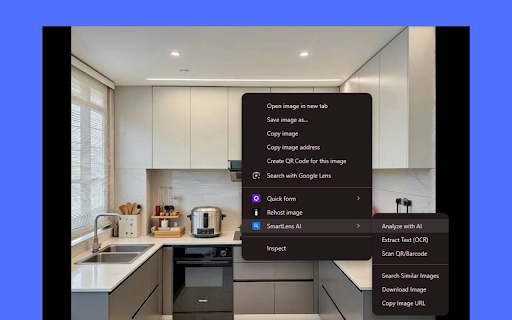
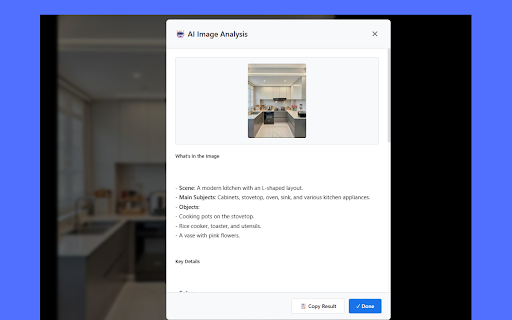
SmartLens AI - The Best Free Alternative of Google Lens for PC, Windows & Mac Looking for Google Lens on your desktop? SmartLens AI brings powerful AI image analysis directly to your Chrome browser! This is a simple, easy-to-use Chrome extension that lets you search, detect, and analyze images with a single click. ✨ Why Choose SmartLens AI? SmartLens AI is the perfect Google Lens alternative for PC users. Whether you're on Windows or Mac, you can now enjoy Google Lens-like features right in your Chrome browser - completely FREE! 💥 KEY FEATURES: 🤖 AI Image Analysis (Detect Image) - Analyze any image using advanced AI (powered by GPT-4 Vision) - Get detailed descriptions of what's in the image - Identify objects, people, places, and more - Works with any image on any website 📝 OCR Text Extraction - Extract text from images instantly - Copy text from screenshots, photos, documents - Sup…

Listing SEO keywords

Search intent keywords
Keyword signals for evaluating how users may discover, compare, or search for this extension category.

Core discovery

Google Lens for PCAI image analysis extensionOCR text extraction ChromeVisual search for desktop

Comparison

Google LensBlueStacks

Problem

extension doesn't workredirects to emulatorfake Google Lens alternative

Alternative

Google Lens mobileAndroid emulator

Similar extensions

Jump to related discovery paths:

FAQ

What is SmartLens AI mainly used for?
SmartLens AI is a Chrome extension intended to provide visual search and text extraction capabilities on PC. It claims to use GPT-4 Vision for image analysis and offers features like image downloading and webcam capture.
What market signals stand out?
Established adoption with limited review base. Last known update: 01/19/2026.
What should builders compare before entering this space?
Compare install concentration, rating quality, update recency, screenshots, developer portfolio, listing claims, and review-backed friction signals.
Is this page review-backed?
Backed by review samples. This page combines store metadata with selected review signals, while raw store metrics remain visible for comparison.

Screenshots

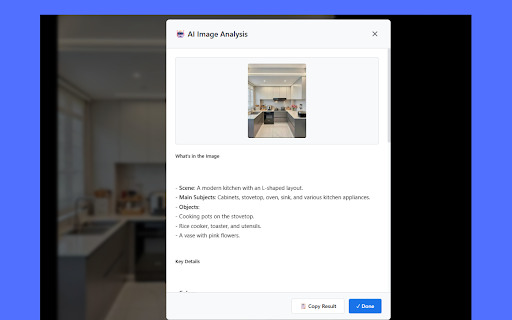
SmartLens AI - Alternative of Google Lens For PC screenshot

Links

Recommended Chrome extensions

Related listings from the same category, trending peers, and the same publisher portfolio.

Browse tools