LookGood Live icon

LookGood Live Chrome Extension Analysis

Automation & Workflow Efficiency

Chrome extension ID: mleflnbfifngdmiknggikhfmjjmioofi

This extension applies real-time AI image processing to browser-based camera feeds. It serves as a virtual overlay to modify video quality and aesthetics during calls on platforms like Zoom, Google Meet, and Microsoft Teams.

Version:1.2.3
Size:24.07MiB
Last updated:

Overview

Installs

5K+

Rating

3.6

31 reviews

Languages

55 locales

Includes Deutsch, English, English (Australia), English (United Kingdom)...

Market analysis

Review-backed positioning, friction, and market signals for this Chrome extension.

Backed by review samples

Macro category

Automation & Workflow Efficiency

Pricing friction

High review signal

Complaint intensity

High review signal

Listing & review signals
Observed signals from store listing text and review samples.

Listing positioning

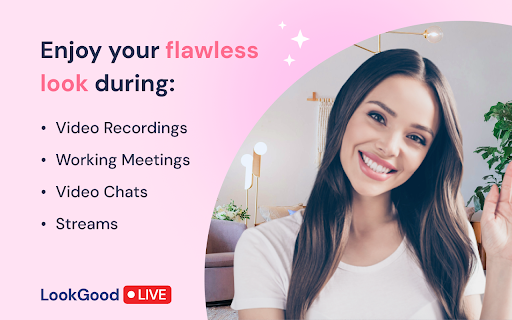
LookGood Live positions itself as an AI-powered enhancement tool for professional video calls and streams. It promises to refine on-camera appearance through six specific effects including skin smoothing, lighting adjustments, and background blurring across major conferencing platforms.

Inferred product pattern

Browser-based video processing overlay using web APIs to inject image effects into camera streams.

Review-backed pain points

Users frequently encounter fatal errors preventing the extension from loading (stuck on "Initializing"), alongside frustration regarding visible watermarks that negatively impact professional image.

Observed feature gaps

Lack of a simple on/off toggle for quick A/B testing and potential optimization issues regarding high bandwidth consumption and Chromebook compatibility.

Tags
Webcam FilterVideo EnhancementAI Beauty Filter
Target users

- Remote professionals

- Content creators

- Streamers

- Video meeting participants

Primary use cases

- Professional appearance in video calls

- Blurring backgrounds

- Low-light video correction

- Improving webcam image quality

Positive themes

- Easy integration with existing meeting platforms

- Effective background blurring

- Helpful adjustments for lighting and color

Negative themes

- Frequent "Something went wrong" initialization errors

- Perceived abandonment by developers

- Intrusive "Good Look" watermark overlay

- Failure to function after upgrading to paid version

Observed friction

- Payment required for meaningful usage

- Free-tier complaints detected

- Performance complaints detected

- Users report dissatisfaction with the watermark on the free plan and functionality failures after purchasing the premium version.

Evidence boundary: Data derived from recent user reviews indicating a mix of high satisfaction with core functionality and severe dissatisfaction with technical stability and branding watermarks. Review sample includes a mix of older satisfied users and more recent reports of technical failures, suggesting potentially inconsistent performance across browser versions.
Complaint summaries
Review-backed complaint signals grouped by operational area.

Support

Reviews suggest the extension may be abandoned, with multiple users reporting the same persistent error messages without resolution.

Reliability

High incidence of initialization failures and reports that the extension simply stops working after updates or payments.

Privacy

No specific privacy complaints found in the analyzed sample.

Access & pricing

- Free entry with paid features

- Login needed for core features

- Trial or limited free usage before paid plan

Store listing facts

Listing assets

- Screenshots: 2

- Videos: 0

- Languages: 55

Trust signals

- Developer contact

- Official website

- Support link

Store metadata

- Version: 1.2.3

- Size: 24.07MiB

- Last updated:

Store description excerpt
Short excerpt from the public Chrome Web Store listing; full copy is available on the official store page.
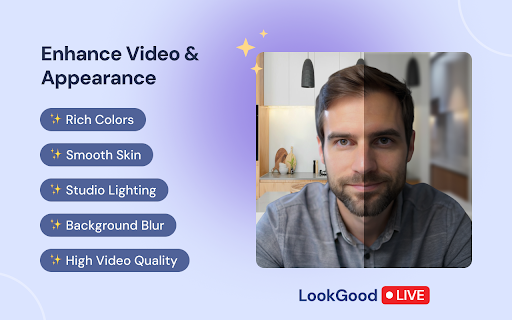
Now you can turn your camera on during video calls and make streams and recording like a pro. The LookGood Live extension enhances on-camera appearance and adjusts video image, making it perfect for professional meetings, video chats, and live streams. ✨ 6 Powerful AI features to instantly refine your look and the entire image in any setting: 1️⃣ Smooth Skin: softens wrinkles, blemishes, and other skin imperfections. 2️⃣ Color Correction: enriches colors to produce a vivid, eye-catching video. 3️⃣ Light Correction: enhances lighting to brighten your video, even in dark or low-light settings. 4️⃣ Video Sharpening: sharpens the image for improved clarity and detail. 5️⃣ Portrait Lighting: adds light to the portrait area and subtly darkens the background to create depth. 6️⃣ Blur Background: softly blurs the background to keep the focus on you. 👍 Compatible with 94+ platforms Fully compat…

Listing SEO keywords

Search intent keywords
Keyword signals for evaluating how users may discover, compare, or search for this extension category.

Core discovery

webcam beauty filtervideo call enhancementblur background chrome extensionGoogle Meet filters

Comparison

LookGood Live vs Snap Camerawebcam enhancement extension

Problem

LookGood Live not workingwebcam filter errorremove watermark video filter

Alternative

best webcam filters for ZoomGoogle Meet video improvements

Similar extensions

Jump to related discovery paths:

FAQ

What is LookGood Live mainly used for?
This extension applies real-time AI image processing to browser-based camera feeds. It serves as a virtual overlay to modify video quality and aesthetics during calls on platforms like Zoom, Google Meet, and Microsoft Teams.
What market signals stand out?
Early or small audience with limited review base. Last known update: 05/18/2026.
What should builders compare before entering this space?
Compare install concentration, rating quality, update recency, screenshots, developer portfolio, listing claims, and review-backed friction signals.
Is this page review-backed?
Backed by review samples. This page combines store metadata with selected review signals, while raw store metrics remain visible for comparison.

Screenshots

LookGood Live screenshot

Links

Recommended Chrome extensions

Related listings from the same category, trending peers, and the same publisher portfolio.

Browse communication
Noise Cancelling App icon

Noise Cancelling App

AI Webcam Effects

AI mic noise cancellation for calls, streams, and recording. Share with friends to enjoy clear sound in every conversation!

Installs

30K+

Rating

4.8

AI Webcam Effects + Recorder: Google Meet, Zoom, Discord & Other Meetings icon

AI Webcam Effects + Recorder: Google Meet, Zoom, Discord & Other Meetings

AI Webcam Effects

Improves camera quality, adds 15+ visual effects and filters and allows screen or live video recording

Installs

20K+

Rating

3.8

HubSpot Sales icon

HubSpot Sales

signals-extension-publishing

Email tracking, CRM for Gmail, and sales productivity tools in your inbox

Installs

1.0M+

Rating

4.4

Connecteur Antidote icon

Connecteur Antidote

Druide informatique

Intégrez Antidote à votre navigateur pour corriger vos textes en temps réel et consulter ses dictionnaires et guides linguistiques.

Installs

1.0M+

Rating

2.9

Fathom AI Note Taker for Google Meet icon

Fathom AI Note Taker for Google Meet

Fathom

Records, transcribes & summarizes meetings FREE

Installs

500K+

Rating

4.9

GMass: Powerful mail merge for Gmail icon

GMass: Powerful mail merge for Gmail

GMass, Inc.

A powerful mass email and mail merge system for Gmail.

Installs

400K+

Rating

4.8

Magical: Text Expander & Autofill icon

Magical: Text Expander & Autofill

Magical

Magical is a text expander and autofill automation app used by over 100K companies. Expand text like magic and auto-fill forms.

Installs

300K+

Rating

4.4

Compose AI: AI-powered Writing Tool icon

Compose AI: AI-powered Writing Tool

Compose.ai

Accelerate your writing with AI

Installs

300K+

Rating

4.1

L.O.C icon

L.O.C

Loc Mai

L.O.C is a collection of automation tools.

Installs

300K+

Rating

4.3

RingCentral for Google icon

RingCentral for Google

RingCentral

For organizations powered by Google Chrome, Workspace and ChromeOS, the browser is the primary engine of productivity. However,…

Installs

200K+

Rating

3.0