Detailed SEO Extension Chrome Extension Analysis
SEO & Traffic AnalyticsChrome extension ID: pfjdepjjfjjahkjfpkcgfmfhmnakjfba
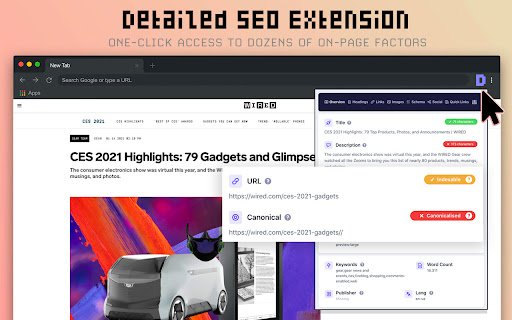
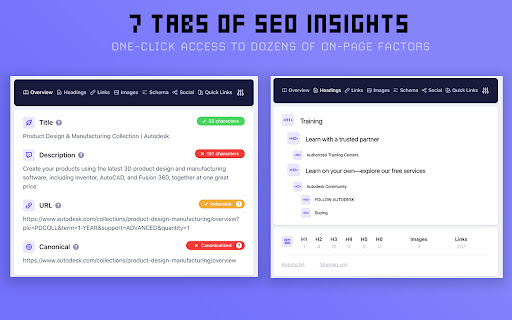
This extension provides an overlay interface to display key SEO metadata, including title tags, meta descriptions, and robots tags for any active webpage. It acts as a lightweight utility for auditing on-page SEO factors directly within the browser.
Overview
Installs
500K+
Rating
★ 4.9
226 reviews
Languages
1 locales
Includes English
Market analysis
Review-backed positioning, friction, and market signals for this Chrome extension.
Macro category
SEO & Traffic Analytics
Pricing friction
Low review signal
Complaint intensity
Moderate review signal
Listing positioning
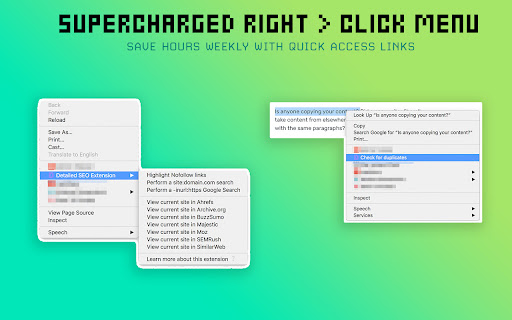
Detailed SEO Extension is positioned as an essential, high-efficiency tool for SEO professionals to perform instant on-page analysis. It emphasizes saving time by eliminating the need for manual source code inspection to retrieve critical technical SEO data.
Inferred product pattern
Free, utility-focused browser extension for technical SEO diagnostics.
Review-backed pain points
Users have reported issues where the tool fails to refresh data after changes occur on a page, and some users have experienced intrusive behavior like unsolicited tab opening.
Observed feature gaps
Lack of a manual refresh button, missing alt-tag visibility on-page (requires spreadsheet download), and inconsistent updates on framework-heavy sites like Next.js.
- SEO Professionals
- Content Marketers
- Website Owners
- On-page SEO auditing
- Competitive metadata analysis
- Technical SEO debugging
- High utility for daily workflow
- Efficient alternative to paid tools
- Fast and accessible data visualization
- Caching/refresh issues with dynamic content
- Aggressive behavior like auto-opening tabs
- Interference with browser tab management
- Performance complaints detected
- No direct pricing friction observed; the tool is widely praised for being completely free.
Support
The developer displays strong defensive engagement in response to lower-rated reviews, urging users to contact them via email.
Reliability
Complaints exist regarding data caching that prevents real-time updates and isolated reports of UI interference during cross-monitor tab dragging.
Privacy
No specific data privacy or tracking complaints, though one report mentioned unwanted tab behavior that could be interpreted as a security or behavioral concern.
- Free usage observed
- No account requirement observed
- Free plan or free usage claimed
Store listing facts
- Screenshots: 3
- Videos: 0
- Languages: 1
- Developer contact
- Official website
- Version: 2.2.7
- Size: 323KiB
- Last updated:
Listing SEO keywords
Core discovery
Comparison
Problem
Alternative
Similar extensions
Jump to related discovery paths:
FAQ
Screenshots
Links
Website: detailed.com