
Volume Control Chrome Extension Analysis
Niche Lifestyle & Gaming HacksChrome extension ID: acglggcafiilnibeknihgglelgfafifo
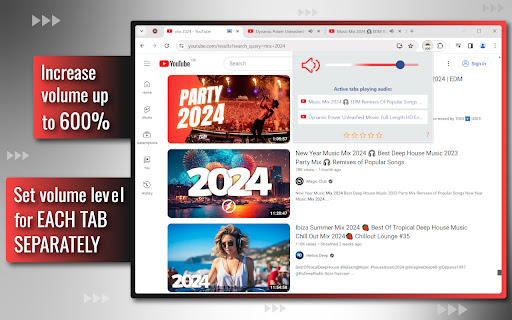
This extension allows users to adjust volume levels per tab within the Chrome browser. It includes features for muting specific tabs, boosting audio levels beyond standard browser limits, and providing a visual interface to identify which tabs are currently active and producing sound.
Overview
Installs
100K+
Rating
★ 4.3
3,996 reviews
Languages
54 locales
Includes Deutsch, English, English (United Kingdom), English (United States)...
Market analysis
Review-backed positioning, friction, and market signals for this Chrome extension.
Macro category
Niche Lifestyle & Gaming Hacks
Pricing friction
Low review signal
Complaint intensity
High review signal
Listing positioning
The extension positions itself as an essential utility for granular browser audio management, featuring individual tab volume controls and a sound booster capable of increasing volume up to 600%. It markets its utility to professionals, students, and general users looking for quick access to audio management and improved sound output.
Inferred product pattern
Utility-based ad-ware that utilizes aggressive cross-promotion and persistent nagging to monetize user base.
Review-backed pain points
Users frequently report frustration with persistent, non-closable review solicitation tabs, deceptive redirects to ad-filled websites, and technical instability including tab crashes.
Observed feature gaps
The extension lacks reliable state persistence for volume settings, and users report it fails to consistently apply volume boosts without manual intervention.
- Content Consumers
- Music Listeners
- General Internet Users
- Professionals working with multiple audio streams
- Boosting volume for low-audio media
- Managing audio levels across multiple tabs
- Quickly muting background noise
- Identifying noisy tabs
- Initial functional utility for volume adjustment
- Effective basic sound boosting capabilities
- Aggressive, persistent, and uncloseable review-request popups
- Redirects to malicious or ad-heavy websites
- Non-persistent volume settings requiring manual reset
- Browser tab crashes and performance lag
- Performance complaints detected
- Privacy complaints detected
- No direct pricing friction reported; however, high friction exists regarding the developer's use of ads and forced redirects.
Support
None reported, likely due to the nature of the aggressive monetization behavior described by users.
Reliability
Significant complaints regarding tab crashes, lag, and failure to retain volume settings between sessions.
Privacy
Multiple reports of redirects to questionable or harmful websites, which users interpret as a privacy and security risk.
- Ad-supported model observed
- No account requirement observed
- Free plan or free usage claimed
Store listing facts
- Screenshots: 4
- Videos: 0
- Languages: 54
- Privacy policy
- Developer contact
- Support link
- Version: 3.5.0
- Size: 222KiB
- Last updated:
Listing SEO keywords
Core discovery
Comparison
Problem
Alternative
Similar extensions
Jump to related discovery paths:
FAQ
Screenshots
Links
Privacy policy: https://freebusinessapps.net/privacy
Support links: https://addonup.com/info/contact/