Image downloader - Imageye icon

Image downloader Chrome Extension Analysis

Video & Image Downloaders

Store listing title: Image downloader - Imageye

Chrome extension ID: agionbommeaifngbhincahgmoflcikhm

Imageye is a Chrome extension designed to locate, preview, convert, and download all images from a webpage. It offers functionalities to filter images by dimensions or URL, perform bulk downloads, convert image formats (like WebP to JPG), and includes experimental features such as a side panel and selection capture. The tool aims to simplify the process of acquiring images from the web.

Developer:meaganamrach
Version:5.30.1
Size:2.13MiB
Last updated:

Overview

Installs

2.0M+

Rating

4.9

16,368 reviews

Languages

54 locales

Includes Deutsch, English, English (United Kingdom), English (United States)...

Market analysis

Review-backed positioning, friction, and market signals for this Chrome extension.

Backed by review samples

Macro category

Video & Image Downloaders

Pricing friction

Low review signal

Complaint intensity

Moderate review signal

Listing & review signals
Observed signals from store listing text and review samples.

Listing positioning

This extension positions itself as a powerful tool for finding, browsing, converting, and bulk downloading all images from a web page. It highlights features like filtering by size and URL, reverse image search, and conversion options, aiming to be a one-click solution for web developers and users needing to extract images efficiently.

Inferred product pattern

Image downloader and converter browser extension.

Review-backed pain points

Users are experiencing issues with the extension no longer capturing images on many websites, including Google and Pinterest. There are also complaints about the extension changing original file names to 'latest' even when the original file name option is selected. Some users report that the software converts images even when the option is set to 'none', which can remove comments within images.

Observed feature gaps

Users have reported that the extension is not consistently recognizing all images on a page. There's a desire for a 'no duplicate image' toggle and more fine-tuning options for image selection. Issues with download folder organization have also been noted.

Tags
Image DownloaderBulk DownloadImage ConverterWeb Scraper
Target users

- Web Developers

- Graphic Designers

- Content Creators

- Researchers

- Casual Web Users

Primary use cases

- Bulk image downloading

- Image format conversion

- Extracting all images from a webpage

- Reverse image search

Positive themes

- Ease of use for bulk image saving

- Helpful for web development image extraction

Negative themes

- Stopped working on various websites

- Issues with original file naming

- Unintended image conversion

- Inconsistent image recognition

- Bug with folder organization on download

- Broken on specific browsers/versions

Observed friction

- Performance complaints detected

- No explicit pricing friction is described in the listing or reviews; the extension appears to be free to use.

Evidence boundary: Evidence for positive and negative themes was derived from user reviews, with specific issues noted regarding the extension's recent performance and functionality on various websites and browsers. Negative themes are primarily based on helpful, low-rating reviews. While many reviews are available, the specific version numbers or exact browser configurations causing issues are not always detailed, making precise troubleshooting difficult from the review data alone. Some negative feedback is in languages other than English.
Complaint summaries
Review-backed complaint signals grouped by operational area.

Support

No specific complaints regarding support were observed in the provided reviews.

Reliability

Multiple users report the extension has recently stopped working on many websites, is broken on specific browsers, and has issues with consistent image recognition and download folder organization.

Privacy

No privacy concerns were raised in the provided reviews.

Access & pricing

- No clear monetization signal

- No account requirement observed

- Free plan or free usage claimed

Store listing facts

Listing assets

- Screenshots: 6

- Videos: 0

- Languages: 54

Trust signals

- Privacy policy

- Developer contact

- Official website

Store metadata

- Version: 5.30.1

- Size: 2.13MiB

- Last updated:

Store description excerpt
Short excerpt from the public Chrome Web Store listing; full copy is available on the official store page.
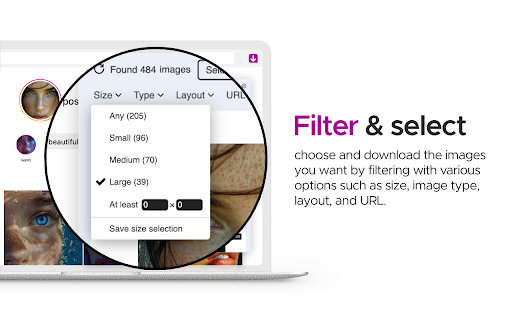
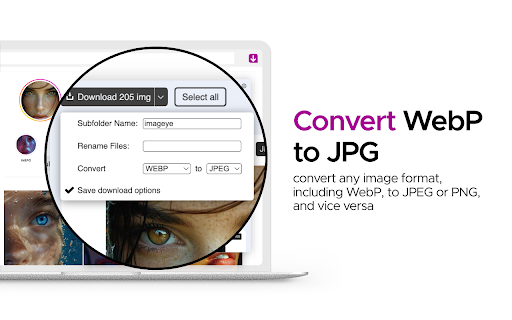
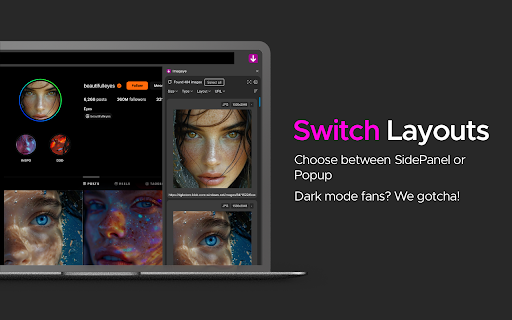
With this Image Downloader, you can find, browse, convert and download all the images present on a web page. Additionally, you can: - Filter based on pixel width and height - Filter based on URL - Bulk download all images at once - Select which images you want to download - Check the size of each image - Copy the URL of the original image - Choose between various layout options - Support all major websites (Instagram, Facebook, Twitter, ...) - Perform a reverse image search - Convert .webp to .jpg - Convert any image type to webp, jpg or png (If you are a web dev and you need to convert all the images of a webpage you can now do it in one click) - Side Panel (beta) - Capture selection (beta) - Sort by Position in page (beta) Imageye - Image Downloader is a tool that helps you find the images published on a web page. The images may be protected by copyright and you should always assume t…

Listing SEO keywords

Search intent keywords
Keyword signals for evaluating how users may discover, compare, or search for this extension category.

Core discovery

image downloaderdownload images from webpagebulk image downloaderchrome image extensionextract images

Comparison

image downloader alternativebest image downloaderfree image downloader

Problem

cannot download imagesimages not showingextension not workingfile name change issue

Alternative

webpage image extractorpicture downloaderwebsite image saver

Similar extensions

Jump to related discovery paths:

FAQ

What is Image downloader mainly used for?
Imageye is a Chrome extension designed to locate, preview, convert, and download all images from a webpage. It offers functionalities to filter images by dimensions or URL, perform bulk downloads, convert image formats (like WebP to JPG), and includes experimental features such as a side panel and selection capture. The tool aims to simplify the process of acquiring images from the web.
What market signals stand out?
Large installed base with very deep review base. Last known update: 03/18/2026.
What should builders compare before entering this space?
Compare install concentration, rating quality, update recency, screenshots, developer portfolio, listing claims, and review-backed friction signals.
Is this page review-backed?
Backed by review samples. This page combines store metadata with selected review signals, while raw store metrics remain visible for comparison.

Screenshots

Image downloader - Imageye screenshot

Links

Recommended Chrome extensions

Related listings from the same category, trending peers, and the same publisher portfolio.

Browse art