
Powerful Pixiv Downloader Chrome Extension Analysis
Video & Image DownloadersChrome extension ID: dkndmhgdcmjdmkdonmbgjpijejdcilfh
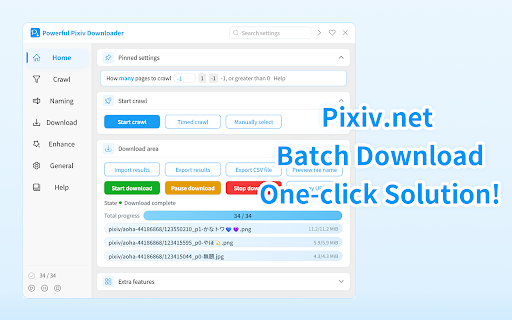
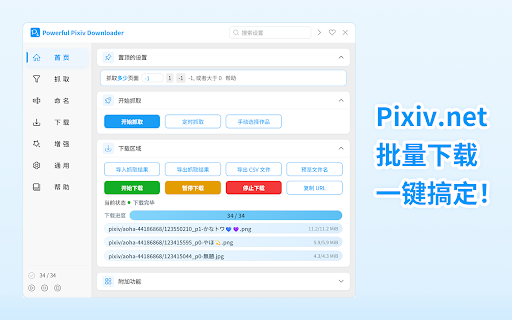
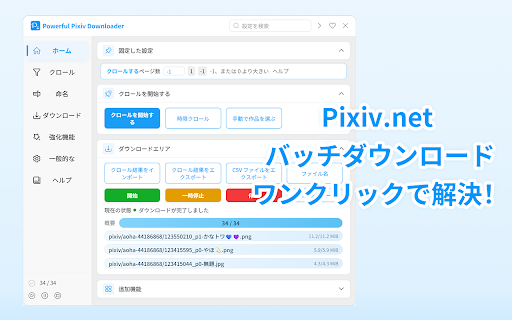
This Chrome extension enables users to download illustrations, manga, animations (ugoira), and novels from Pixiv in bulk. It supports multiple file formats including GIF, WebM, and EPUB, and provides tools to manage download progress and records.
Overview
Installs
100K+
Rating
★ 4.7
484 reviews
Languages
1 locales
Includes English (United States)
Market analysis
Review-backed positioning, friction, and market signals for this Chrome extension.
Macro category
Video & Image Downloaders
Pricing friction
Low review signal
Complaint intensity
Moderate review signal
Listing positioning
The product positions itself as a comprehensive, multi-language tool for batch downloading various media types from Pixiv. It emphasizes advanced organization features such as custom folder structures, file renaming, and filtering capabilities.
Inferred product pattern
A feature-rich media downloader for art platforms currently experiencing stability and performance regression following updates.
Review-backed pain points
Users report extreme slowdowns in download speeds, disappearing UI elements like quick download buttons, and browser crashes when saving specific animation formats.
Observed feature gaps
Recent updates have reportedly made it more difficult to configure specific folder creation rules for multi-image projects compared to previous versions.
- Digital art collectors
- Manga readers
- Pixiv users
- Content curators
- Batch downloading artist works
- Saving Pixiv animations as GIF/WebM
- Downloading Pixiv novels in EPUB format
- Organizing art libraries by artist or date
- High utility for mass media acquisition
- Significant performance degradation
- UI instability after updates
- Broken feature functionality
- Performance complaints detected
- Privacy complaints detected
- No pricing friction observed in the provided data.
Support
No specific support response complaints, but users are expressing high frustration via reviews regarding broken updates.
Reliability
Users report significant reliability issues including extremely slow download speeds, disappearing buttons, and browser crashes during WebM downloads.
Privacy
One user expressed strong concerns regarding the extension's permissions and their perceived impact on site access.
- No clear monetization signal
- Login needed for core features
- No clear pricing signal
Store listing facts
- Screenshots: 3
- Videos: 0
- Languages: 1
- Privacy policy
- Developer contact
- Official website
- Version: 19.0.0
- Size: 2.09MiB
- Last updated:
Listing SEO keywords
Core discovery
Comparison
Problem
Alternative
Similar extensions
Jump to related discovery paths:
FAQ
Screenshots
Links
Website: github.com
Privacy policy: https://github.com/xuejianxianzun/PixivBatchDownloader/blob/master/Privacy%20Policy.md



![Custom profile picture for Netflix™ [QVI] icon](https://extspot.com/api/v1/assets/googleusercontent/aHR0cHM6Ly9saDMuZ29vZ2xldXNlcmNvbnRlbnQuY29tL1Z3OWc3ZjFJeDgtQndyLWVOYUhQdXpsYjVRUzJxaVV5VDRGSzlxaGVnRUxlSk1hVWRMMndTcEZ2bHdycEIzUUpyb1RhYll6aWxFemtxNXZXeUV3OFlraVZadw)