Save to Cosmos Chrome Extension Analysis
Tab & Bookmark ProductivityChrome extension ID: mgjneceglphcpbbfbhjplkpgfapebmdg
Cosmos is a Chrome extension designed to help users collect and organize digital content from the web into a personal inspiration space. It facilitates saving images, links, text, and videos, and offers direct integration with several social media platforms for content capture.
Overview
Installs
100K+
Rating
★ 4.5
57 reviews
Languages
1 locales
Includes English
Market analysis
Review-backed positioning, friction, and market signals for this Chrome extension.
Macro category
Tab & Bookmark Productivity
Pricing friction
Low review signal
Complaint intensity
Moderate review signal
Listing positioning
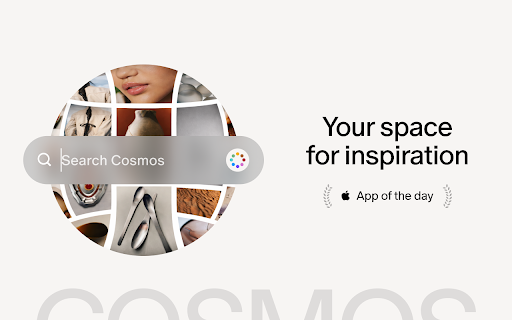
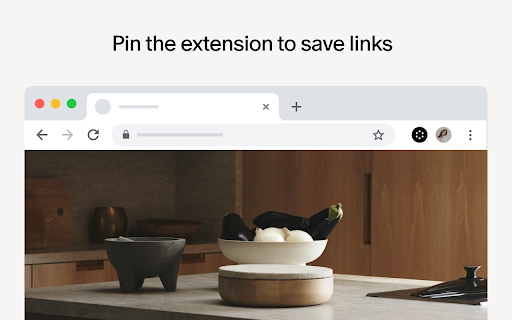
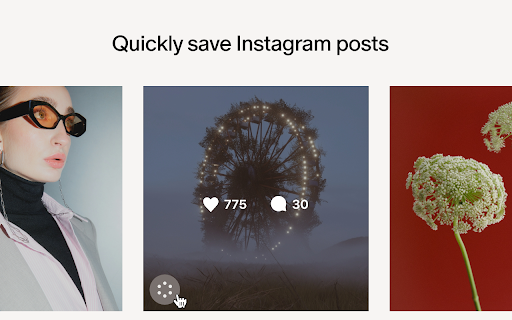
The store listing positions Cosmos as a personal space for inspiration, enabling users to save various digital content like images, links, videos, articles, and text with a single click. It highlights specific integrations for platforms such as Instagram, Pinterest, X, and Tumblr for quick saving.
Inferred product pattern
A browser extension acting as a digital scrapbook or inspiration board, enabling users to save diverse web content (images, links, text) to a personal online space, with specific integrations for content platforms.
Review-backed pain points
Users experience significant pain points with Pinterest integration, including errors when importing private boards or those with sections, leading to failed transfers. The core saving functionality is reported as unreliable, with content occasionally failing to save. Some users also face initial friction with the signup process and persistent logout issues.
Observed feature gaps
Observed feature gaps include the inability to import Pinterest board sections, the lack of a bulk-save option for multiple images on a page, and limited compatibility with some content sources (e.g., Reddit images). The core saving mechanism also shows reliability gaps.
- Creative Professionals
- Content Curators
- Visual Artists
- Hobbyists
- Saving web content for inspiration
- Creating digital moodboards
- Archiving links and articles
- Importing content from Pinterest
- User-friendly interface and overall experience
- Effective for transferring content from Pinterest
- Good alternative for Pinterest users
- Excellent for collecting images for moodboards and inspiration
- Frequent errors when importing Pinterest boards, especially private ones or those with sections
- Unreliable saving of elements, with content sometimes getting lost
- Difficulties with the signup process, with some users unable to create an account
- Lack of features for bulk saving or selecting multiple images at once
- Inconsistent functionality and logging out frequently
- Performance complaints detected
- Pricing details are not evident from the store listing or available reviews.
Support
One review indicates a support need regarding account creation, stating a user could not find a signup option, only a sign-in, preventing them from using the extension.
Reliability
Users report reliability issues, specifically with elements taking too long to save or failing to save entirely, resulting in lost content. Inconsistent functionality is also noted, particularly with Pinterest imports and general saving operations.
Privacy
No privacy or security complaints were found in the available reviews.
- No clear monetization signal
- Account required for core usage
- No clear pricing signal
Store listing facts
- Screenshots: 4
- Videos: 0
- Languages: 1
- Privacy policy
- Developer contact
- Official website
- Version: 6.14.4
- Size: 2.08MiB
- Last updated:
Listing SEO keywords
Core discovery
Comparison
Problem
Alternative
Similar extensions
Jump to related discovery paths:
FAQ
Screenshots

Links
Website: join.cosmos.so
Privacy policy: https://www.cosmos.so/privacy-policy





![Custom profile picture for Netflix™ [QVI] icon](https://extspot.com/api/v1/assets/googleusercontent/aHR0cHM6Ly9saDMuZ29vZ2xldXNlcmNvbnRlbnQuY29tL1Z3OWc3ZjFJeDgtQndyLWVOYUhQdXpsYjVRUzJxaVV5VDRGSzlxaGVnRUxlSk1hVWRMMndTcEZ2bHdycEIzUUpyb1RhYll6aWxFemtxNXZXeUV3OFlraVZadw)