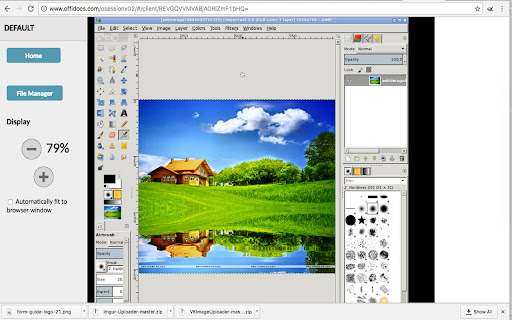
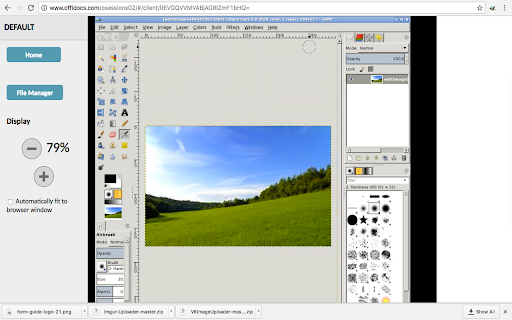
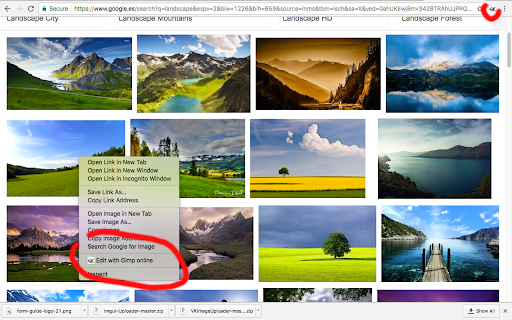
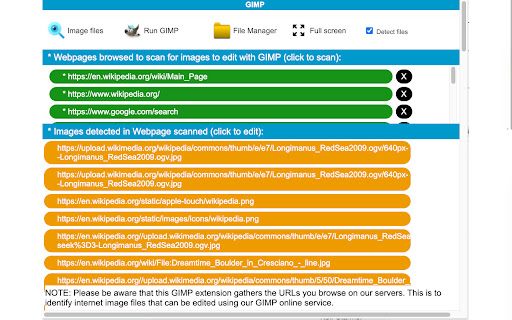
Gimp online - image editor and paint tool icon

Gimp online Chrome Extension Analysis

Developer & Designer Tools

Store listing title: Gimp online - image editor and paint tool

Chrome extension ID: omebobahbkampglebglkoagddjnjbhle

An online image editor that mirrors the functionality of the GIMP Linux application. It provides tools for painting, gradient editing, layer management, and support for various image formats like JPEG, PNG, and TIFF.

Version:3.0.5
Size:685KiB
Last updated:

Overview

Installs

300K+

Rating

2.6

245 reviews

Languages

18 locales

Includes Deutsch, English, Nederlands, Türkçe...

Market analysis

Review-backed positioning, friction, and market signals for this Chrome extension.

Backed by review samples

Macro category

Developer & Designer Tools

Pricing friction

Low review signal

Complaint intensity

High review signal

Listing & review signals
Observed signals from store listing text and review samples.

Listing positioning

The product positions itself as a cloud-based integration of the open-source GIMP (GNU Image Manipulation) desktop app. It emphasizes professional-grade capabilities for photo retouching, image composition, and painting available for free online.

Inferred product pattern

A cloud-hosted wrapper of open-source software monetized through aggressive ad placements.

Review-backed pain points

Users report extreme frustration with non-dismissible ads that obstruct the UI, reports of files being stored in public-accessible directories, and stability issues where the editor fails to open images or the window shrinks to a non-viewable size.

Observed feature gaps

Users indicate a significant gap in reliability and privacy compared to the desktop GIMP installation, specifically regarding file security and performance.

Tags
Online Image EditorPhoto RetouchingGIMP CloudDigital PaintingImage Converter
Target users

- Graphic designers

- Photo editors

- Linux GIMP users

- Casual image editors

Primary use cases

- Photo retouching

- Image composition

- Quick image format conversion

- Web-based digital painting

Positive themes

No positive theme data.

Negative themes

- Intrusive and excessive advertising

- Severe security vulnerabilities regarding file privacy

- Performance instability and crashes

- Conflict with AdBlockers

- Suspected browser hijacking/malware

Observed friction

- Performance complaints detected

- Privacy complaints detected

- While claimed to be free, users experience high friction due to intrusive ads and banners that obstruct the core functionality.

Evidence boundary: Data extracted from the store listing and a sample of 10 highly critical reviews. Positive review themes are not available as the provided sample consisted entirely of low-rating reviews.
Complaint summaries
Review-backed complaint signals grouped by operational area.

Support

Review-backed data is not available.

Reliability

Significant reports of the application being unusable, including failure to load images, pixelated output, and UI scaling bugs.

Privacy

Critical claims that user files are stored in insecure cloud folders accessible to other users via predictable URLs.

Access & pricing

- Ad-supported model observed

- No account requirement observed

- Free plan or free usage claimed

Store listing facts

Listing assets

- Screenshots: 4

- Videos: 1

- Languages: 18

Trust signals

- Privacy policy

- Developer contact

- Official website

Store metadata

- Version: 3.0.5

- Size: 685KiB

- Last updated:

Store description excerpt
Short excerpt from the public Chrome Web Store listing; full copy is available on the official store page.
Gimp Image Editor is a tool for tasks like photo and image retouching, image composition and image authoring. It is an integration with the Linux Desktop app GIMP (GNU Image Manipulation), a freely distributed program that provides many capabilities. It can be used as a simple paint program, image editor, an expert quality photo retouching program, an image renderer, or an image format converter. It is an image editor integrated with our file manager to manage only image file types with this desktop app. GIMP is ideal for advanced photo retouching techniques. It gets rids you of unneeded details using the clone tool, or touch up minor details easily with the new healing tool. Moreover, numerous digital photo imperfections can be easily compensated for using GIMP. Fix perspective distortion caused by lens tilt simply choosing the corrective mode in the transform tools. Its main features…

Listing SEO keywords

Search intent keywords
Keyword signals for evaluating how users may discover, compare, or search for this extension category.

Core discovery

GIMP onlinefree online image editorcloud photo editorweb-based GIMP

Comparison

GIMP online vs desktopbest free online image editorGIMP online alternatives

Problem

edit images online freeretouch photos without installationonline photo editor no download

Alternative

PhotopeaPixlrCanva

Similar extensions

Jump to related discovery paths:

FAQ

What is Gimp online mainly used for?
An online image editor that mirrors the functionality of the GIMP Linux application. It provides tools for painting, gradient editing, layer management, and support for various image formats like JPEG, PNG, and TIFF.
What market signals stand out?
Established adoption with moderate review base. Last known update: 10/23/2025.
What should builders compare before entering this space?
Compare install concentration, rating quality, update recency, screenshots, developer portfolio, listing claims, and review-backed friction signals.
Is this page review-backed?
Backed by review samples. This page combines store metadata with selected review signals, while raw store metrics remain visible for comparison.

Screenshots

Gimp online - image editor and paint tool screenshot

Links

Recommended Chrome extensions

Related listings from the same category, trending peers, and the same publisher portfolio.

Browse art