Enable JavaScript icon

Enable JavaScript Chrome Extension Analysis

Developer & Designer Tools

Chrome extension ID: egljjlhdimceghlkloddalnlpgdgkboj

This Chrome extension provides a simple way to toggle JavaScript on or off for the active tab. It is designed to assist with technical debugging and website testing through quick script management.

Version:3.0.0
Size:197KiB
Last updated:

Overview

Installs

20K+

Rating

4.4

7 reviews

Languages

38 locales

Includes Deutsch, English, Filipino, Indonesia...

Market analysis

Review-backed positioning, friction, and market signals for this Chrome extension.

Backed by review samples

Macro category

Developer & Designer Tools

Pricing friction

Low review signal

Complaint intensity

Moderate review signal

Listing & review signals
Observed signals from store listing text and review samples.

Listing positioning

The extension is positioned as a lightweight, single-button utility for enabling or disabling JavaScript on a per-tab basis. It is specifically marketed toward users who need to debug web pages or check for code errors.

Inferred product pattern

A single-purpose utility tool focused on rapid developer-oriented environment manipulation.

Review-backed pain points

Users reported that the extension fails to add websites to an allow list, causing the JavaScript toggle to function globally rather than specifically for individual sites.

Observed feature gaps

The product lacks a granular allow/deny list for managing JavaScript on a per-domain basis.

Tags
JavaScript ToggleWeb DebuggingDeveloper ToolChrome Extension
Target users

- Web Developers

- QA Engineers

- Technical Debuggers

Primary use cases

- Debugging web page code errors

- Testing website behavior with/without JavaScript

- Rapidly toggling script execution per tab

Positive themes

- Lightweight and effortless use

- Minimalism in permission requests

- Effective for simple toggling tasks

Negative themes

- Lack of granular control

- Global rather than site-specific application

Observed friction

- No pricing information or friction is mentioned in the listing or reviews.

Evidence boundary: Extracted from the Chrome Web Store listing and 7 user reviews. The very low number of reviews (7) limits the statistical significance of the sentiment and feature gap observations.
Complaint summaries
Review-backed complaint signals grouped by operational area.

Support

No support or account-related complaints were identified.

Reliability

No reliability or performance-based complaints were identified.

Privacy

One user highlighted a lack of unnecessary permission requests as a positive attribute.

Access & pricing

- No clear monetization signal

- No account requirement observed

- No clear pricing signal

Store listing facts

Listing assets

- Screenshots: 4

- Videos: 0

- Languages: 38

Trust signals

- Developer contact

- Official website

- Support link

Store metadata

- Version: 3.0.0

- Size: 197KiB

- Last updated:

Store description excerpt
Short excerpt from the public Chrome Web Store listing; full copy is available on the official store page.
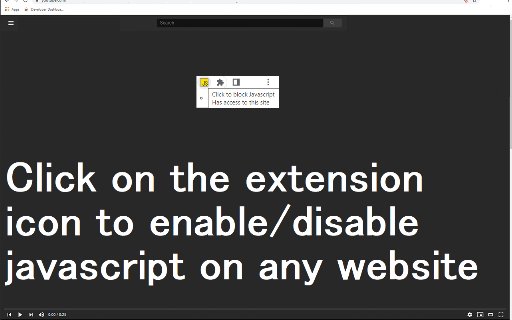
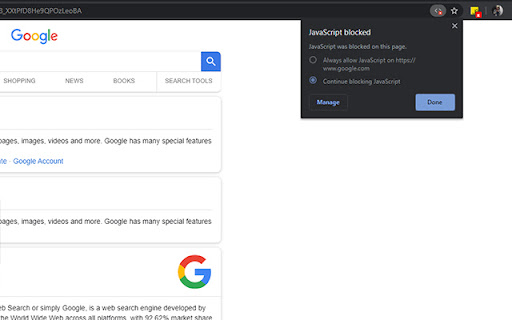
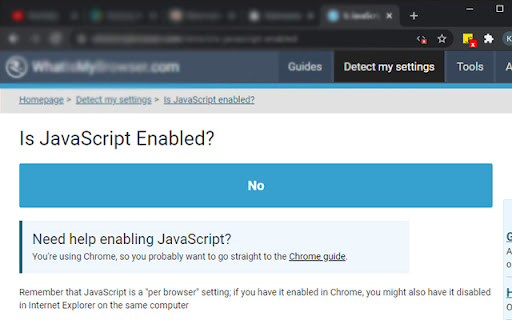
Use a single button to turn javascript on or off on the Google Chrome Tab you are in. You might want to turn off javascript to help debug a webpage/check your website code errors. This is a quick way to enable/disable Javascript Turn javascript on/off with a button. To begin using the software, you need to install the extension first. Once you are on the website you wish to turn javascript off, just click on the software extension to switch it off . You can turn javascript back on for that webpage by clicking on the extension icon again. Disclaimer: Please note this extension is NOT made by Google and is made by an independent development team. All copyrights belong to their respective owners. Google doesn’t endorse or sponsor this Chrome extension. Enable Javascript is not owned by, is not licensed by and is not a subsidiary of Google Inc.

Listing SEO keywords

Search intent keywords
Keyword signals for evaluating how users may discover, compare, or search for this extension category.

Core discovery

enable javascriptdisable javascriptjavascript togglechrome developer tool

Comparison

JavaScript managerscript blocker

Problem

turn off javascriptdebug javascript errorsjavascript not working

Alternative

JavaScript controllerscript toggler

Similar extensions

Jump to related discovery paths:

FAQ

What is Enable JavaScript mainly used for?
This Chrome extension provides a simple way to toggle JavaScript on or off for the active tab. It is designed to assist with technical debugging and website testing through quick script management.
What market signals stand out?
Visible niche traction with limited review base. Last known update: 03/15/2022.
What should builders compare before entering this space?
Compare install concentration, rating quality, update recency, screenshots, developer portfolio, listing claims, and review-backed friction signals.
Is this page review-backed?
Backed by review samples. This page combines store metadata with selected review signals, while raw store metrics remain visible for comparison.

Screenshots

Enable JavaScript screenshot

Links

Recommended Chrome extensions

Related listings from the same category, trending peers, and the same publisher portfolio.

Browse education
Downloads icon

Downloads

Free Useful Apps

Clear the downloads list of all completed downloads. Save images in downloads. Open downloads.

Installs

10K+

Rating

4.5

rikaikun icon

rikaikun

Erek Speed

rikaikun shows the reading and English definition of Japanese words when you hover over Japanese text in the browser.

Installs

200K+

Rating

4.7

xFanatical Safe Doc icon

xFanatical Safe Doc

xFanatical

xFanatical Safe Doc smooths the way for schools managing Google Workspace for Education features (Docs, Sheets, Slides, Classroom,…

Installs

200K+

Rating

1.4

Mouse Tooltip Translator - PDF & Netflix YouTube dual subs icon

Mouse Tooltip Translator - PDF & Netflix YouTube dual subs

ttop324

Mouse Tooltip Translator translate mouseover text using google translate. Support OCR, TTS, manga translator & pdf translator.

Installs

200K+

Rating

4.6

Paperpile Extension icon

Paperpile Extension

Paperpile

Collect, organize, annotate and cite your research papers in Chrome.

Installs

200K+

Rating

4.6

Rapid Journal Quality Check icon

Rapid Journal Quality Check

jrk.devgit

Displays rankings and h-index for academic journals next to Google Scholar search results.

Installs

200K+

Rating

4.2

OpenDyslexic for Chrome icon

OpenDyslexic for Chrome

OpenDyslexic

Format pages using the OpenDyslexic font and low contrast help

Installs

200K+

Rating

4.1

Google Meet Breakout by Robert Hudek icon

Google Meet Breakout by Robert Hudek

Unknown developer

Only the teacher needs to install. Completely Free and your Data is Private. Google Classroom integration, Slider Control.

Installs

200K+

Rating

4.4

Reverso – Translation, dictionary icon

Reverso – Translation, dictionary

Reverso Technologies Inc.

Translate and learn languages while browsing and watching movies, it’s free.

Installs

200K+

Rating

4.6

Toucan by Babbel - Language Learning icon

Toucan by Babbel - Language Learning

jointoucan.com

Learn a new language just by browsing the internet.

Installs

200K+

Rating

4.6