xFanatical Safe Doc icon

xFanatical Safe Doc Chrome Extension Analysis

Automation & Workflow Efficiency

Chrome extension ID: mmhppocgfdombmapajfeafhecobfcjpk

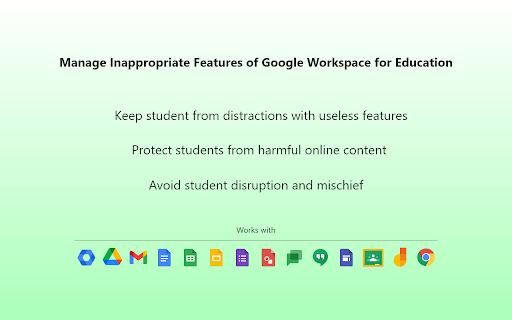
xFanatical Safe Doc is a Chrome extension designed to provide granular control over Google Workspace for Education features. It allows administrators to block specific functionalities within Google Docs, Sheets, Slides, Classroom, Meet, and Search to ensure a safe and focused learning environment for students. The extension can be configured for different age groups and supports managed environments.

Developer:xFanatical
Version:1.62.0
Size:746KiB
Last updated:

Overview

Installs

100K+

Rating

1.4

43 reviews

Languages

1 locales

Includes English (United States)

Market analysis

Review-backed positioning, friction, and market signals for this Chrome extension.

Backed by review samples

Macro category

Automation & Workflow Efficiency

Pricing friction

Moderate review signal

Complaint intensity

High review signal

Listing & review signals
Observed signals from store listing text and review samples.

Listing positioning

xFanatical Safe Doc is positioned as a solution for schools managing Google Workspace for Education. It aims to enhance student safety by blocking inappropriate content and preventing misuse of features within Docs, Sheets, Slides, Classroom, and Search. The listing emphasizes its ability to simplify feature management for administrators.

Inferred product pattern

A Chrome extension that aims to enforce acceptable use policies within Google Workspace for Education by blocking specific features and content. It targets educational institutions with a freemium model, offering basic free use for individual accounts and paid licenses for organizational deployments.

Review-backed pain points

Users report that the extension is unreliable and can be easily bypassed, with features like grammar checking and emoji blocking still functional. The blocking of features like Google Images and link previews is cited as hindering student productivity and making assignments more difficult. Some reviews also make severe, unsubstantiated claims of the extension causing financial loss, device bricking, and data theft.

Observed feature gaps

Despite the listing's claims, multiple reviews indicate that the extension's core blocking features (e.g., image search, emojis, dictionary, copy/paste functionality) are easily bypassed or do not work as intended, suggesting a gap between advertised functionality and actual performance.

Tags
Education ManagementStudent SafetyGoogle Workspace ControlClassroom Tools
Target users

- School Administrators

- IT Managers in Education

- Teachers using Google Workspace for Education

Primary use cases

- Blocking inappropriate content and features in Google Workspace

- Managing student access to specific tools within Docs, Sheets, Slides, and Classroom

- Enhancing student privacy and online safety

- Preventing disruption in virtual classrooms

Positive themes

No positive theme data.

Negative themes

- Extension is easily bypassed and unreliable in blocking features

- Features that are blocked negatively impact student productivity and learning

- Concerns about the extension being intrusive and a form of surveillance

- Accusations of the extension causing data loss, device issues, and financial problems for schools

- Users report that features like blocking games, images, or emojis do not work as intended

Observed friction

- Payment required for meaningful usage

- Performance complaints detected

- Privacy complaints detected

- The extension is free for individual @gmail accounts. However, school-wide usage requires a paid license, with pricing starting at $899/year for a single student domain with unlimited users. A 30-day trial is available.

Evidence boundary: Store listing data was used to describe the product's features and positioning. Review data was used to identify positive and negative themes, pain points, and feature gaps. The provided reviews are overwhelmingly negative and of low rating, with some containing extreme and unsubstantiated claims. There is a lack of positive review sentiment to balance the observed issues, and the review data does not cover all aspects of the product's functionality or user experience.
Complaint summaries
Review-backed complaint signals grouped by operational area.

Support

No specific support complaints were identified in the provided reviews. Support channels include self-service documentation, email, and a Google Group community.

Reliability

Multiple reviews state the extension is unreliable and features are easily bypassed. Specific examples include continued access to grammar check, emojis, and other Google Docs/Sheets features that are supposed to be blocked. One review explicitly states the application 'doesn't even work'.

Privacy

Some reviews express concern about the extension's invasive nature, describing it as a 'surveillance nightmare' and questioning the extent of monitoring. One highly critical review makes unsubstantiated accusations of data theft and changes to search history, labeling the extension as malware.

Access & pricing

- Free entry with paid features

- No clear access signal

- Limited free usage observed

Store listing facts

Listing assets

- Screenshots: 5

- Videos: 1

- Languages: 1

Trust signals

- Privacy policy

- Developer contact

- Official website

- Support link

Store metadata

- Version: 1.62.0

- Size: 746KiB

- Last updated:

Store description excerpt
Short excerpt from the public Chrome Web Store listing; full copy is available on the official store page.
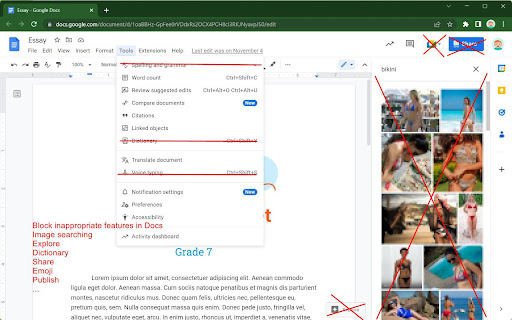
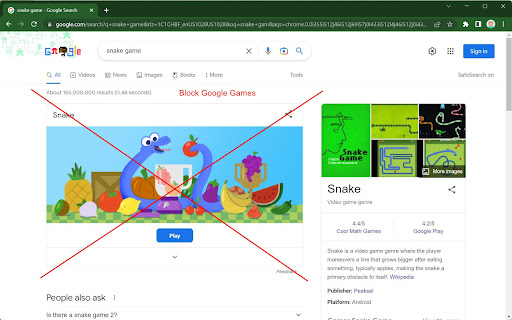
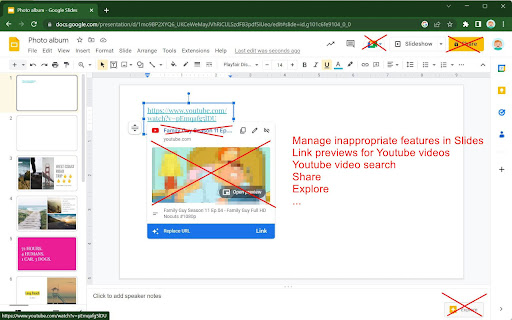
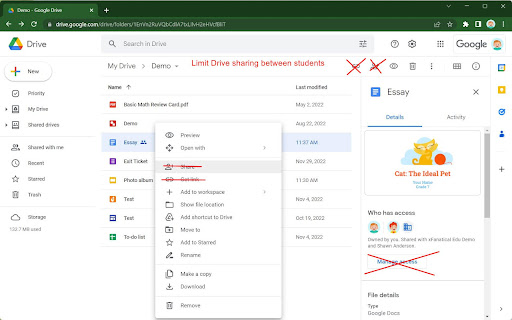
xFanatical Safe Doc smooths the way for schools managing Google Workspace for Education features (Docs, Sheets, Slides, Classroom, Drive etc.) that Google Admin Console doesn't provide. It protects your students from inappropriate content and prevent your students from misusing certain features to disrupt classrooms. ===================================== Features ===================================== In Google Docs Editors ► Block the image searching feature ► Block Youtube video searching feature ► Block the Dictionary feature ► Block inappropriate emojis, e.g. the middle finger emoji, poop emoji or knife emoji. ► Block inserting GIFs and stickers ► Block inserting images by URLs into Docs ► Block the "Publish to the web" feature ► Block the "Email this file" feature (formerly "Email as attachment") ► Block the "Email collaborators" feature ► Disable spell & grammar checking ► Disable…

Listing SEO keywords

Search intent keywords
Keyword signals for evaluating how users may discover, compare, or search for this extension category.

Core discovery

Google Workspace for EducationChrome Extension for SchoolsStudent Safety ToolsClassroom Management SoftwareContent Filtering EducationGoogle Docs RestrictionsGoogle Classroom Control

Comparison

Google Admin Console alternativeSchool productivity toolsEdTech safety features

Problem

Student distractionInappropriate content in schoolsGoogle Workspace misuseOnline safety for students

Alternative

Google Workspace security policiesClassroom productivity enhancerSchool internet filters

Similar extensions

Jump to related discovery paths:

FAQ

What is xFanatical Safe Doc mainly used for?
xFanatical Safe Doc is a Chrome extension designed to provide granular control over Google Workspace for Education features. It allows administrators to block specific functionalities within Google Docs, Sheets, Slides, Classroom, Meet, and Search to ensure a safe and focused learning environment for students. The extension can be configured for different age groups and supports managed environments.
What market signals stand out?
Established adoption with limited review base. Last known update: 06/26/2026.
What should builders compare before entering this space?
Compare install concentration, rating quality, update recency, screenshots, developer portfolio, listing claims, and review-backed friction signals.
Is this page review-backed?
Backed by review samples. This page combines store metadata with selected review signals, while raw store metrics remain visible for comparison.

Screenshots

xFanatical Safe Doc screenshot

Links

Recommended Chrome extensions

Related listings from the same category, trending peers, and the same publisher portfolio.

Browse education
Readlang Web Reader icon

Readlang Web Reader

readlang

Read websites in the language you're learning, translate words you don't know, and we'll create flashcards to help you remember.

Installs

100K+

Rating

4.3

Talk & Comment - Voice notes anywhere icon

Talk & Comment - Voice notes anywhere

TalkandComment.com

Voice notes for classrooms and teams. Give feedback students actually hear.

Installs

100K+

Rating

4.1

Dualsub - YouTube Subtitle Translator icon

Dualsub - YouTube Subtitle Translator

Dualsub Studio

Translate and display dual subtitles on YouTube and other video websites.

Installs

100K+

Rating

3.6

Education Pro Browser Extension MV3 icon

Education Pro Browser Extension MV3

Ativion

Education Pro Browser Extension MV3 for use on Windows and Mac with EdPro client installed

Installs

100K+

Rating

1.0

Translator, dictionary - accurate translate icon

Translator, dictionary - accurate translate

Translate App

Translate text on any webpage instantly using Google Translate. Online Translator, accurate Translation.

Installs

100K+

Rating

4.4

Study Tools voor Magister icon

Study Tools voor Magister

QkeleQ10

Een extensie die verschillende aspecten van Magister verbetert en problemen ermee oplost.

Installs

100K+

Rating

4.7

Translate - Translator, Dictionary, TTS icon

Translate - Translator, Dictionary, TTS

uLanguage App

Accurate translate words, phrases and texts using Google Translate. Full page translator, dictionary and text to speech (TTS).

Installs

100K+

Rating

4.5

QuestionAI Homework Powered AI Assistant icon

QuestionAI Homework Powered AI Assistant

D3 Dimension Technology

AI Copilot can answer screenshot queries and assist with writing, summarizing, translating, and grammar checking.

Installs

100K+

Rating

4.8

Highlight This: finds and marks words icon

Highlight This: finds and marks words

Wim Deboel

Automatically finds and highlights words and phrases on the web page according to your list

Installs

100K+

Rating

3.8

NeoExamShield icon

NeoExamShield

techadmin

Prevents malpractice by blocking unauthorized extensions and websites during tests on the Iamneo portal.

Installs

100K+

Rating

1.1