Edit with Sublime Text™ Chrome Extension Analysis
Developer & Designer ToolsChrome extension ID: eiejadjdcchfommckmikpcdnihljbpai
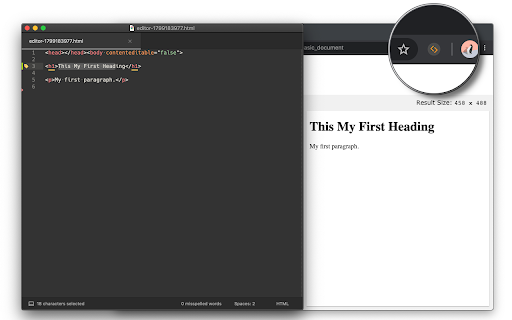
This tool enables users to edit browser-based HTML nodes and input fields using Sublime Text. Once configured, changes saved in the external editor are pushed back into the live web page, facilitating a more professional workflow for front-end tasks.
Overview
Installs
8K+
Rating
★ 3.7
39 reviews
Languages
1 locales
Includes English
Market analysis
Review-backed positioning, friction, and market signals for this Chrome extension.
Macro category
Developer & Designer Tools
Pricing friction
Low review signal
Complaint intensity
Moderate review signal
Listing positioning
The extension positions itself as a productivity bridge between the browser and the Sublime Text editor. It allows developers to offload HTML, CSS, and input field editing to their preferred desktop editor for real-time synchronization.
Inferred product pattern
Bridge-style utility that connects local OS file handling with browser-based DOM elements.
Review-backed pain points
Users struggle with core functionality initialization and a lack of customizability regarding executable paths, specifically for portable installations.
Observed feature gaps
The extension lacks robust documentation or native support for local file editing and non-standard editor path configurations.
- Web Developers
- Front-end Engineers
- Technical Support Staff
- Editing HTML elements in Sublime Text
- Live testing of CSS/JS changes
- Modifying large input areas via external text editor
- Simplifies workflow for HTML modification
- Ease of installation
- Effective for quick tweaks on web pages
- Failure to initialize or connect
- Lack of support for portable Sublime Text versions
- Incompatibility with local HTML files
- Performance complaints detected
- None identified; the extension appears to be provided for free.
Support
Users report non-functional states without clear troubleshooting paths.
Reliability
Several reports of the extension failing to trigger or connect to the editor, with some users stating it does not work at all.
Privacy
No privacy-related complaints observed.
- Free usage observed
- No account requirement observed
- Free plan or free usage claimed
Store listing facts
- Screenshots: 1
- Videos: 1
- Languages: 1
- Privacy policy
- Developer contact
- Official website
- Version: 0.2.4
- Size: 190KiB
- Last updated:
Listing SEO keywords
Core discovery
Comparison
Problem
Alternative
Similar extensions
Jump to related discovery paths:
FAQ
Screenshots