
YouTube Like-Dislike Shortcut Chrome Extension Analysis
Niche Lifestyle & Gaming HacksChrome extension ID: fdkpkpelkkdkjhpacficichkfifijipc
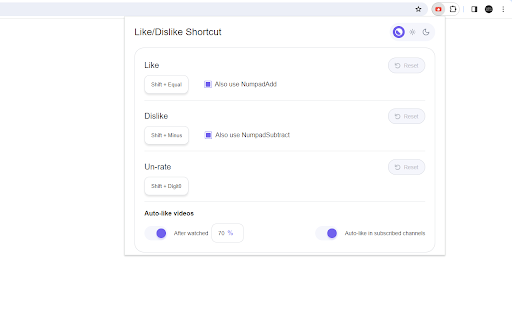
This browser extension adds custom hotkeys for liking and disliking YouTube videos. It includes features like auto-liking videos based on watch time or subscription status and provides global shortcut support for media interactions.
Overview
Installs
7K+
Rating
★ 4.3
72 reviews
Languages
1 locales
Includes English
Market analysis
Review-backed positioning, friction, and market signals for this Chrome extension.
Macro category
Niche Lifestyle & Gaming Hacks
Pricing friction
Low review signal
Complaint intensity
Moderate review signal
Listing positioning
The extension is positioned as a minimalist productivity tool that brings YouTube Music-style keyboard shortcuts to the standard YouTube interface. It emphasizes simplicity and hands-free interaction, allowing users to like, dislike, and auto-rate videos without using a mouse.
Inferred product pattern
Single-function UI enhancement utility dependent on DOM stability of a host platform (YouTube).
Review-backed pain points
Users frequently report that updates to YouTube frequently break core functionality, specifically the auto-like features and shortcut responsiveness. Some users have expressed concern over updated permission requirements.
Observed feature gaps
Users requested more configurable key mapping (conflicts with browser zoom), support for 'Don't Recommend' shortcuts, and better performance on YouTube Shorts.
- Power users
- YouTube power users
- Keyboard-centric navigators
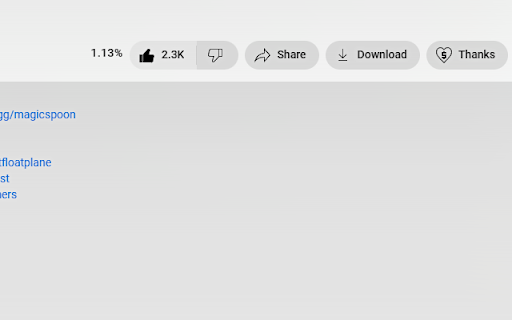
- Liking videos via keyboard
- Disliking videos via keyboard
- Auto-liking based on watch threshold
- Auto-liking subscribed content
- Enhanced navigation efficiency
- Useful for power users
- Great shortcut functionality when stable
- Frequent breakage following YouTube interface updates
- Auto-like features failing
- Permissions concerns regarding site access
- General failure to initialize
- Performance complaints detected
- Privacy complaints detected
- No pricing friction; the tool is reported as free, but users feel frustrated when the functionality becomes unreliable.
Support
Users report disappointment due to the tool becoming non-functional after platform updates and lack of recent maintenance.
Reliability
High incidence of reports stating the extension stops working periodically, requiring re-installation or page refreshes to recover functionality.
Privacy
One user noted concerns about an increase in required permissions ('modify all pages') as a reason for uninstallation.
- Free usage observed
- No account requirement observed
- Free plan or free usage claimed
Store listing facts
- Screenshots: 2
- Videos: 0
- Languages: 1
- Developer contact
- Official website
- Support link
- Version: 2.6.4
- Size: 146KiB
- Last updated:
Listing SEO keywords
Core discovery
Comparison
Problem
Alternative
Similar extensions
Jump to related discovery paths:
FAQ
Screenshots
Links
Website: github.com
Support links: https://github.com/avi12/youtube-like-dislike-shortcut/issues