

Axure Cloud Extension Chrome Extension Analysis
Developer & Designer ToolsChrome extension ID: fiidicpfcmmoobdpadllfjklbdegfjaf
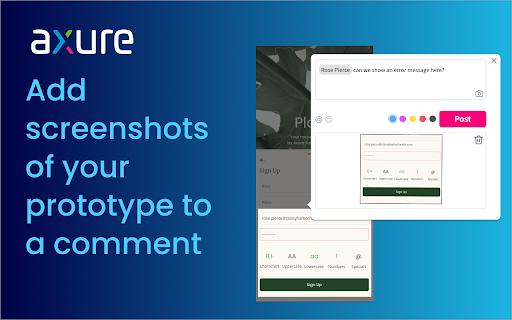
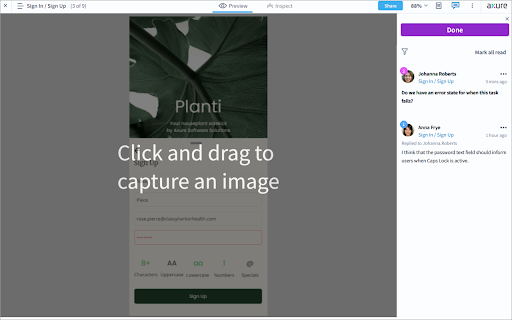
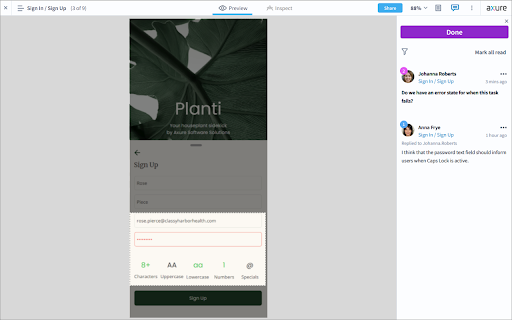
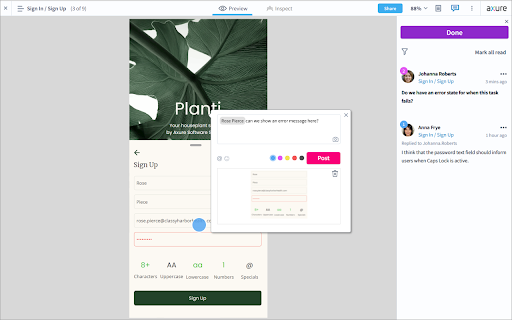
This is a specialized browser extension developed by Axure Software Solutions. It integrates a screenshot capture function into the Axure Cloud commenting interface specifically for prototype review workflows.
Overview
Installs
10K+
Rating
★ 3.3
17 reviews
Languages
1 locales
Includes English (United States)
Market analysis
Review-backed positioning, friction, and market signals for this Chrome extension.
Macro category
Developer & Designer Tools
Pricing friction
Low review signal
Complaint intensity
Moderate review signal
Listing positioning
The extension is positioned as a productivity utility for Axure Cloud users to provide visual context in discussions. It claims to allow users to easily capture and attach screenshots of prototypes directly to comments using a camera icon.
Inferred product pattern
Proprietary ecosystem companion utility designed to add a specific functional capability to a paid SaaS platform.
Review-backed pain points
Users report difficulty finding the camera icon required to trigger the tool. There is also frustration regarding the inability to capture external web pages or upload existing images.
Observed feature gaps
Lack of support for capturing content outside of Axure Cloud, inability to upload local images to comments, and a lack of native integration within the core platform.
- UX Designers
- UI Designers
- Product Managers
- Axure RP Users
- Adding visual context to prototype feedback
- Capturing specific prototype states for discussion
- Collaborating on UX design reviews within Axure Cloud
- Improved communication efficiency
- Ease of demonstrating specific prototype issues
- UI discoverability issues
- Restrictive capture scope
- Poor user experience
- Frustration with separate plugin requirement for paid software
- Performance complaints detected
- One reviewer expressed frustration that a tool with a high monthly fee requires an external plugin for basic interaction features.
Support
No direct support response complaints, but users expressed confusion and inability to use the product due to missing UI elements.
Reliability
Reports of UI breakage where zooming the layout prevents the user from panning the screen.
Privacy
No privacy or security complaints observed.
- Free usage observed
- Login needed for core features
- Free plan or free usage claimed
Store listing facts
- Screenshots: 4
- Videos: 0
- Languages: 1
- Privacy policy
- Developer contact
- Official website
- Version: 1.2.1
- Size: 18.74KiB
- Last updated:
Listing SEO keywords
Core discovery
Comparison
Problem
Alternative
Similar extensions
Jump to related discovery paths:
FAQ
Screenshots
Links
Website: axure.com
Privacy policy: https://www.axure.com/privacy






