1Password – Password Manager icon

1Password Chrome Extension Analysis

Privacy, Security & Ad Blockers

Store listing title: 1Password – Password Manager

Chrome extension ID: aeblfdkhhhdcdjpifhhbdiojplfjncoa

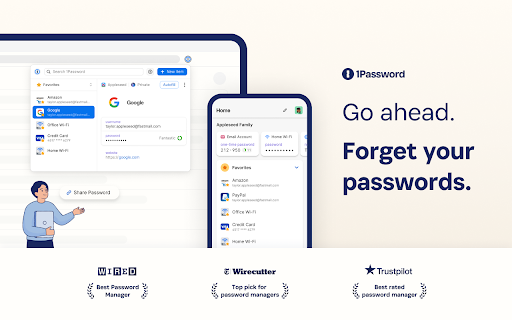
A browser extension that integrates with a 1Password membership to automate the saving and filling of login credentials. It supports modern passkeys and secure information storage to eliminate the need to memorize multiple passwords.

Developer:1Password
Version:8.12.24.34
Size:16.77MiB
Last updated:

Overview

Installs

6.0M+

Rating

2.9

2,725 reviews

Languages

11 locales

Includes Deutsch, English, Nederlands, español...

Market analysis

Review-backed positioning, friction, and market signals for this Chrome extension.

Backed by review samples

Macro category

Privacy, Security & Ad Blockers

Pricing friction

Moderate review signal

Complaint intensity

High review signal

Listing & review signals
Observed signals from store listing text and review samples.

Listing positioning

The product is positioned as the essential browser companion for 1Password members, emphasizing ease of signing in, secure password generation, and a strong commitment to user privacy through encryption.

Inferred product pattern

Companion browser extension for a paid cross-platform security subscription service.

Review-backed pain points

Users report the extension significantly slowing down browser speeds, consuming up to 100% CPU, and frequently stopping work entirely, requiring repeated uninstalls and reinstalls.

Observed feature gaps

Lack of seamless switching between multiple accounts (Private vs Professional) and inconsistent Touch ID/biometric integration on macOS.

Tags
Password ManagerSecurity ToolPasskey SupportCredential Management
Target users

- 1Password subscribers

- Security-conscious web users

- Enterprise employees using corporate vaults

Primary use cases

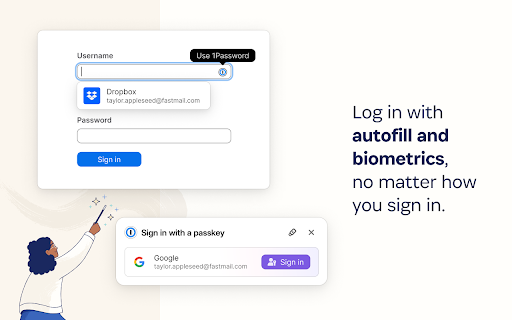
- Auto-filling login credentials

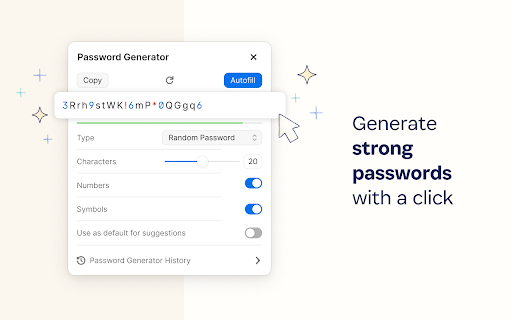
- Generating secure passwords

- Passwordless authentication via passkeys

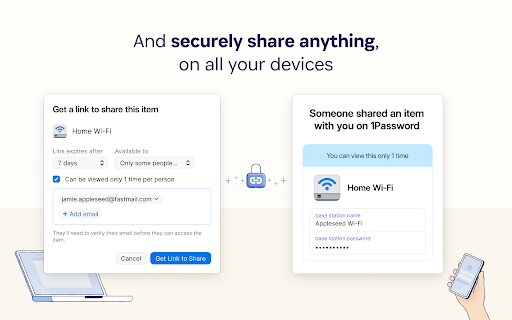
- Securely storing sensitive digital information

Positive themes

- General appreciation for the overall 1Password service ecosystem

Negative themes

- Severe browser performance degradation

- Extension instability and frequent crashes

- High CPU and resource consumption

- Authentication and biometric failures

Observed friction

- Payment required for meaningful usage

- Performance complaints detected

- No specific pricing complaints in the provided samples, although a paid membership is required.

Evidence boundary: Analysis based on the official store listing and a sample of low-rating, helpful reviews. The provided review samples are exclusively negative and may not represent the overall sentiment of the total user base.
Complaint summaries
Review-backed complaint signals grouped by operational area.

Support

No direct support interaction complaints, but users express frustration over persistent bugs that remain unfixed.

Reliability

Frequent reports of the extension becoming unusable, failing to recognize HTTPS sites, or crashing the entire browser.

Privacy

No privacy or security complaints observed in reviews.

Access & pricing

- Subscription model observed

- Account required for core usage

- Trial or limited free usage before paid plan

Store listing facts

Listing assets

- Screenshots: 5

- Videos: 1

- Languages: 11

Trust signals

- Privacy policy

- Developer contact

- Official website

- Support link

Store metadata

- Version: 8.12.24.34

- Size: 16.77MiB

- Last updated:

Store description excerpt
Short excerpt from the public Chrome Web Store listing; full copy is available on the official store page.
This extension requires a 1Password membership. If you don’t have one yet, you can sign up when you install the extension and try one free. Passkey support is now available for 1Password for Chrome! Go passwordless today and start using passkeys. 1Password is a password manager that keeps you safe online. You want to use different passwords for every website, but it can be hard to keep track of them all. With 1Password you only ever need to memorize…one password. All your other passwords and important information are protected behind the one password only you know. 1Password manages everything for you: generating, saving, and filling your passwords. Get to know 1Password in your browser: https://support.1password.com/getting-started-browser/ About your privacy: 1Password was designed with a deep respect for your privacy. The data you save is encrypted and inaccessible to us. Anything el…

Listing SEO keywords

Search intent keywords
Keyword signals for evaluating how users may discover, compare, or search for this extension category.

Core discovery

1Password extensionbrowser password managersecure password fillerpasskey manager

Comparison

1Password vs Bitwarden1Password vs Apple Passwords

Problem

browser slow with 1Password1Password extension not working1Password high CPU usage

Alternative

1Password alternativesBitwarden

Similar extensions

Jump to related discovery paths:

FAQ

What is 1Password mainly used for?
A browser extension that integrates with a 1Password membership to automate the saving and filling of login credentials. It supports modern passkeys and secure information storage to eliminate the need to memorize multiple passwords.
What market signals stand out?
Large installed base with substantial review base. Last known update: 06/16/2026.
What should builders compare before entering this space?
Compare install concentration, rating quality, update recency, screenshots, developer portfolio, listing claims, and review-backed friction signals.
Is this page review-backed?
Backed by review samples. This page combines store metadata with selected review signals, while raw store metrics remain visible for comparison.

Screenshots

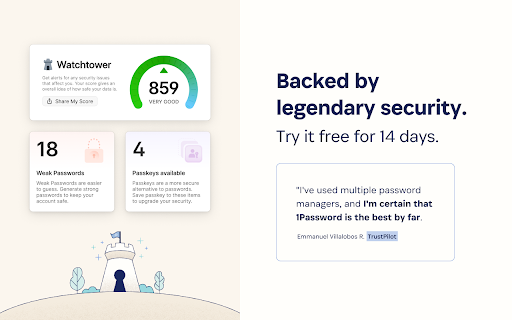
1Password – Password Manager screenshot

Links

Recommended Chrome extensions

Related listings from the same category, trending peers, and the same publisher portfolio.

Browse workflow