
Toby Chrome Extension Analysis
Tab & Bookmark ProductivityStore listing title: Toby: Tab Management Tool
Chrome extension ID: hddnkoipeenegfoeaoibdmnaalmgkpip
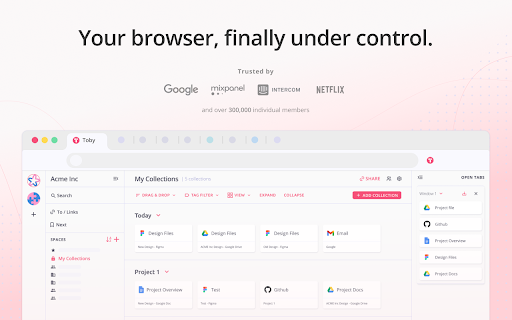
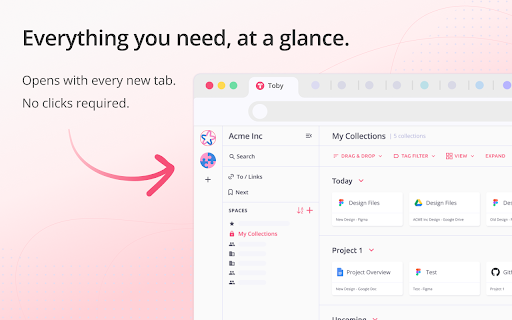
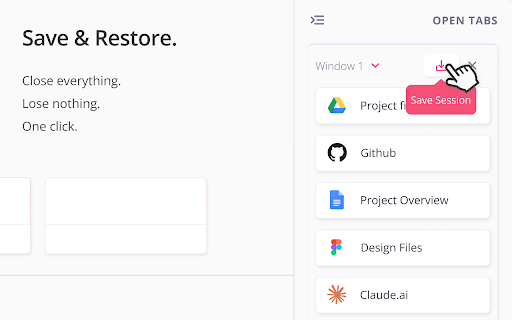
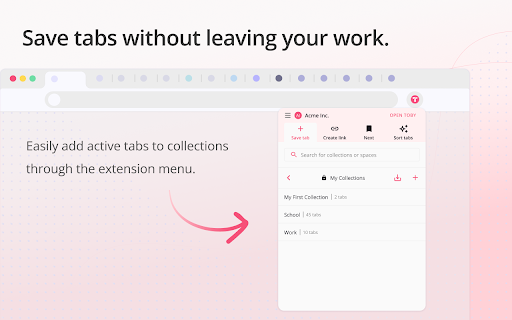
Toby is a browser extension that acts as a productivity hub by saving and organizing open browser tabs into collections. It aims to reduce the stress of managing numerous tabs by providing a visual workspace on the new tab page. Key features include cloud sync, session saving and restoring, collections, instant search, and integration with notes and to-do lists.
Overview
Installs
300K+
Rating
★ 4.2
3,282 reviews
Languages
1 locales
Includes English
Market analysis
Review-backed positioning, friction, and market signals for this Chrome extension.
Macro category
Tab & Bookmark Productivity
Pricing friction
Moderate review signal
Complaint intensity
High review signal
Listing positioning
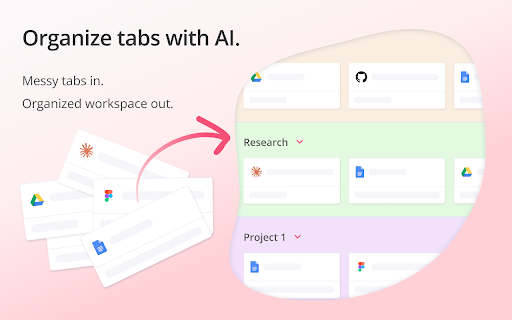
Toby positions itself as a productivity hub designed to help users manage and organize their browser tabs, preventing the anxiety of closing too many windows. It emphasizes saving and organizing sessions into collections, syncing across devices, and offering features like AI-powered tab sorting and session restore. The listing highlights its use by teams at major companies and its recognition as a top Chrome Extension.
Inferred product pattern
Tab management tool with freemium model, offering core organization features for free with limitations, and paid tiers for expanded usage and advanced features. The product relies on a new tab page interface and cloud synchronization.
Review-backed pain points
Users express frustration with limits imposed on free users, specifically a 60-card bookmark limit that forces deletion or upgrade. There are also significant complaints regarding the upgrade and billing experience, with users being confused about whether upgrades apply to a single workspace or the entire account, leading to unexpected charges. The inability to access saved tabs due to the extension failing to open is another major pain point.
Observed feature gaps
A key gap observed through reviews is the lack of clarity and user-friendliness in the paid plan upgrade process, particularly for users managing multiple workspaces. Additionally, the observed instances of data loss (bookmarks, saved tabs) suggest potential reliability gaps or issues with data persistence and synchronization.
- Individuals with many open tabs
- Professionals managing multiple projects
- Educators
- Users seeking browser tab organization
- Organizing browser tabs
- Saving and restoring browser sessions
- Managing multiple work contexts
- Reducing browser tab anxiety
- Essential for organizing workflow and references
- Huge time saver for educators and users managing multiple devices/rooms
- Useful updates that continue to move the product forward
- Beautiful visual aesthetic and many capabilities for free users
- Frustration with paid plan structure and billing confusion (per workspace vs. account-wide)
- Inability to select monthly plans due to forced annual plan promotions
- Loss of saved bookmarks/tabs due to mandatory login/registration or version rollback
- Extension tab not opening and leading to infinite loading, rendering saved tabs inaccessible
- Free-tier complaints detected
- Account blocking complaints detected
- Performance complaints detected
- Users encounter significant friction when trying to upgrade from the free tier. Complaints include strict limits on free usage (e.g., 60 bookmarks), confusion regarding whether paid plans are per-workspace or account-wide, and difficulties in selecting desired payment plans (e.g., inability to opt out of annual plan promotions for monthly plans).
Support
Complaints focus on the billing and upgrade experience, with users feeling misled about plan applicability and pricing. There are also instances of data loss following mandatory registration/login and updates, leading to a loss of previously saved work, which implies a breakdown in the expected support for user data integrity.
Reliability
Several reviews indicate critical reliability issues, with the extension failing to open, leading to infinite loading and complete inaccessibility of saved tabs. There are also reports of bookmarks being restored to old versions, effectively losing recent changes and work.
Privacy
No privacy complaints were observed in the provided reviews or listing details. The listing explicitly states a commitment to privacy, stating they do not access website content, sell data, and only request necessary permissions.
- Free entry with paid features
- Login needed for core features
- Limited free usage observed
Store listing facts
- Screenshots: 5
- Videos: 1
- Languages: 1
- Privacy policy
- Developer contact
- Official website
- Support link
- Version: 1.13.1
- Size: 19.49MiB
- Last updated:
Listing SEO keywords
Core discovery
Comparison
Problem
Alternative
Similar extensions
Jump to related discovery paths:
FAQ
Screenshots
Links
Website: gettoby.com
Privacy policy: https://www.gettoby.com/privacy
Support links: https://help.gettoby.com/support/tickets/new
Videos: Watch