Howdou for students icon

Howdou for students Chrome Extension Analysis

Automation & Workflow Efficiency

Chrome extension ID: hhmmcipnlmcfagedhigcbioeopgjelnn

This Chrome extension serves as an interface utility for the Howdous platform. It provides a fullscreen viewing experience designed to assist students and teachers in managing digital classroom interactions more effectively.

Developer:Howdou
Version:1.0.6
Size:19.09KiB
Last updated:

Overview

Installs

4K+

Rating

0 reviews

Languages

3 locales

Includes English, español, svenska

Market analysis

Review-backed positioning, friction, and market signals for this Chrome extension.

No review samples found

Macro category

Automation & Workflow Efficiency

Pricing friction

Low review signal

Complaint intensity

Low review signal

Listing & review signals
Observed signals from store listing text and review samples.

Listing positioning

Howdou for students positions itself as a companion enhancement tool for the Howdous platform. It specifically markets an 'Enhanced mode' to optimize the user interface for smaller screen devices by enabling fullscreen functionality.

Inferred product pattern

Interface UI enhancement utility for a specific web platform.

Review-backed pain points

Review-backed data is not available for this extension.

Observed feature gaps

The listing is minimal and does not specify if core features exist outside of the interface enhancement provided.

Tags
Educational ToolBrowser EnhancementWorkflow Utility
Target users

- Students

- Teachers

- Howdous platform users

Primary use cases

- Optimizing platform layout for smaller screens

- Enabling fullscreen interface mode

Positive themes

No positive theme data.

Negative themes

No negative theme data.

Observed friction

- No pricing information is mentioned in the store listing.

Evidence boundary: Evidence is limited to the provided short and long descriptions from the Chrome Web Store listing. The analysis is based solely on the developer's provided listing text; no community feedback or ratings are available to verify functional performance.
Complaint summaries
Review-backed complaint signals grouped by operational area.

Support

No support complaints identified.

Reliability

No reliability complaints identified.

Privacy

No privacy complaints identified.

Access & pricing

- No clear monetization signal

- No account requirement observed

- No clear pricing signal

Store listing facts

Listing assets

- Screenshots: 1

- Videos: 0

- Languages: 3

Trust signals

- Privacy policy

- Developer contact

- Official website

Store metadata

- Version: 1.0.6

- Size: 19.09KiB

- Last updated:

Store description excerpt
Short excerpt from the public Chrome Web Store listing; full copy is available on the official store page.
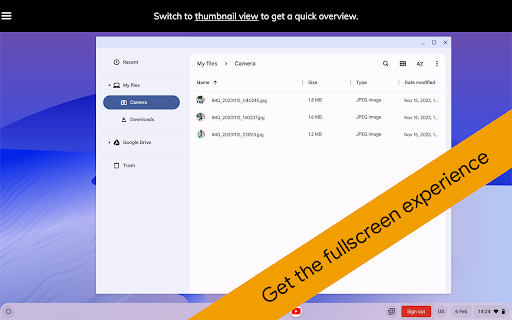
By enabling Enhanced mode, Howdous will open in fullscreen to give you an overall better experience on smaller screens. Enjoy! Works great for teachers too in combination with Howdou for Google Classroom.

Listing SEO keywords

Search intent keywords
Keyword signals for evaluating how users may discover, compare, or search for this extension category.

Core discovery

Howdou for studentsHowdous chrome extensionHowdous fullscreen mode

Comparison

Howdous alternativeeducational browser tools

Problem

small screen classroom interfaceHowdous UI issues

Alternative

classroom productivity extensions

Similar extensions

Jump to related discovery paths:

FAQ

What is Howdou for students mainly used for?
This Chrome extension serves as an interface utility for the Howdous platform. It provides a fullscreen viewing experience designed to assist students and teachers in managing digital classroom interactions more effectively.
What market signals stand out?
Early or small audience with limited review base. Last known update: 12/15/2023.
What should builders compare before entering this space?
Compare install concentration, rating quality, update recency, screenshots, developer portfolio, listing claims, and review-backed friction signals.
Is this page review-backed?
No review samples found. This page combines store metadata with selected review signals, while raw store metrics remain visible for comparison.

Screenshots

Howdou for students screenshot

Links

Recommended Chrome extensions

Related listings from the same category, trending peers, and the same publisher portfolio.

Browse education
Howdou for Google Classroom icon

Howdou for Google Classroom

Howdou

Integrate Howdou in Google Classroom

Installs

30K+

Rating

5.0

EndNote Click icon

EndNote Click

EndNote Click

Fast, one-click access to millions of research papers.

Installs

5.0M+

Rating

4.1

Equatio - Math made digital icon

Equatio - Math made digital

Texthelp

Easily create mathematical equations, formulas and quizzes. Intuitively type or handwrite, with no tricky math code to learn.

Installs

2.0M+

Rating

3.9

Language Reactor icon

Language Reactor

Dioco

Learn languages effectively by watching films and series in your target language.

Installs

2.0M+

Rating

4.2

Brisk Teaching - AI that Works Where Teachers Work icon

Brisk Teaching - AI that Works Where Teachers Work

Brisk Teaching

Brisk works inside Google Docs, Slides, and YouTube, saving teachers 10+ hours weekly on planning, feedback, and resource creation.

Installs

1.0M+

Rating

4.7

BetterCampus (prev. BetterCanvas) icon

BetterCampus (prev. BetterCanvas)

BetterCampus

Feature packed extension for Canvas.

Installs

1.0M+

Rating

4.7

LibKey Nomad icon

LibKey Nomad

Third Iron LLC

One-click access to millions of scholarly articles.

Installs

1.0M+

Rating

4.5

MyBib: Free Citation Generator icon

MyBib: Free Citation Generator

MyBib

Automatically create APA style, MLA format, and Harvard referencing style citations with our citation generator add-on for Chrome.

Installs

1.0M+

Rating

4.8

Scribbr Citation Generator icon

Scribbr Citation Generator

Scribbr

Instantly get accurate citations for any webpage in APA, MLA, Chicago, Harvard and any other style with our Citation Generator.

Installs

1.0M+

Rating

3.8

Speechify — Text to Speech icon

Speechify — Text to Speech

Speechify

Read aloud any Google Doc, PDF, webpage, or book with text to speech (TTS). Natural sounding voices in 60+ languages & 1,000 voices.

Installs

900K+

Rating

4.6