Image Downloader - Bulk Download Images icon

Image Downloader Chrome Extension Analysis

Video & Image Downloaders

Store listing title: Image Downloader - Bulk Download Images

Chrome extension ID: iafkgemkjcngedlaanmgmfdfmfnfipdh

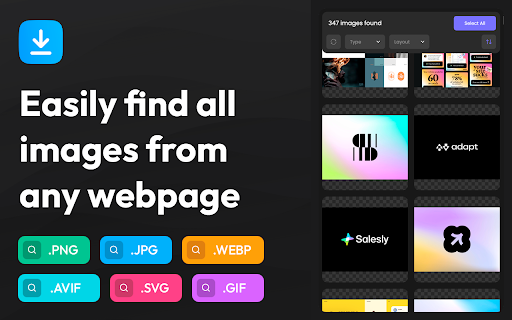
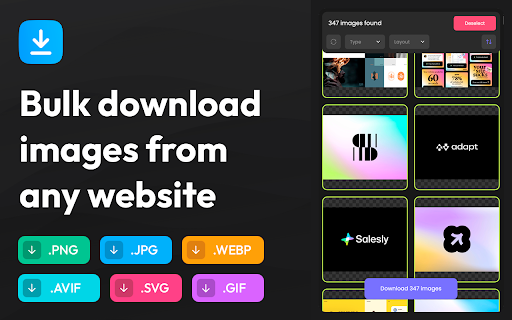
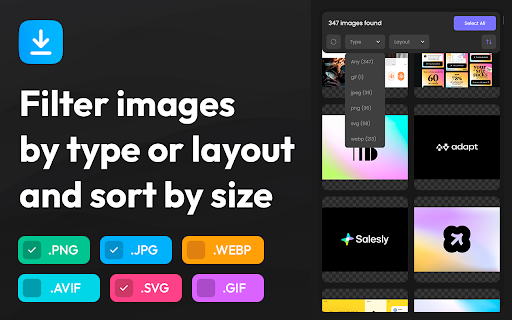
A browser extension that allows users to detect, preview, and bulk-download images from any website. It features sorting by dimensions, filtering by file format (JPG, PNG, GIF, WebP, SVG), and automatic ZIP packaging for batches larger than ten images.

Developer:qooly
Version:1.3
Size:443KiB
Last updated:

Overview

Installs

443

Rating

5.0

2 reviews

Languages

41 locales

Includes Deutsch, English, English (United Kingdom), English (United States)...

Market analysis

Review-backed positioning, friction, and market signals for this Chrome extension.

Backed by review samples

Macro category

Video & Image Downloaders

Pricing friction

Low review signal

Complaint intensity

Low review signal

Listing & review signals
Observed signals from store listing text and review samples.

Listing positioning

Image Downloader - Bulk Download Images is positioned as a fast and simple browser companion for saving web images in bulk. It scans web pages instantly to present images in a clean, visual grid, allowing users to select, filter, and sort before downloading. The listing emphasizes eliminating the hassle of manual right-clicking.

Inferred product pattern

Free utility extension designed for local browser-based image extraction without server-side processing.

Review-backed pain points

No negative reviews or major pain points were reported. The sole reviewer requested an image renaming feature to retain original filenames.

Observed feature gaps

The ability to rename files or download files with their original names during the bulk saving process.

Tags
Image DownloaderBulk DownloadWeb Asset Extractor
Target users

- Designers

- Developers

- Researchers

- General Web Users

Primary use cases

- Bulk saving portfolio images

- Extracting assets from product pages

- Archiving visual research content

Positive themes

- Appreciated for being new and effective

Negative themes

No negative theme data.

Observed friction

- No pricing friction was observed as the extension is positioned as free and there are no complaints regarding monetization.

Evidence boundary: Analyzed the store listing description detailing core features (ZIP extraction, filters, grid preview) and one 5-star user review requesting a file renaming feature. The dataset is limited to a single positive user review, which restricts the depth of negative sentiment and complaint analysis.
Complaint summaries
Review-backed complaint signals grouped by operational area.

Support

No support or account complaints were observed in the limited review sample.

Reliability

No reliability or performance complaints were observed. The single review indicates the tool works well.

Privacy

No privacy or security complaints were observed.

Access & pricing

- Free usage observed

- No account requirement observed

- Free plan or free usage claimed

Store listing facts

Listing assets

- Screenshots: 4

- Videos: 0

- Languages: 41

Trust signals

- Privacy policy

- Developer contact

- Official website

Store metadata

- Version: 1.3

- Size: 443KiB

- Last updated:

Store description excerpt
Short excerpt from the public Chrome Web Store listing; full copy is available on the official store page.
Image Downloader - Bulk Download Images is the ultimate browser companion for anyone who regularly needs to save images from the web. Instead of tediously right-clicking each photo one by one, our extension scans the entire page in an instant and presents every image in a clean, visual grid - ready for you to select, filter, and download in bulk. If you're a designer hunting for inspiration, a developer extracting assets, a researcher archiving visual content, or simply someone who wants to save a gallery's worth of photos without the hassle, this tool turns a frustrating multi-minute task into a single click. Built with speed and simplicity in mind, the extension works seamlessly across all types of websites - from photography portfolios and e-commerce product pages to social feeds, news sites, and blog posts. It detects images loaded directly in the HTML as well as those embedded deep…

Listing SEO keywords

Search intent keywords
Keyword signals for evaluating how users may discover, compare, or search for this extension category.

Core discovery

bulk image downloader chromedownload all images from websitesave images in bulk

Comparison

image downloader vs bulk download

Problem

how to download all images from webpageextract web images

Alternative

image downloader alternative

Similar extensions

Jump to related discovery paths:

FAQ

What is Image Downloader mainly used for?
A browser extension that allows users to detect, preview, and bulk-download images from any website. It features sorting by dimensions, filtering by file format (JPG, PNG, GIF, WebP, SVG), and automatic ZIP packaging for batches larger than ten images.
What market signals stand out?
Early or small audience with limited review base. Last known update: 05/25/2026.
What should builders compare before entering this space?
Compare install concentration, rating quality, update recency, screenshots, developer portfolio, listing claims, and review-backed friction signals.
Is this page review-backed?
Backed by review samples. This page combines store metadata with selected review signals, while raw store metrics remain visible for comparison.

Screenshots

Image Downloader - Bulk Download Images screenshot

Links

Recommended Chrome extensions

Related listings from the same category, trending peers, and the same publisher portfolio.

Browse art