Inkscape editor for draws and graphics Chrome Extension Analysis
Developer & Designer ToolsChrome extension ID: bcapjlfjbmaijdinncieppinamjgljog
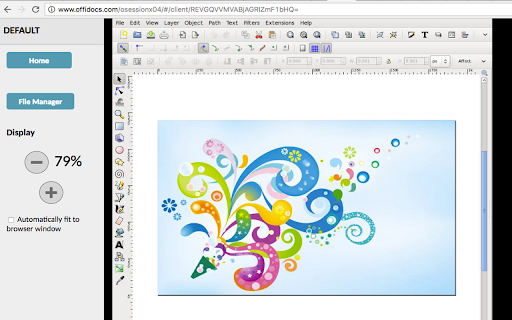
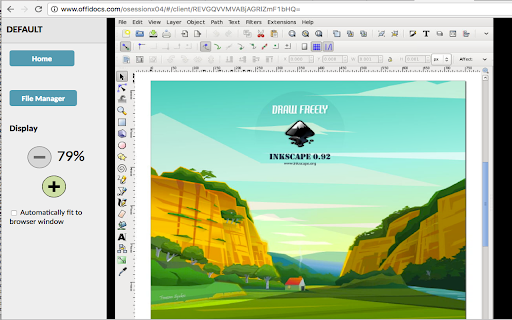
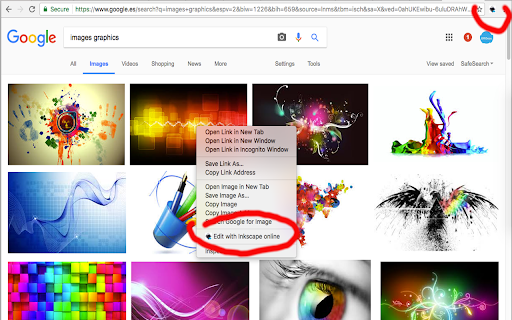
An extension that provides access to a streamed version of the Inkscape vector graphics editor via the OffiDocs API. It is designed to allow users to perform complex vector design tasks, such as drawing illustrations and diagrams, within a web environment.
Overview
Installs
70K+
Rating
★ 3.1
194 reviews
Languages
18 locales
Includes Deutsch, English, Nederlands, Türkçe...
Market analysis
Review-backed positioning, friction, and market signals for this Chrome extension.
Macro category
Developer & Designer Tools
Pricing friction
High review signal
Complaint intensity
High review signal
Listing positioning
The product positions itself as a web-based integration of the Linux Inkscape desktop application, enabling users to create and edit vector graphics directly in the browser. It emphasizes full SVG compliance and a feature set similar to professional tools like Adobe Illustrator.
Inferred product pattern
A web-streamed version of a desktop application that utilizes a freemium model but faces high user dissatisfaction due to functional gating and performance issues.
Review-backed pain points
Users report that the tool is effectively unusable without a subscription, struggles with extreme slowness, is heavily cluttered by ads/navigation bars, and fails to allow users to save or export their work.
Observed feature gaps
Critical lack of reliable file saving/exporting functionality and significant UI/UX issues where the editor does not utilize the full screen or interferes with the browsing experience.
- Graphic Designers
- Illustrators
- Chromebook Users
- SVG Developers
- Editing SVG files in-browser
- Creating vector illustrations
- Designing diagrams and logos
- Visual appearance of the interface is promising
- The concept of browser-based Inkscape is useful
- Deceptive free tier limitations
- Heavy ad interference and poor UI scaling
- Inability to save or export files
- Extremely slow performance
- Payment required for meaningful usage
- Free-tier complaints detected
- Performance complaints detected
- High friction; users feel misled by the 'free' label, stating that core functionality like saving and advanced editing requires a paid subscription.
Support
No specific support interaction complaints, though users expressed extreme frustration with the product's core utility.
Reliability
Severe reliability issues reported regarding file management (saving/exporting), slow startup times, and erratic extension behavior.
Privacy
The listing discloses that the extension scans browsed URLs to detect image files, but no specific user complaints regarding this practice were found in the reviews.
- Subscription model observed
- Login needed for core features
- Trial or limited free usage before paid plan
Store listing facts
- Screenshots: 3
- Videos: 1
- Languages: 18
- Privacy policy
- Developer contact
- Official website
- Version: 3.0.8
- Size: 423KiB
- Last updated:
Listing SEO keywords
Core discovery
Comparison
Problem
Alternative
Similar extensions
Jump to related discovery paths:
FAQ
Screenshots
Links
Website: offidocs.com
Privacy policy: http://www.offidocs.com/index.php/desktop-apps-policy
Videos: Watch