Salesforce icon

Salesforce Chrome Extension Analysis

Automation & Workflow Efficiency

Chrome extension ID: jjghhkepijgakdammjldcbnjehfkfmha

A productivity tool that integrates Salesforce CRM functionality into Chrome and Gmail. It enables users to create and update records, manage tasks, and receive engagement alerts while navigating the web.

Developer:Salesforce
Version:2.256.9
Size:3.01MiB
Last updated:

Overview

Installs

400K+

Rating

4.2

1,711 reviews

Languages

1 locales

Includes English (United States)

Market analysis

Review-backed positioning, friction, and market signals for this Chrome extension.

Backed by review samples

Macro category

Automation & Workflow Efficiency

Pricing friction

Moderate review signal

Complaint intensity

High review signal

Listing & review signals
Observed signals from store listing text and review samples.

Listing positioning

The extension positions itself as a way to manage Salesforce records directly within a web browser and Gmail. It aims to increase efficiency by allowing users to update leads, view tasks, and access real-time buyer data without switching tabs.

Inferred product pattern

A high-utility enterprise CRM extension that is currently experiencing significant stability and UI regression issues following recent updates.

Review-backed pain points

Users report being forced to re-authenticate multiple times daily, a new 'Agentforce Widget' that physically blocks 'Save' and 'Submit' buttons, and unreliable email logging in Gmail.

Observed feature gaps

Users indicate a need for more stable authentication sessions and the ability to dismiss or move overlay widgets that obstruct the user interface.

Tags
CRM IntegrationSales ProductivityGmail ExtensionWorkflow Automation
Target users

- Sales Representatives

- Account Managers

- Sales Operations

Primary use cases

- Updating CRM records from Gmail

- Managing sales tasks in-browser

- Accessing real-time buyer engagement data

Positive themes

- Seamless Gmail integration when functioning correctly

- Convenience of accessing CRM context while browsing

Negative themes

- Frequent re-authentication and logout issues

- UI components blocking critical action buttons

- Regression in functionality after updates

Observed friction

- Payment required for meaningful usage

- Account blocking complaints detected

- Performance complaints detected

- No specific pricing friction mentioned in the provided reviews.

Evidence boundary: Analysis based on store listing claims and multiple high-information reviews detailing authentication loops and UI obstructions. Reviews provided focus heavily on recent version regressions and negative user experiences.
Complaint summaries
Review-backed complaint signals grouped by operational area.

Support

Users have reported that technical support for extension-specific issues is unhelpful or non-existent.

Reliability

Significant complaints regarding the extension's reliability, specifically regarding constant logouts, broken updates, and failure to track email communications.

Privacy

No privacy complaints were observed in the provided samples.

Access & pricing

- Subscription model observed

- Login needed for core features

- No clear pricing signal

Store listing facts

Listing assets

- Screenshots: 4

- Videos: 0

- Languages: 1

Trust signals

- Privacy policy

- Developer contact

Store metadata

- Version: 2.256.9

- Size: 3.01MiB

- Last updated:

Store description excerpt
Short excerpt from the public Chrome Web Store listing; full copy is available on the official store page.
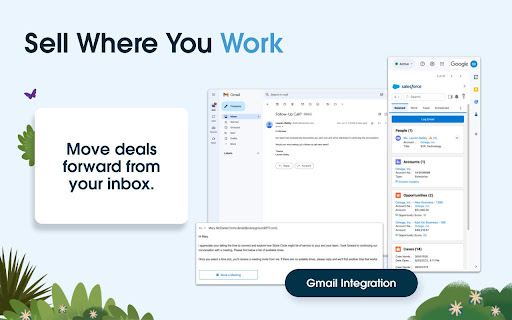
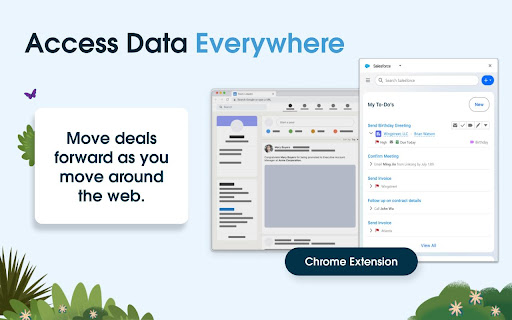
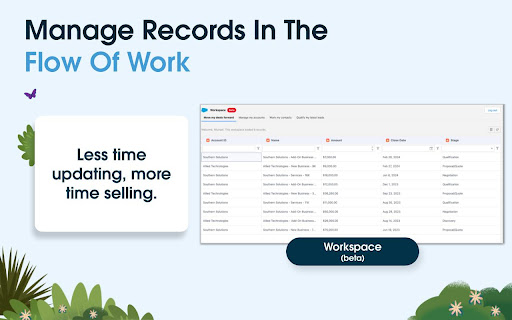
Sales Cloud Everywhere lets you work on your to-dos, see engagement alerts, create records, and update multiple records. You can use it in your Gmail inbox, or in a standalone window alongside any web page. - Sell where you work: Move deals forward as you move around the web. - Access data anywhere: Bring context to every conversation. - Accelerate deals with real-time buyer data: Engage with people who want to engage with you. What you can do with Sales Cloud Everywhere: - Work with Salesforce directly in Gmail. - View, sort, and complete tasks like sending emails, reaching out on LinkedIn, and updating records, without returning to Salesforce.com. - Connect Salesforce to your Calendar and send calendar links, set availability, and more. - Get real time notifications of recent engagements as you browse the web. - Create and update records from within your Chrome web browser without lea…

Listing SEO keywords

Search intent keywords
Keyword signals for evaluating how users may discover, compare, or search for this extension category.

Core discovery

Salesforce Chrome ExtensionSalesforce Gmail IntegrationCRM Browser Sidebar

Comparison

Salesforce vs other CRM extensions

Problem

Salesforce extension logout issueSalesforce widget blocking buttonSalesforce Gmail logging error

Alternative

CRM productivity toolSales workflow extension

Similar extensions

Jump to related discovery paths:

FAQ

What is Salesforce mainly used for?
A productivity tool that integrates Salesforce CRM functionality into Chrome and Gmail. It enables users to create and update records, manage tasks, and receive engagement alerts while navigating the web.
What market signals stand out?
Established adoption with substantial review base. Last known update: 02/27/2026.
What should builders compare before entering this space?
Compare install concentration, rating quality, update recency, screenshots, developer portfolio, listing claims, and review-backed friction signals.
Is this page review-backed?
Backed by review samples. This page combines store metadata with selected review signals, while raw store metrics remain visible for comparison.

Screenshots

Salesforce screenshot

Links

Recommended Chrome extensions

Related listings from the same category, trending peers, and the same publisher portfolio.

Browse workflow