Extensity icon

Extensity Chrome Extension Analysis

Automation & Workflow Efficiency

Chrome extension ID: jjmflmamggggndanpgfnpelongoepncg

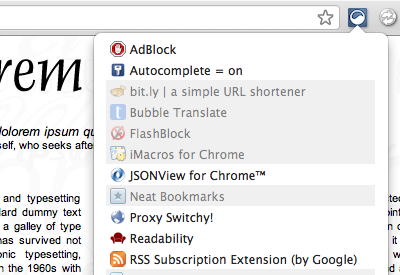
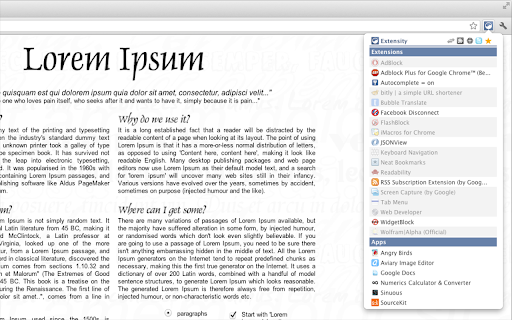
Extensity is a Chrome extension that serves as an extension manager. It allows users to quickly toggle individual extensions on or off, create custom profiles for different workflows, and launch Chrome apps directly from a list.

Developer:sergiokas
Version:1.14.0
Size:171KiB
Last updated:

Overview

Installs

200K+

Rating

4.8

1,808 reviews

Languages

1 locales

Includes English

Market analysis

Review-backed positioning, friction, and market signals for this Chrome extension.

Backed by review samples

Macro category

Automation & Workflow Efficiency

Pricing friction

Low review signal

Complaint intensity

Moderate review signal

Listing & review signals
Observed signals from store listing text and review samples.

Listing positioning

Extensity positions itself as a lightweight utility for managing Chrome extensions, helping users reduce browser clutter and improve performance. It offers a centralized interface to enable or disable extensions instantly, alongside features for grouping extensions into profiles.

Inferred product pattern

Utility-focused browser management tool distributed as a free, open-source productivity aid.

Review-backed pain points

Some users report that toggling specific extensions occasionally results in those extensions malfunctioning or losing settings, requiring reinstallation.

Observed feature gaps

Users requested features such as automatic profile switching on startup and a backup/export function for settings.

Tags
Extension ManagerBrowser OptimizationProductivityChrome Tools
Target users

- Power users with many extensions

- Developers troubleshooting browser performance

- Users aiming to optimize browser resource usage

Primary use cases

- Enabling/disabling extensions on the fly

- Managing extension groups via profiles

- Reducing browser memory footprint by disabling unused extensions

Positive themes

- Ease of use and simple UI

- Significant impact on browser performance and speed

- Valuable for organizing large numbers of extensions

- Absence of ads or paid paywalls

Negative themes

- Occasional reports of broken extension functionality after toggling

- Issues with theme management

- Concern regarding lack of recent updates

- Claims of redundant functionality compared to native Chrome settings

Observed friction

- No pricing friction observed; the extension is widely described as free with no paid features.

Evidence boundary: Data is derived from user reviews highlighting a mix of high satisfaction for performance and minor concerns regarding reliability with specific third-party extensions. The review sample includes older feedback from as far back as 2013, which may not accurately reflect the current state of the product.
Complaint summaries
Review-backed complaint signals grouped by operational area.

Support

Minor complaints regarding lack of recent updates and feature requests for auto-startup toggles.

Reliability

Isolated reports of extensions breaking or themes failing to re-apply after being toggled off/on via Extensity.

Privacy

No significant privacy complaints identified in the sample.

Access & pricing

- Free usage observed

- No account requirement observed

- Free plan or free usage claimed

Store listing facts

Listing assets

- Screenshots: 2

- Videos: 0

- Languages: 1

Trust signals

- Developer contact

- Official website

Store metadata

- Version: 1.14.0

- Size: 171KiB

- Last updated:

Store description excerpt
Short excerpt from the public Chrome Web Store listing; full copy is available on the official store page.
Tired of having too many extensions in your toolbar? Try Extensity, the ultimate tool for lightning fast enabling and disabling all your extensions for Google Chrome. Just enable the extension when you want to use it, and disable when you want to get rid of it for a little while. You can also launch Chrome Apps right from the list. * Keep your browser lean and fast - disable extensions that you won't use right away. * Keep your toolbar clean. * Turn all extensions off (and back on) with a single click. * Quick switch between several extensions groups using the Profiles feature. * Allow your most important extensions to be always enabled. * Keep computers in sync with Chrome Cloud Storage support. * Ideal companion for extensions collectors. Follow us in Twitter: https://twitter.com/ExtensityChrome Website: https://sergiokas.github.io/Extensity/ Extensity is free software. Full source co…

Listing SEO keywords

Search intent keywords
Keyword signals for evaluating how users may discover, compare, or search for this extension category.

Core discovery

Chrome extension managerdisable chrome extensionsbrowser performance optimizermanage chrome apps

Comparison

Extensity alternativesbest chrome extension manager

Problem

too many chrome extensionschrome slow performancebrowser clutter

Alternative

extension switcherextension toggler

Similar extensions

Jump to related discovery paths:

FAQ

What is Extensity mainly used for?
Extensity is a Chrome extension that serves as an extension manager. It allows users to quickly toggle individual extensions on or off, create custom profiles for different workflows, and launch Chrome apps directly from a list.
What market signals stand out?
Established adoption with substantial review base. Last known update: 09/02/2024.
What should builders compare before entering this space?
Compare install concentration, rating quality, update recency, screenshots, developer portfolio, listing claims, and review-backed friction signals.
Is this page review-backed?
Backed by review samples. This page combines store metadata with selected review signals, while raw store metrics remain visible for comparison.

Screenshots

Extensity screenshot

Links

Recommended Chrome extensions

Related listings from the same category, trending peers, and the same publisher portfolio.

Browse workflow