Audio Player icon

Audio Player Chrome Extension Analysis

Automation & Workflow Efficiency

Chrome extension ID: kidaobgibidickkdbapmeekkaejkacma

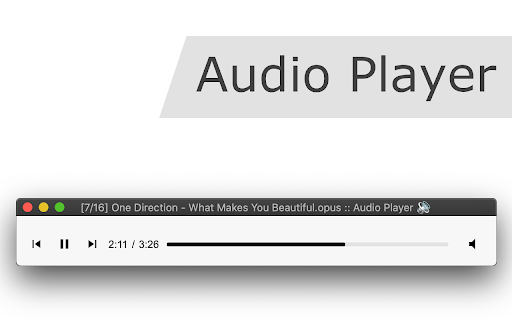
A browser extension that uses WebAssembly (WASM) to bring FFmpeg decoding capabilities to Chrome. It allows users to play multiple audio codecs, manage playlists, and boost volume without needing a native desktop application.

Version:0.2.7
Size:3.64MiB
Last updated:

Overview

Installs

30K+

Rating

4.0

22 reviews

Languages

1 locales

Includes English

Market analysis

Review-backed positioning, friction, and market signals for this Chrome extension.

Backed by review samples

Macro category

Automation & Workflow Efficiency

Pricing friction

Low review signal

Complaint intensity

Moderate review signal

Listing & review signals
Observed signals from store listing text and review samples.

Listing positioning

The product is positioned as a versatile, FFmpeg-based audio player that overcomes OS-level restrictions and browser codec limitations. It emphasizes native ChromeOS integration and the ability to play a wide variety of audio formats offline.

Inferred product pattern

Technical utility leveraging WASM to provide professional-grade codec support within a browser environment.

Review-backed pain points

Users are frustrated by the inability to import entire folders of music and the lack of a playback speed control. Some report that audio continues to 'play' silently past the end of the track if the window is not focused.

Observed feature gaps

Folder-level imports, playback speed adjustment, consistent WMA file support, and simultaneous playback of multiple files.

Tags
Audio PlayerCodec SupportFFmpegChromeOS UtilityMedia Player
Target users

- ChromeOS users

- Users on restricted operating systems

- Audiophiles needing specific codec support

- Users wanting to cast local audio to Google Home devices

Primary use cases

- Playing unsupported audio files in a browser

- Listening to audio streams from video containers

- Bypassing the need for native media player installations on locked-down systems

Positive themes

- Ease of use

- Ability to cast local audio to Google Mini/speakers across different OSs

Negative themes

- Lack of playback speed control

- Tedious file addition process

- Stability issues with playback termination

- Codec specific failures

Observed friction

- Performance complaints detected

- No pricing friction observed; the product appears to be free.

Evidence boundary: Analysis based on the official store listing and a sample of 10 user reviews. Review sample size is small relative to the total user base.
Complaint summaries
Review-backed complaint signals grouped by operational area.

Support

No specific support communication complaints, though some users express frustration with bugs.

Reliability

Reports of the extension stopping working suddenly after previous stability and issues with tracks not ending correctly when minimized.

Privacy

No privacy or security complaints observed.

Access & pricing

- Free usage observed

- No account requirement observed

- Free plan or free usage claimed

Store listing facts

Listing assets

- Screenshots: 1

- Videos: 0

- Languages: 1

Trust signals

- Developer contact

- Official website

Store metadata

- Version: 0.2.7

- Size: 3.64MiB

- Last updated:

Store description excerpt
Short excerpt from the public Chrome Web Store listing; full copy is available on the official store page.
Features: Volume Boost: It can boost the audio level up to twice its original value, similar to VLC Player. Format Support: It plays a wide range of audio formats and can handle audio streams from video containers. Media Key Support: Supports media keys for Play, Pause, Resume, Next, and Previous tracks. Sequential Playback: Plays multiple audio files sequentially, emulating the behavior of a desktop media player. Offline Usage: Works offline, meaning it doesn't require an internet connection once installed. JavaScript-based: The extension is written purely in JavaScript, making it a cross-platform solution. Shuffle and Repeat: It offers options to shuffle the playlist and repeat a single track or all tracks. Keyboard Shortcuts: Supports keyboard shortcuts for various functions. Playlist Support: Allows users to create and manage playlists within the player. Native Integration: Integrat…

Listing SEO keywords

Search intent keywords
Keyword signals for evaluating how users may discover, compare, or search for this extension category.

Core discovery

FFmpeg audio playerbrowser audio codec supportChromeOS media playerWASM audio decoder

Comparison

Audio Player vs VLCChrome native audio player alternative

Problem

cannot play wav in chromeunsupported audio codec browserplay audio on ChromeOS

Alternative

browser based media playeroffline audio player extension

Similar extensions

Jump to related discovery paths:

FAQ

What is Audio Player mainly used for?
A browser extension that uses WebAssembly (WASM) to bring FFmpeg decoding capabilities to Chrome. It allows users to play multiple audio codecs, manage playlists, and boost volume without needing a native desktop application.
What market signals stand out?
Visible niche traction with limited review base. Last known update: 05/13/2024.
What should builders compare before entering this space?
Compare install concentration, rating quality, update recency, screenshots, developer portfolio, listing claims, and review-backed friction signals.
Is this page review-backed?
Backed by review samples. This page combines store metadata with selected review signals, while raw store metrics remain visible for comparison.

Screenshots

Audio Player screenshot

Links

Recommended Chrome extensions

Related listings from the same category, trending peers, and the same publisher portfolio.

Browse workflow
Live Stream Downloader icon

Live Stream Downloader

chandler.stimson

Detect and Download M3U8 HLS Streams (HTTP Live Stream) in multiple threads to your local disk

Installs

400K+

Rating

4.3

The Runner Game icon

The Runner Game

chandler.stimson

Avoid obstacles, including cacti and pterodactyls by pressing the up and down keys

Installs

80K+

Rating

4.7

Awesome Screen Recorder & Screenshot icon

Awesome Screen Recorder & Screenshot

Screen Recorder

The best screen recorder and screen capture & screenshot tool to record screen.

Installs

3.0M+

Rating

4.7

Free Download Manager icon

Free Download Manager

Free Download Manager.ORG

Free Download Manager integration with browser

Installs

3.0M+

Rating

4.2

夸克网盘-网页嗅探 icon

夸克网盘-网页嗅探

广州市动悦信息技术有限公司

识别到网页资源时,可一键存夸克网盘

Installs

3.0M+

Rating

1.7

Mendeley Web Importer icon

Mendeley Web Importer

Mendeley

Fast, convenient import of references and PDFs to your Mendeley Reference Manager library.

Installs

3.0M+

Rating

2.3

Enable local file links icon

Enable local file links

Takashi Sugimoto (tksugimoto)

Make it possible to open by click a link to a local file that is disabled by Chrome.

Installs

3.0M+

Rating

3.9

Pop up blocker for Chrome™ - Poper Blocker icon

Pop up blocker for Chrome™ - Poper Blocker

dingosolutions

Block popups, ads, cookie requests, trackers, notifications, ads on social media & more. A clean browsing experience starts today.

Installs

2.0M+

Rating

4.8

Momentum icon

Momentum

Momentum

Transform your browser into a beautifully designed tab that helps you feel calm, keep focus, and stay energized.

Installs

2.0M+

Rating

4.5

Google Scholar PDF Reader icon

Google Scholar PDF Reader

scholar-chrome-extensions

Supercharge your paper reading: follow references, skim outline, jump to figures, cite and save.

Installs

2.0M+

Rating

4.1