Google Scholar PDF Reader icon

Google Scholar PDF Reader Chrome Extension Analysis

AI & Writing Assistants

Chrome extension ID: dahenjhkoodjbpjheillcadbppiidmhp

An extension designed to optimize the reading of scholarly papers in Chrome. It features AI-driven summaries, highlighting, annotation saving, and quick-copy citation tools.

Version:0.5.2
Size:3.54MiB
Last updated:

Overview

Installs

2.0M+

Rating

4.1

689 reviews

Languages

41 locales

Includes Deutsch, English, Filipino, Indonesia...

Market analysis

Review-backed positioning, friction, and market signals for this Chrome extension.

Backed by review samples

Macro category

AI & Writing Assistants

Pricing friction

Low review signal

Complaint intensity

High review signal

Listing & review signals
Observed signals from store listing text and review samples.

Listing positioning

The product is positioned as a productivity enhancement for academic reading. It promises to 'supercharge' the experience by providing AI-generated outlines, citation previews, and integrated library management within the Chrome PDF viewer.

Inferred product pattern

A specialized academic research tool that integrates AI summaries and citation management into the browser's PDF viewer, currently struggling with core reliability and annotation portability.

Review-backed pain points

Users report severe functional breakage where the extension prevents PDFs from loading entirely. There is also significant frustration regarding the lack of portability for annotations, as users cannot export or print their highlighted notes.

Observed feature gaps

Missing functionality for exporting annotated PDFs, lack of an option to toggle off the highlight pop-up, and no way to sync or embed annotations into the original files.

Tags
Academic ResearchPDF ReaderAI Writing AssistantCitation Tool
Target users

- Academic researchers

- Students

- Scholars

Primary use cases

- Reading and annotating research papers

- Managing scholarly libraries

- Quickly citing academic references

- Skimming paper outlines using AI

Positive themes

- Aesthetic dark mode

- High-concept utility for academic workflows

Negative themes

- Critical failures in PDF loading and display

- UI clutter and intrusive pop-ups

- Inability to export or print annotations

- Navigation and scrolling bugs

Observed friction

- Performance complaints detected

- No pricing friction observed as monetization details are not provided in the listing.

Evidence boundary: Extracted from the Chrome Web Store listing description and a sample of user reviews highlighting both feature claims and critical performance failures. The review sample is limited to 686 comments and may be skewed toward recent negative experiences following updates.
Complaint summaries
Review-backed complaint signals grouped by operational area.

Support

Users expressed frustration over a perceived lack of bug reporting channels and response to breaking updates.

Reliability

High incidence of reports concerning infinite loading screens, failed PDF rendering, and UI hanging during highlight actions.

Privacy

No privacy complaints were identified in the provided reviews.

Access & pricing

- No clear monetization signal

- Login needed for core features

- No clear pricing signal

Store listing facts

Listing assets

- Screenshots: 5

- Videos: 0

- Languages: 41

Trust signals

- Privacy policy

- Developer contact

- Official website

Store metadata

- Version: 0.5.2

- Size: 3.54MiB

- Last updated:

Store description excerpt
Short excerpt from the public Chrome Web Store listing; full copy is available on the official store page.
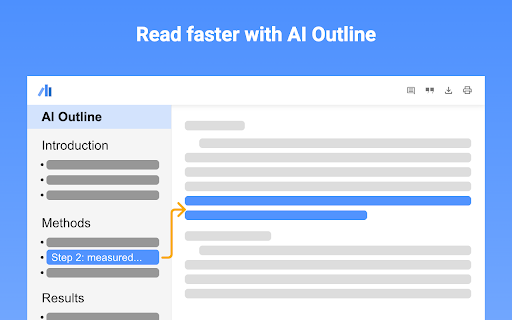
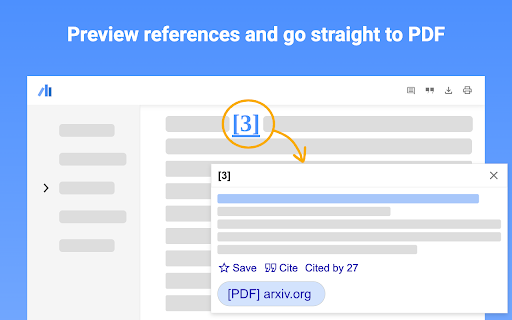
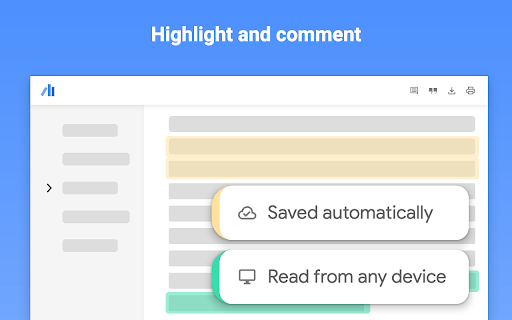
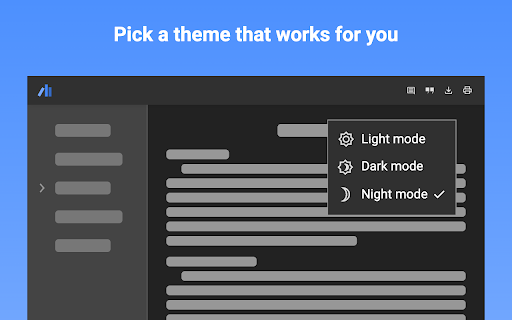
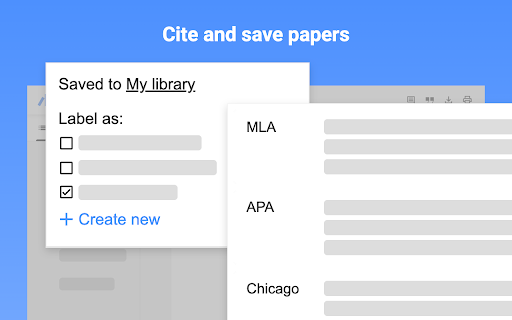
When you install Scholar Reader, PDFs on all sites will have a new look in Chrome. To make this happen, Chrome will ask for permissions to read and change data on all sites. Scholar Reader makes no changes other than the presentation of PDFs. • Preview references as you read. Click the in-text citation to see a summary and find the PDF. • Read faster with the AI outline. Get a quick overview and click on interesting bullets to jump within the paper. • Highlight and comment on PDFs. Highlights are saved to your Scholar library. • Make it right for your eyes with light, dark, and night modes. • Copy and paste common citation formats without leaving the paper. • Save articles to your Scholar Library to read or cite later. • Click in-text figure mentions to see the figure and the back button to keep reading. By installing this extension, you agree to the Google Terms of Service and Privacy…

Listing SEO keywords

Search intent keywords
Keyword signals for evaluating how users may discover, compare, or search for this extension category.

Core discovery

Google Scholar PDF ReaderAI academic readerresearch paper assistantcitation manager extension

Comparison

Adobe PDF ReaderSumatra PDF

Problem

PDF not loadingcannot export highlightsPDF viewer blankannoying highlight pop-up

Alternative

Scholarly paper readerResearch annotation tool

Similar extensions

Jump to related discovery paths:

FAQ

What is Google Scholar PDF Reader mainly used for?
An extension designed to optimize the reading of scholarly papers in Chrome. It features AI-driven summaries, highlighting, annotation saving, and quick-copy citation tools.
What market signals stand out?
Large installed base with moderate review base. Last known update: 06/05/2026.
What should builders compare before entering this space?
Compare install concentration, rating quality, update recency, screenshots, developer portfolio, listing claims, and review-backed friction signals.
Is this page review-backed?
Backed by review samples. This page combines store metadata with selected review signals, while raw store metrics remain visible for comparison.

Screenshots

Google Scholar PDF Reader screenshot

Links

Recommended Chrome extensions

Related listings from the same category, trending peers, and the same publisher portfolio.

Browse workflow