Free Spell Checker for Google Chrome™ icon

Free Spell Checker for Google Chrome™ Chrome Extension Analysis

AI & Writing Assistants

Chrome extension ID: ljgdcokhgjdpghmhdkbolccfcfdbklpo

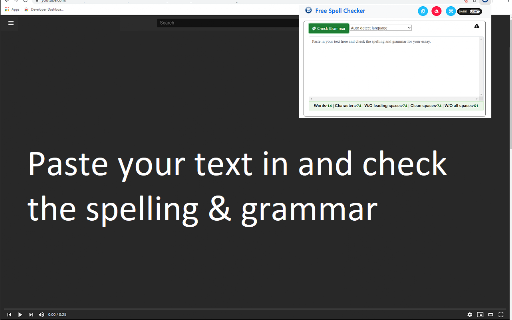
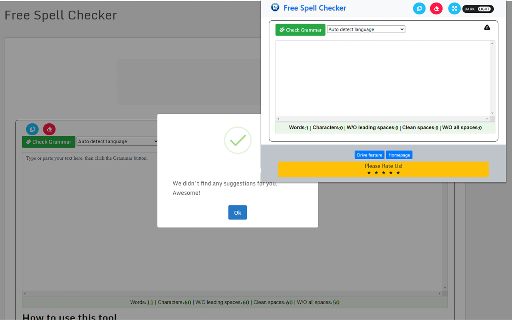
This extension functions as a standalone text editor window where users must manually copy and paste text to receive spelling suggestions. It is designed to help users identify common language errors in multiple languages while operating independently of native browser spell checkers.

Version:3.0.0
Size:1.77MiB
Last updated:

Overview

Installs

30K+

Rating

4.0

111 reviews

Languages

41 locales

Includes Deutsch, English, English (United States), Filipino...

Market analysis

Review-backed positioning, friction, and market signals for this Chrome extension.

Backed by review samples

Macro category

AI & Writing Assistants

Pricing friction

Low review signal

Complaint intensity

High review signal

Listing & review signals
Observed signals from store listing text and review samples.

Listing positioning

The product positions itself as a simple, free browser-based solution for spelling, grammar, and style checking. It emphasizes support for over 25 languages and provides additional features like word/character counts and persistent text storage across sessions.

Inferred product pattern

Basic text-processing utility that requires manual user interaction rather than browser-integrated functionality.

Review-backed pain points

Users are primarily frustrated by the 'manual' nature of the extension, which requires copying text into a separate window rather than working inline, and report high rates of incorrect error identification.

Observed feature gaps

The extension lacks automatic inline spell checking common in modern browser tools, leading to significant user dissatisfaction regarding ease of use.

Tags
Spell CheckerGrammar ToolText EditorMultilingual Support
Target users

- Casual writers

- Multilingual internet users

- Content creators

Primary use cases

- Proofreading text

- Checking spelling and grammar

- Word and character counting

Positive themes

- None observed in the provided sample

Negative themes

- Manual copy-paste workflow is tedious

- High false-positive rate for spelling

- Poor language accuracy (Spanish, Polish, etc.)

- Claims of non-functionality

- UI/UX concerns

Observed friction

- Performance complaints detected

- No pricing complaints reported; the product is positioned as free.

Evidence boundary: Evidence is derived from 10 negative reviews across multiple languages, consistently highlighting dissatisfaction with the manual workflow and low accuracy of the tool. The sample consists exclusively of negative reviews, which may not represent the entire user base of 30,000.
Complaint summaries
Review-backed complaint signals grouped by operational area.

Support

No specific support or refund complaints reported; feedback focuses on functionality.

Reliability

Users report that the extension frequently flags correctly spelled words as errors and occasionally fails to identify any errors or provide useful suggestions.

Privacy

No privacy or security complaints reported.

Access & pricing

- Free usage observed

- No account requirement observed

- Free plan or free usage claimed

Store listing facts

Listing assets

- Screenshots: 2

- Videos: 0

- Languages: 41

Trust signals

- Developer contact

- Official website

Store metadata

- Version: 3.0.0

- Size: 1.77MiB

- Last updated:

Store description excerpt
Short excerpt from the public Chrome Web Store listing; full copy is available on the official store page.
Need a free and simple spell checker solution? This extension supports over 20+ languages for spell checking, check for typos. Check the spelling of words and it comes up with suggestions for misspelled words. This software helps finding spelling errors that the spelling checker cannot find. For example, misuse of the words "there" and "them", "a" and "an" or repeated words. Supports over 25 languages - for example: English, Spanish, French, German, Polish, Russian, etc are all supported. Your text is remembered between visits. You can close the extension at any time and open it again without losing your work. Do a quick spellcheck for english language. Clear the text area if you don't want the text to persist. The number of words and characters which you are checking is shown below the original text. When counting words, a space is used as a separator. Light and dark themes are availab…

Listing SEO keywords

Search intent keywords
Keyword signals for evaluating how users may discover, compare, or search for this extension category.

Core discovery

online spell checker chromegrammar correction extensionmulti-language spell checktext analysis tool

Comparison

spell checker alternativesgrammar checker comparison

Problem

spell checker not workingfix spelling mistakesslow grammar check

Alternative

best free grammar toolchrome spell check plugin

Similar extensions

Jump to related discovery paths:

FAQ

What is Free Spell Checker for Google Chrome™ mainly used for?
This extension functions as a standalone text editor window where users must manually copy and paste text to receive spelling suggestions. It is designed to help users identify common language errors in multiple languages while operating independently of native browser spell checkers.
What market signals stand out?
Visible niche traction with moderate review base. Last known update: 10/27/2023.
What should builders compare before entering this space?
Compare install concentration, rating quality, update recency, screenshots, developer portfolio, listing claims, and review-backed friction signals.
Is this page review-backed?
Backed by review samples. This page combines store metadata with selected review signals, while raw store metrics remain visible for comparison.

Screenshots

Free Spell Checker for Google Chrome™ screenshot

Links

Recommended Chrome extensions

Related listings from the same category, trending peers, and the same publisher portfolio.

Browse workflow