Bulk image compressor icon

Bulk image compressor Chrome Extension Analysis

Developer & Designer Tools

Chrome extension ID: mcgchmdgbommghdbhhbnolgifljmpdfe

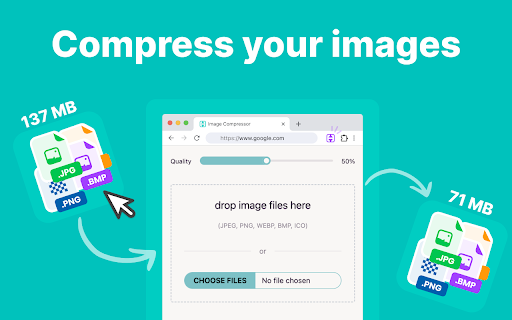
A browser extension that allows users to compress multiple images locally within the browser. It supports various formats including JPEG, PNG, and WebP, and features right-click integration and drag-and-drop functionality.

Version:0.0.3
Size:566KiB
Last updated:

Overview

Installs

1K+

Rating

3.8

8 reviews

Languages

50 locales

Includes Deutsch, English, Filipino, Indonesia...

Market analysis

Review-backed positioning, friction, and market signals for this Chrome extension.

Backed by review samples

Macro category

Developer & Designer Tools

Pricing friction

Low review signal

Complaint intensity

Low review signal

Listing & review signals
Observed signals from store listing text and review samples.

Listing positioning

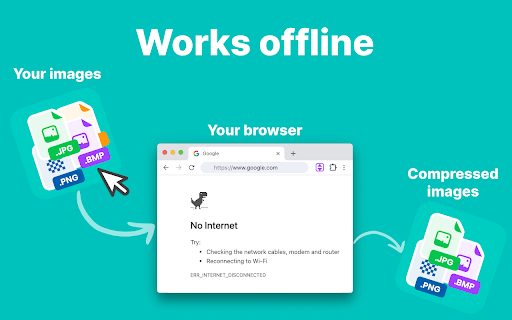
The product is positioned as a fast, privacy-centric utility for compressing images in batches without leaving the browser. It emphasizes local processing and offline functionality to ensure data security and efficiency for web professionals.

Inferred product pattern

Local-first utility tool utilizing browser-side processing to provide privacy and offline utility for common media tasks.

Review-backed pain points

Users reported instances where the tool fails to function and a specific dislike for the extension zipping compressed files instead of providing individual images.

Observed feature gaps

Lack of customizable aspect ratio settings and an option to disable zip archives for batch downloads.

Tags
Image CompressionBulk ProcessingOffline ToolPrivacy FocusedWeb Optimization
Target users

- Web Developers

- Web Designers

- Content Creators

- Bloggers

- General Users

Primary use cases

- Reducing image file sizes for website SEO

- Batch compressing photos for sharing

- Privacy-focused local image optimization

- Offline image size reduction

Positive themes

- User-friendly interface

- Efficient drag-and-drop functionality

- Privacy security due to offline processing

Negative themes

- General functional failure

- Automatic zipping of output files

Observed friction

- No pricing friction observed; the listing describes the tool as a free alternative to expensive software.

Evidence boundary: Analysis based on the store listing and a sample of high and low rating reviews. Small review sample size limits the ability to generalize the failure rate or specific feature requests.
Complaint summaries
Review-backed complaint signals grouped by operational area.

Support

No support or account-related complaints found in the provided samples.

Reliability

Limited evidence of reliability issues, with one user stating the tool does not work.

Privacy

No privacy complaints; users explicitly praised the local processing for data security.

Access & pricing

- Free usage observed

- No account requirement observed

- Free plan or free usage claimed

Store listing facts

Listing assets

- Screenshots: 3

- Videos: 0

- Languages: 50

Trust signals

- Privacy policy

- Developer contact

Store metadata

- Version: 0.0.3

- Size: 566KiB

- Last updated:

Store description excerpt
Short excerpt from the public Chrome Web Store listing; full copy is available on the official store page.
Looking for an easy and fast way to compress your images without leaving your browser? Look no further than "Bulk Image Compressor"! This browser extension allows you to compress image sizes directly in the browser without sending your data anywhere, ensuring privacy and offline functionality. Whether you’re managing a website or just need to reduce the size of images for sharing, this tool is perfect for you. 🌟 Key Features Batch Processing: Need to compress multiple images at once? With our extension, you can select a whole batch of images in one go. No need to repeat the process manually for each file. Fast and Efficient: Save time with quick compression speeds that operate directly in your browser. No need for external apps or tools. Complete Privacy: Your images remain private. None of the data is sent anywhere. Everything happens on your local machine, giving you full control. Wo…

Listing SEO keywords

Search intent keywords
Keyword signals for evaluating how users may discover, compare, or search for this extension category.

Core discovery

bulk image compressorbrowser image optimizeroffline image compressionlocal image reducer

Comparison

free image compressor vs paidlocal vs cloud image compression

Problem

large image file sizeslow website load timesimage privacy concerns

Alternative

online image compressor alternativebatch image reducer chrome extension

Similar extensions

Jump to related discovery paths:

FAQ

What is Bulk image compressor mainly used for?
A browser extension that allows users to compress multiple images locally within the browser. It supports various formats including JPEG, PNG, and WebP, and features right-click integration and drag-and-drop functionality.
What market signals stand out?
Early or small audience with limited review base. Last known update: 12/02/2024.
What should builders compare before entering this space?
Compare install concentration, rating quality, update recency, screenshots, developer portfolio, listing claims, and review-backed friction signals.
Is this page review-backed?
Backed by review samples. This page combines store metadata with selected review signals, while raw store metrics remain visible for comparison.

Screenshots

Bulk image compressor screenshot

Links

Recommended Chrome extensions

Related listings from the same category, trending peers, and the same publisher portfolio.

Browse tools
Remove background icon

Remove background

Browser Extensions

Remove background from image easily with our convenient background remover tool. Select or upload your image in the browser.

Installs

40K+

Rating

4.8

Monica: All-In-One AI Assist & Smartest  AI Agent icon

Monica: All-In-One AI Assist & Smartest AI Agent

Monica Team

One stop AI Assistant with GPT, Claude, Gemini: Chat, Write, Translate, Search, Summarize, image generator, video generation

Installs

3.0M+

Rating

4.9

Ad Blocker: Stands AdBlocker icon

Ad Blocker: Stands AdBlocker

Stands

Stands AdBlocker – it's a free ad blocker for YouTube, Twitch, Pop-Ups, Video Ads, and websites. Block ads everywhere with Stands!

Installs

3.0M+

Rating

4.8

Google Input Tools icon

Google Input Tools

cloud-input-team

Input Tools lets you type in the language of your choice.

Installs

3.0M+

Rating

4.0

Smallpdf—Edit, Convert, Compress, & AI Summarize PDF icon

Smallpdf—Edit, Convert, Compress, & AI Summarize PDF

Smallpdf AG

Easy-to-use PDF tools to compress, convert, merge, chat to, split, e-sign, and edit PDF files in your browser.

Installs

3.0M+

Rating

4.6

Microsoft Bing Search with Rewards icon

Microsoft Bing Search with Rewards

Microsoft Corporation

Use the Microsoft Rewards extension to find new ways to earn every day, easily track your points and set your default search to Bing

Installs

3.0M+

Rating

4.4

Google Scholar Button icon

Google Scholar Button

scholar-chrome-extensions

Lookup scholarly articles as you browse the web.

Installs

3.0M+

Rating

4.6

ЮБуст - VPN для YouTube. Обход блокировки Ютуб без ВПН. VPN для браузера icon

ЮБуст - VPN для YouTube. Обход блокировки Ютуб без ВПН. VPN для браузера

Uboost

Ускоритель Ютуб без ВПН, VPN для браузера Яндекс, Chrome, Opera, Edge. Обход замедления Ютуба.

Installs

2.0M+

Rating

4.2

Pie Adblock - A Powerful Free Ad Blocker icon

Pie Adblock - A Powerful Free Ad Blocker

Pie Extensions

Pie Adblock blocks ads & pop-ups, plus YouTube & Twitch video ads. You can customize your ad experience with Pie!

Installs

2.0M+

Rating

4.9

Dark Mode icon

Dark Mode

Grephy

A global dark theme for the web.

Installs

2.0M+

Rating

3.6