Scribe: AI Documentation, SOPs & Process Intelligence icon

Scribe Chrome Extension Analysis

Automation & Workflow Efficiency

Store listing title: Scribe: AI Documentation, SOPs & Process Intelligence

Chrome extension ID: okfkdaglfjjjfefdcppliegebpoegaii

Scribe is a browser extension that records user interactions to generate automated, step-by-step documentation. Users can edit these guides, annotate screenshots, and export them for use in internal wikis or help centers.

Version:104.15.2
Size:2.57MiB
Last updated:

Overview

Installs

1.0M+

Rating

4.8

829 reviews

Languages

1 locales

Includes English

Market analysis

Review-backed positioning, friction, and market signals for this Chrome extension.

Backed by review samples

Macro category

Automation & Workflow Efficiency

Pricing friction

Moderate review signal

Complaint intensity

Moderate review signal

Listing & review signals
Observed signals from store listing text and review samples.

Listing positioning

Scribe positions itself as a comprehensive documentation and workflow scaling tool that automatically captures steps and screenshots to create professional SOPs. It targets teams looking to reduce time spent on training and documentation by offering seamless embedding and collaborative guide features.

Inferred product pattern

Automated screen-capture workflow engine with a heavy emphasis on SaaS knowledge management.

Review-backed pain points

Users frequently express frustration over the inability to export guides on the free plan, technical performance issues like browser lag/crashes, and difficulty in stopping the recording process.

Observed feature gaps

Reviewers note a lack of trial options for advanced features, issues with redact/privacy controls in personal versions, and compatibility gaps for browsers like Vivaldi and Arc.

Tags
DocumentationSOPScreen CaptureWorkflow AutomationOnboarding
Target users

- Instructional Designers

- SaaS Teams

- New Hire Trainers

- Customer Success Managers

Primary use cases

- Creating SOPs

- Employee Onboarding

- Customer Training

- Internal Knowledge Base Documentation

Positive themes

- Fast creation of professional guides

- User-friendly interface

- Effective automated screenshot capture

- High value for basic onboarding

Negative themes

- High paywall friction for exporting

- Inconsistent reliability and browser performance

- Difficulty managing captured steps

- Lack of compatibility with non-Chrome browsers

Observed friction

- Free-tier complaints detected

- Performance complaints detected

- Privacy complaints detected

- Users report significant frustration regarding the free-to-paid conversion, specifically citing the inability to download/export guides without a Pro subscription.

Evidence boundary: Evidence gathered from 830 store reviews and the product's official listing, focusing on functional capabilities and common user pain points. Reviews are subjective and may not represent the entire user base; technical issues reported may be environment-specific (e.g., non-Chrome browsers).
Complaint summaries
Review-backed complaint signals grouped by operational area.

Support

Concerns center on missing features promised in paid plans and dissatisfaction with the lack of trial options for professional tiers.

Reliability

Reports of browser crashes, extension freezing during recording, and difficulty stopping capture sessions consistently appear in user feedback.

Privacy

Some users perceive the requirement for 'access to all websites' permission as an unnecessary security risk.

Access & pricing

- Free entry with paid features

- Account required for core usage

- Limited free usage observed

Store listing facts

Listing assets

- Screenshots: 5

- Videos: 0

- Languages: 1

Trust signals

- Privacy policy

- Developer contact

- Official website

- Support link

Store metadata

- Version: 104.15.2

- Size: 2.57MiB

- Last updated:

Store description excerpt
Short excerpt from the public Chrome Web Store listing; full copy is available on the official store page.
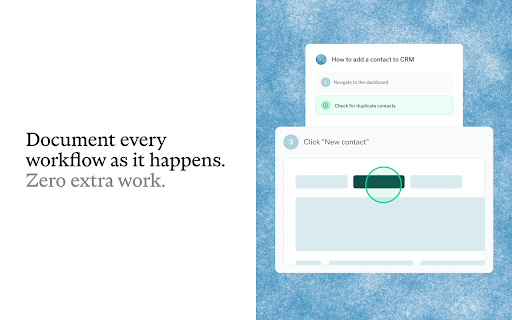
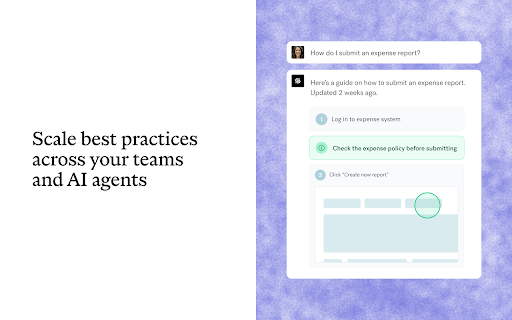
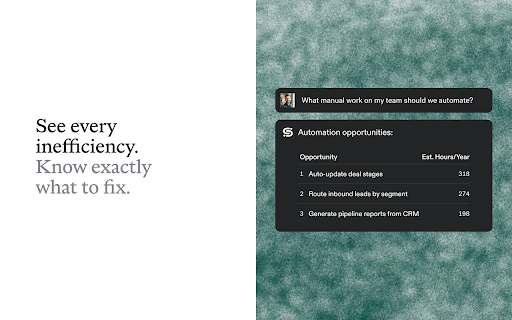
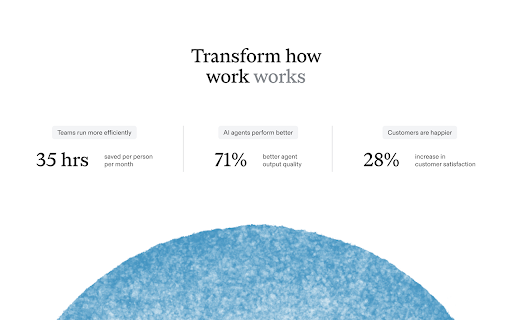
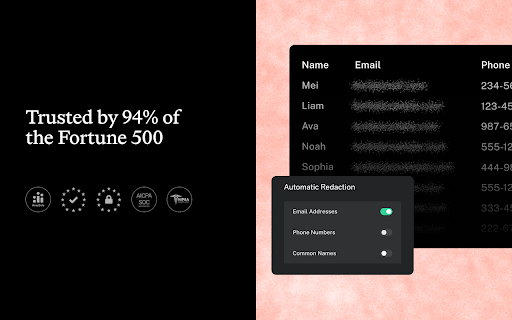
Every organization has its way of doing things. Almost none of it is written down. Scribe changes this. As your teams work, Scribe captures every workflow automatically — building the context your teams and AI agents need to do their best work. WHY TEAMS CHOOSE SCRIBE Trusted by teams at T-Mobile, Okta, and New York Life, Scribe is used by 94% of the Fortune 500 to capture, improve, and scale how work gets done. ✅ Save 35 hours per person, per month ✅ 98% of teams make fewer mistakes ✅ 71% better AI agent performance HOW IT WORKS Capture work as it happens: Scribe runs in the background to document processes as they happen. No manual documentation. No consultants. No blind spots. Know exactly what to fix: See where work breaks down, what to automate, and where to implement AI. Scale best practices: Share guides everywhere your teams and AI agents work. Ensure work gets done right: On-sc…

Listing SEO keywords

Search intent keywords
Keyword signals for evaluating how users may discover, compare, or search for this extension category.

Core discovery

automated documentation toolSOP generatorscreen capture softwarestep-by-step guides

Comparison

Scribe alternativeScribe vsfree documentation software

Problem

manual documentation slowtraining onboarding issues

Alternative

SnagitLoomStepShot

Similar extensions

Jump to related discovery paths:

FAQ

What is Scribe mainly used for?
Scribe is a browser extension that records user interactions to generate automated, step-by-step documentation. Users can edit these guides, annotate screenshots, and export them for use in internal wikis or help centers.
What market signals stand out?
Large installed base with moderate review base. Last known update: 06/25/2026.
What should builders compare before entering this space?
Compare install concentration, rating quality, update recency, screenshots, developer portfolio, listing claims, and review-backed friction signals.
Is this page review-backed?
Backed by review samples. This page combines store metadata with selected review signals, while raw store metrics remain visible for comparison.

Screenshots

Scribe: AI Documentation, SOPs & Process Intelligence screenshot

Links

Recommended Chrome extensions

Related listings from the same category, trending peers, and the same publisher portfolio.

Browse workflow
Free Download Manager icon

Free Download Manager

Free Download Manager.ORG

Free Download Manager integration with browser

Installs

3.0M+

Rating

4.2

夸克网盘-网页嗅探 icon

夸克网盘-网页嗅探

广州市动悦信息技术有限公司

识别到网页资源时,可一键存夸克网盘

Installs

3.0M+

Rating

1.7

Mendeley Web Importer icon

Mendeley Web Importer

Mendeley

Fast, convenient import of references and PDFs to your Mendeley Reference Manager library.

Installs

3.0M+

Rating

2.3

Enable local file links icon

Enable local file links

Takashi Sugimoto (tksugimoto)

Make it possible to open by click a link to a local file that is disabled by Chrome.

Installs

3.0M+

Rating

3.9

Pop up blocker for Chrome™ - Poper Blocker icon

Pop up blocker for Chrome™ - Poper Blocker

dingosolutions

Block popups, ads, cookie requests, trackers, notifications, ads on social media & more. A clean browsing experience starts today.

Installs

2.0M+

Rating

4.8

Momentum icon

Momentum

Momentum

Transform your browser into a beautifully designed tab that helps you feel calm, keep focus, and stay energized.

Installs

2.0M+

Rating

4.5

Google Scholar PDF Reader icon

Google Scholar PDF Reader

scholar-chrome-extensions

Supercharge your paper reading: follow references, skim outline, jump to figures, cite and save.

Installs

2.0M+

Rating

4.1

Keeper® Password Manager & Digital Vault icon

Keeper® Password Manager & Digital Vault

Keeper Security

Generate strong passwords, autofill and protect your confidential info with zero-knowledge encryption.

Installs

2.0M+

Rating

4.8

AI Grammar Checker & Paraphraser – LanguageTool icon

AI Grammar Checker & Paraphraser – LanguageTool

lt-extension-publisher

Instantly Enhance Your Texts with LanguageTool’s Grammar Checker and Paraphrasing Tool

Installs

2.0M+

Rating

4.7

Snow Web Application Metering icon

Snow Web Application Metering

snow_chrome_extensions

This extension tracks web application use for the purpose of license compliance and cost optimization. www.snowsoftware.com/browser

Installs

2.0M+

Rating

1.3