Keeper® Password Manager & Digital Vault icon

Keeper® Password Manager & Digital Vault Chrome Extension Analysis

Privacy, Security & Ad Blockers

Chrome extension ID: bfogiafebfohielmmehodmfbbebbbpei

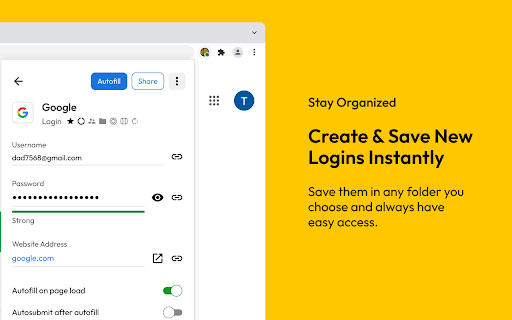
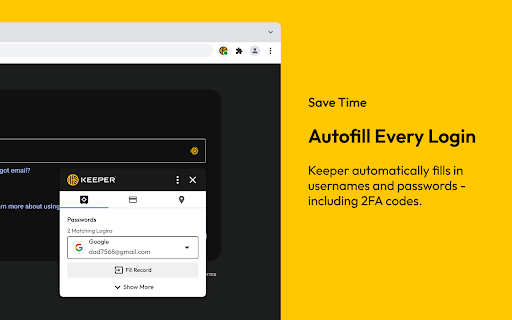
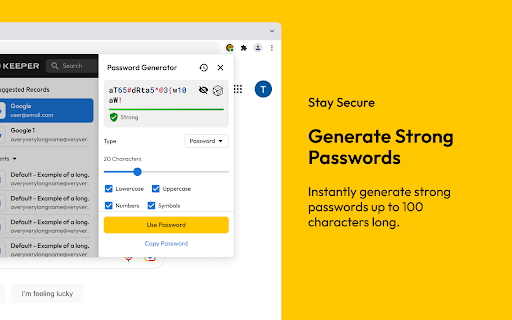
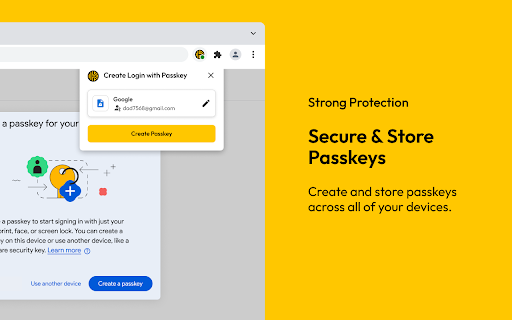
Keeper is a digital vault extension that provides password generation, credential storage, and autofill capabilities across devices. It uses AES-256 encryption to protect sensitive information, including passwords, passkeys, 2FA codes, and files, while supporting biometric unlock methods.

Developer:Keeper Security
Version:17.9.0
Size:104MiB
Last updated:

Overview

Installs

2.0M+

Rating

4.8

8,520 reviews

Languages

18 locales

Includes Deutsch, English (United Kingdom), English (United States), Nederlands...

Market analysis

Review-backed positioning, friction, and market signals for this Chrome extension.

Backed by review samples

Macro category

Privacy, Security & Ad Blockers

Pricing friction

Moderate review signal

Complaint intensity

High review signal

Listing & review signals
Observed signals from store listing text and review samples.

Listing positioning

Keeper positions itself as a premium, zero-knowledge, and enterprise-grade cybersecurity solution for credential management. It emphasizes its certifications, such as SOC-2 and FedRAMP, to appeal to both individual users and large organizations needing secure, cross-device data storage.

Inferred product pattern

Enterprise-focused security suite leveraging zero-knowledge encryption as its core value proposition.

Review-backed pain points

Users frequently report difficulty locating cancellation options, citing dark patterns in billing. Others cite performance degradation, sync failures, and bugs that interfere with standard browser behavior like clipboard pasting.

Observed feature gaps

Lack of intuitive search by domain, missing frequently used email suggestions, and inconsistent autofill performance on certain websites.

Tags
Password ManagerSecurityEncryptionAutofill2FA
Target users

- Enterprise IT Departments

- Individual Power Users

- Security-conscious Consumers

Primary use cases

- Storing Passwords and Passkeys

- Autofilling Login Credentials

- Managing 2FA/TOTP Codes

- Sharing Credentials Securely

Positive themes

- High security perception

- Cross-device sync utility

- Comprehensive record type support

Negative themes

- Difficult cancellation processes

- Aggressive auto-renewal billing

- Sync and connectivity performance drops

- UI/UX friction in autofill

Observed friction

- Payment required for meaningful usage

- Account blocking complaints detected

- Refund complaints detected

- Performance complaints detected

- Users report significant difficulty cancelling subscriptions, claiming they are forced to contact support to disable auto-renewals, with some experiencing refund denials.

Evidence boundary: Analysis is based on user reviews highlighting a mix of high-security appreciation and significant operational/billing friction. Review samples represent a subset of users; complaints may not reflect the experience of the entire user base.
Complaint summaries
Review-backed complaint signals grouped by operational area.

Support

Support is described as rigid, with users feeling forced to initiate bank chargebacks to resolve billing/cancellation disputes.

Reliability

Reports of connection drops, extension crashes, and interference with browser functionality (e.g., clipboard pasting) are common.

Privacy

No specific privacy complaints found; zero-knowledge architecture is generally acknowledged in the product listing.

Access & pricing

- Subscription model observed

- Account required for core usage

- Trial or limited free usage before paid plan

Store listing facts

Listing assets

- Screenshots: 5

- Videos: 0

- Languages: 18

Trust signals

- Privacy policy

- Developer contact

- Official website

- Support link

Store metadata

- Version: 17.9.0

- Size: 104MiB

- Last updated:

Store description excerpt
Short excerpt from the public Chrome Web Store listing; full copy is available on the official store page.
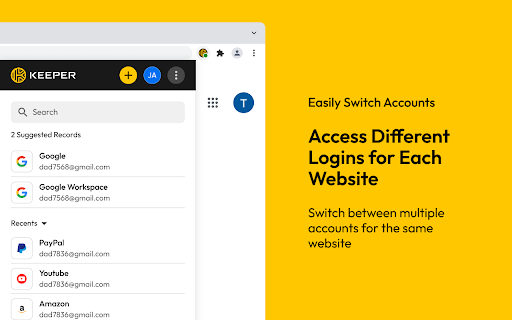
Keeper Password Manager keeps your passwords and data secure. Utilize our secure password generator, store passkeys and 2FA codes, and autofill your passwords. Keeper is the proven cybersecurity leader that protects millions of people and over 100,000 companies globally. Keeper Password Manager lets you create strong, random passwords and passphrases with its built-in password generator, secure them in an encrypted digital vault you can open on any device, and instantly autofill or securely share credentials across all your sites and apps. Save and sync passkeys and 2FA codes right inside Keeper for one-tap login anywhere. Zero-knowledge, AES-256 encryption shields every password and piece of sensitive data from breaches, ransomware, and other cyber-attacks. Keeper Password Manager stores unlimited passwords, passkeys, 2FA codes, files, and payment cards in a zero-knowledge, AES-256–enc…

Listing SEO keywords

Search intent keywords
Keyword signals for evaluating how users may discover, compare, or search for this extension category.

Core discovery

password manager extensionsecure vault chromeautofill passwordszero knowledge password managerpassword generator

Comparison

Keeper vs 1Passwordbest password manager for chrome

Problem

cancel keeper subscriptionkeeper extension not autofillingkeeper performance issues

Alternative

Bitwarden alternativeLastPass alternative1Password

Similar extensions

Jump to related discovery paths:

FAQ

What is Keeper® Password Manager & Digital Vault mainly used for?
Keeper is a digital vault extension that provides password generation, credential storage, and autofill capabilities across devices. It uses AES-256 encryption to protect sensitive information, including passwords, passkeys, 2FA codes, and files, while supporting biometric unlock methods.
What market signals stand out?
Large installed base with substantial review base. Last known update: 05/20/2026.
What should builders compare before entering this space?
Compare install concentration, rating quality, update recency, screenshots, developer portfolio, listing claims, and review-backed friction signals.
Is this page review-backed?
Backed by review samples. This page combines store metadata with selected review signals, while raw store metrics remain visible for comparison.

Screenshots

Keeper® Password Manager & Digital Vault screenshot

Links

Recommended Chrome extensions

Related listings from the same category, trending peers, and the same publisher portfolio.

Browse workflow