
CPS Test with Clicks Tracking Chrome Extension Analysis
Niche Lifestyle & Gaming HacksChrome extension ID: pbnkockhobmklmokpgkmngoalckimhlg
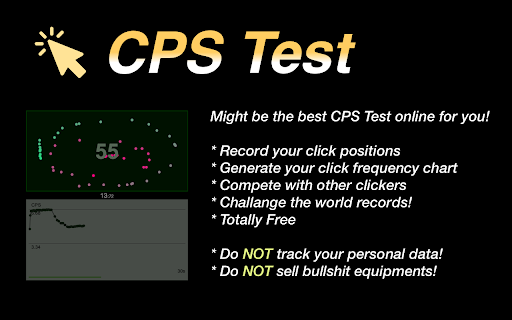
A simple utility that measures a user's clicking speed within specified time intervals. It provides a CPS score and visualizes click locations on a canvas.
Overview
Installs
8K+
Rating
★ 4.0
16 reviews
Languages
26 locales
Includes Deutsch, English, English (United Kingdom), English (United States)...
Market analysis
Review-backed positioning, friction, and market signals for this Chrome extension.
Macro category
Niche Lifestyle & Gaming Hacks
Pricing friction
Low review signal
Complaint intensity
Moderate review signal
Listing positioning
The product positions itself as a performance tool to measure Clicks Per Second (CPS) across eight different time modes. It emphasizes the use of a detailed click-tracking map to help users understand their clicking speed.
Inferred product pattern
A simple wrapper extension that redirects users to a web-based performance testing tool.
Review-backed pain points
Users are frustrated that the extension acts as a redirect to a website rather than a standalone tool and reports that the page freezes or crashes during high-speed clicking.
Observed feature gaps
Lack of stable performance for high-CPS users and a lack of native integration, relying instead on web redirects.
- Gamers
- Click speed enthusiasts
- Casual users
- Testing clicking speed
- Comparing CPS scores
- Visualizing click patterns
- Fast and lightweight
- Helpful real-time charts
- Engaging simple gameplay
- Redirects to external website
- Application crashes at high click speeds
- Inaccurate world record claims
- Performance complaints detected
- No pricing friction observed as the product is presented as free.
Support
No specific support or account complaints identified.
Reliability
Reports of the web page freezing or the extension crashing when users achieve very high click rates.
Privacy
No privacy or security complaints observed.
- Free usage observed
- No account requirement observed
- Free plan or free usage claimed
Store listing facts
- Screenshots: 2
- Videos: 0
- Languages: 26
- Privacy policy
- Developer contact
- Official website
- Version: 3.2
- Size: 65.79KiB
- Last updated:
Listing SEO keywords
Core discovery
Comparison
Problem
Alternative
Similar extensions
Jump to related discovery paths:
FAQ
Screenshots
Links
Website: arealme.com
Privacy policy: https://high-qr-code-generator.com/privacy.txt