Cursor Style Chrome Extension Analysis
Niche Lifestyle & Gaming HacksStore listing title: Cursor Style – Custom Mouse Cursors & Trails for Chrome™
Chrome extension ID: bmjmipppabdlpjccanalncobmbacckjn
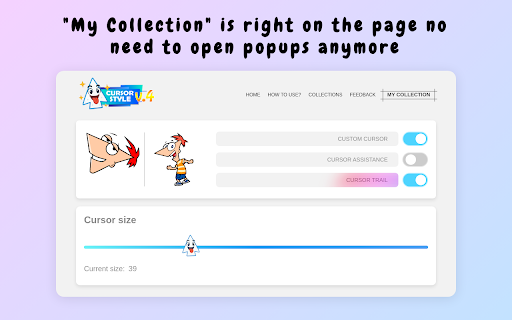
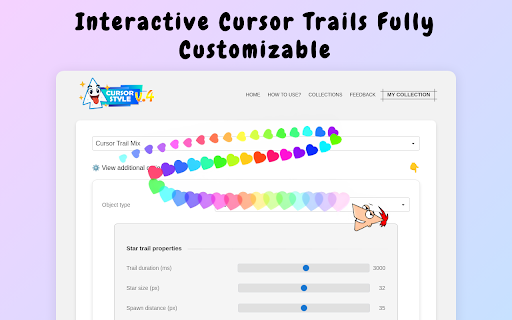
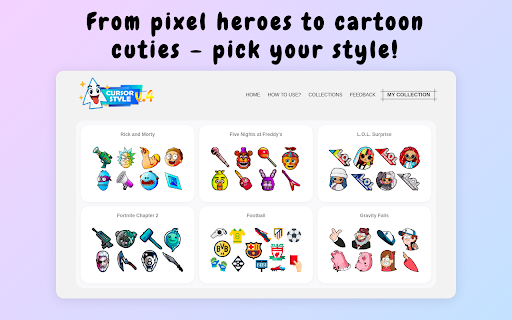
Cursor Style is a Chrome extension that enables users to change their default mouse cursor to a variety of custom designs and add animated trails. It offers a collection of styles, allows users to save favorites, and provides options to customize trail effects like size, speed, and color.
Overview
Installs
100K+
Rating
★ 4.8
3,239 reviews
Languages
55 locales
Includes Deutsch, English, English (Australia), English (United Kingdom)...
Market analysis
Review-backed positioning, friction, and market signals for this Chrome extension.
Macro category
Niche Lifestyle & Gaming Hacks
Pricing friction
Low review signal
Complaint intensity
High review signal
Listing positioning
The store listing positions "Cursor Style" as a fun and easy-to-use tool for personalizing the Chrome browser. It highlights a large collection of custom mouse cursors and animated trails, emphasizing high-quality visuals and a user-friendly experience for aesthetic customization.
Inferred product pattern
A B2C browser personalization tool focused on aesthetic customization of the user's mouse cursor and trails, provided as a free utility.
Review-backed pain points
Many users report that the extension's core functionality, such as applying cursors or interacting with buttons, does not work at all, leading to significant frustration and wasted time. Some also face issues with the extension being blocked or features being broken.
Observed feature gaps
Users expressed a desire for a wider variety of cursors, including non-AI generated options, and the ability to upload custom images for cursors. There is also feedback suggesting trails do not always match cursors effectively and a need for context-sensitive cursor changes (e.g., for text boxes).
- Individuals seeking browser personalization
- Users looking for fun and aesthetic browser customization
- Chrome users who want to change default UI elements
- Changing the default mouse cursor in Chrome
- Adding animated visual effects to the mouse cursor
- Personalizing the browser interface for aesthetic enjoyment
- Free access to customization options
- Good variety of cursors and trails
- Enjoyable personalization features
- Core functionality not working or broken
- Features failing to install or being blocked
- Limited selection of cursors (e.g., preference for non-AI or user-uploaded options)
- Account blocking complaints detected
- Performance complaints detected
- No pricing friction observed as the product appears to be completely free to use.
Support
One complaint suggests the extension might be blocked, potentially indicating a need for troubleshooting guidance or support, although explicit support complaints are not detailed.
Reliability
Significant reliability issues are reported, with multiple users stating that the extension's basic functionality, including applying cursors and button interactions, simply does not work or is broken.
Privacy
No privacy or security complaints were found in the provided review samples.
- Free usage observed
- No account requirement observed
- Free plan or free usage claimed
Store listing facts
- Screenshots: 5
- Videos: 0
- Languages: 55
- Privacy policy
- Developer contact
- Official website
- Support link
- Version: 5.0.1
- Size: 1.1MiB
- Last updated:
Listing SEO keywords
Core discovery
Comparison
Problem
Alternative
Similar extensions
Jump to related discovery paths:
FAQ
Screenshots

Links
Website: cursor.style
Privacy policy: https://cursor.style/privacy
Support links: https://cursor.style/contact


![Netflix Picture in Picture now for Prime & D+ [QVI] icon](https://extspot.com/api/v1/assets/googleusercontent/aHR0cHM6Ly9saDMuZ29vZ2xldXNlcmNvbnRlbnQuY29tLzVHUW9jRkFFOWVaWDRURmFmT3BpTTFVRVk0QUJlWm1iYy15MmtBeWlCQkRVSGpxY1lRb2tkNngwUldMQVR0V2hMVlU4R1cxWFNrNHQ0bFlKd251WDV3b3pTQQ)