

Save to Google Drive Chrome Extension Analysis
Automation & Workflow EfficiencyChrome extension ID: gmbmikajjgmnabiglmofipeabaddhgne
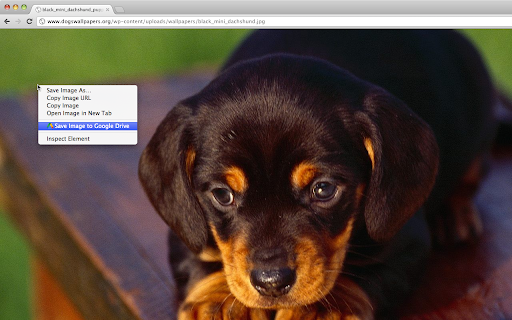
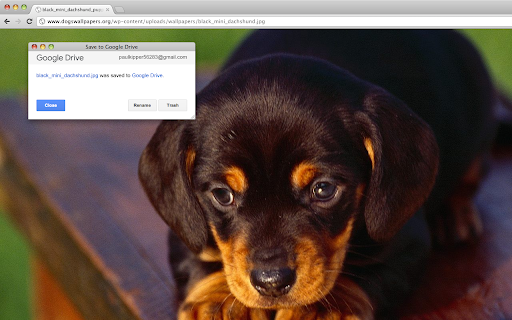
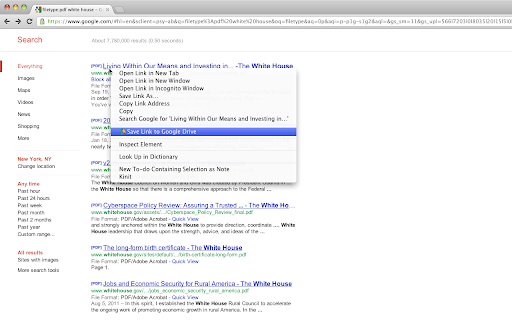
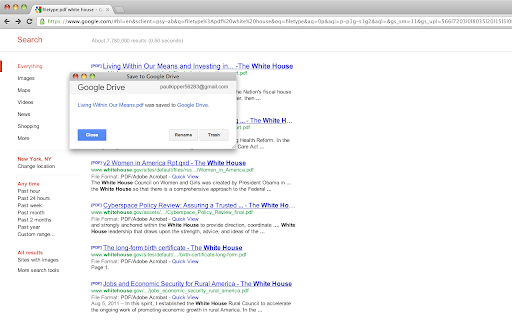
An official Google extension that allows users to save web pages, images, and media directly to their Google Drive account. It supports multiple formats including PDF, HTML, and Google Docs, with configurable destination folders.
Overview
Installs
5.0M+
Rating
★ 3.9
4,975 reviews
Languages
53 locales
Includes Deutsch, English, English (United Kingdom), Filipino...
Market analysis
Review-backed positioning, friction, and market signals for this Chrome extension.
Macro category
Automation & Workflow Efficiency
Pricing friction
Low review signal
Complaint intensity
High review signal
Listing positioning
The product is positioned as a direct utility for saving web content and screen captures directly to Google Drive. It emphasizes convenience through browser actions and context menus to streamline archiving processes.
Inferred product pattern
First-party ecosystem utility designed to increase stickiness and usage of Google Drive.
Review-backed pain points
Users report that the extension frequently ignores format settings and defaults to saving as PNG. There are also reports of the extension getting stuck on 'Downloading' or throwing 'Authorization Error 400'.
Observed feature gaps
Lack of stable configuration memory for file formats and unreliable multi-account authentication.
- Google Drive users
- Students
- Researchers
- Web content curators
- Archiving web pages as PDFs
- Saving web images to cloud storage
- Capturing screenshots of websites
- Converting web content to Google Docs
No positive theme data.
- Setting persistence issues
- Authorization and login failures
- Slow performance
- Capture failures
- Performance complaints detected
- No pricing friction observed; the tool is provided as a free utility.
Support
Users express frustration over unresolved bugs and a perceived lack of recent updates to fix core functionality.
Reliability
Significant reports of technical breakage, including failed image captures, invalid request errors, and failure to save files as HTML.
Privacy
No privacy-specific complaints identified in the provided samples.
- Free usage observed
- Account required for core usage
- Free plan or free usage claimed
Store listing facts
- Screenshots: 4
- Videos: 0
- Languages: 53
- Privacy policy
- Developer contact
- Official website
- Support link
- Version: 3.0.9
- Size: 479KiB
- Last updated:
Listing SEO keywords
Core discovery
Comparison
Problem
Alternative
Similar extensions
Jump to related discovery paths:
FAQ
Screenshots
Links
Website: drive.google.com
Privacy policy: https://policies.google.com/privacy
Support links: http://support.google.com/drive/?p=extension_help



