

Save to Pinterest Chrome Extension Analysis
Social Media Growth & MarketingChrome extension ID: gpdjojdkbbmdfjfahjcgigfpmkopogic
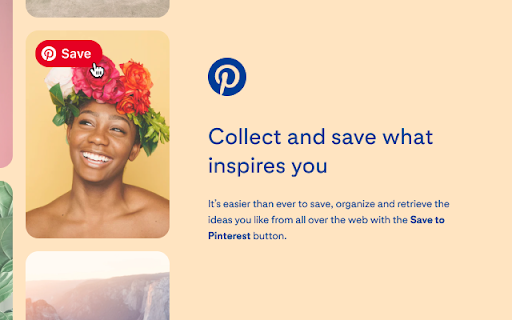
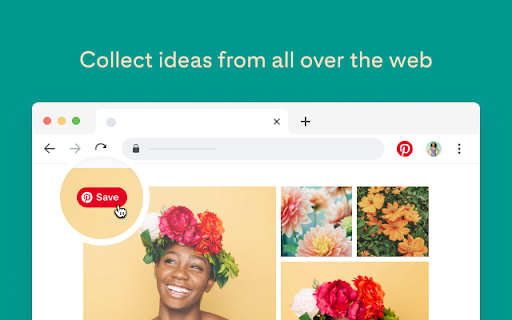
This official browser extension allows users to save web images and content to their Pinterest account without leaving the current page. It includes a visual hover tool to discover similar pins and a board picker for organizational management.
Overview
Installs
5.0M+
Rating
★ 3.5
10,023 reviews
Languages
37 locales
Includes Deutsch, English, English (United Kingdom), Filipino...
Market analysis
Review-backed positioning, friction, and market signals for this Chrome extension.
Macro category
Social Media Growth & Marketing
Pricing friction
Low review signal
Complaint intensity
High review signal
Listing positioning
The Save to Pinterest button is positioned as an essential utility for streamlining the curation of web content into organized Pinterest boards. It emphasizes ease of use, enabling users to capture recipes, style inspiration, and DIY projects directly from their browser.
Inferred product pattern
Official platform-owned companion extension for social media content aggregation.
Review-backed pain points
Users report recent breakage where the extension fails to trigger or display correctly, alongside specific technical issues like invalid user tokens and unintended interference with Google Docs and Sheets text inputs.
Observed feature gaps
Lack of functionality to customize pin titles or descriptions during the save process, and missing source URLs for specific image saves.
- Pinterest enthusiasts
- Content creators
- Social media marketers
- General web researchers
- Saving images to Pinterest boards
- Discovering similar content via visual search
- Managing content collections across various websites
- Historically reliable performance
- Convenience of pinning directly from the browser
- Long-term integration with browsing workflow
- Recent widespread functional failure
- Bugs impacting Google Docs/Sheets content
- Lack of granular control over pin titles/descriptions
- Login and token authentication issues
- Account blocking complaints detected
- Performance complaints detected
- None; the extension is free to use, though users report frustration with account-related token errors.
Support
Users express high frustration with persistent bugs that have rendered the extension unusable on Chrome, with little evidence of recent patches addressing these concerns.
Reliability
Significant reports of the extension failing to activate, showing 'undefined' errors, and interfering with unrelated browser tools like Google Docs.
Privacy
No specific privacy-related complaints; the extension discloses data usage in its privacy policy regarding personalization and ad effectiveness.
- Free usage observed
- Login needed for core features
- Free plan or free usage claimed
Store listing facts
- Screenshots: 4
- Videos: 0
- Languages: 37
- Privacy policy
- Developer contact
- Official website
- Support link
- Version: 6.13.0
- Size: 598KiB
- Last updated:
Listing SEO keywords
Core discovery
Comparison
Problem
Alternative
Similar extensions
Jump to related discovery paths:
FAQ
Screenshots


Links
Website: pinterest.com
Privacy policy: https://policy.pinterest.com/en/privacy-policy
Support links: https://help.pinterest.com/article/trouble-with-pinterest-browser-button


